Julia Hoerr
Forum Replies Created
-

Julia Hoerr
May 21, 2021 at 6:34 pm in reply to: Auto resizable Textbox with object connected to cornerThat’s it. Now everything behaves the way I want it to. I have to confess, I don’t really understand what you did, but I’m impressed and I’m really thankful for your help. I wish I could pay you to teach me your magic ; )
Have a nice weekend
-
Julia Hoerr
May 20, 2021 at 4:20 pm in reply to: Auto resizable Textbox with object connected to cornerIt’s me again. There is still one thing that is bothering me and I don’t understand why this happens.
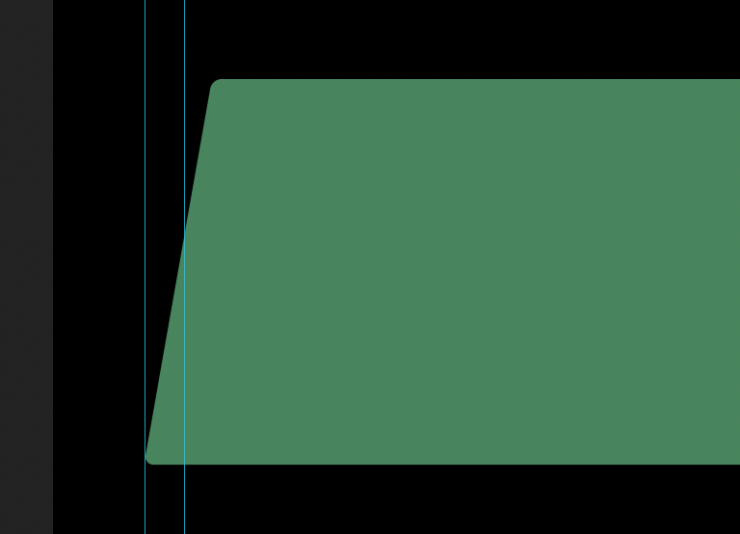
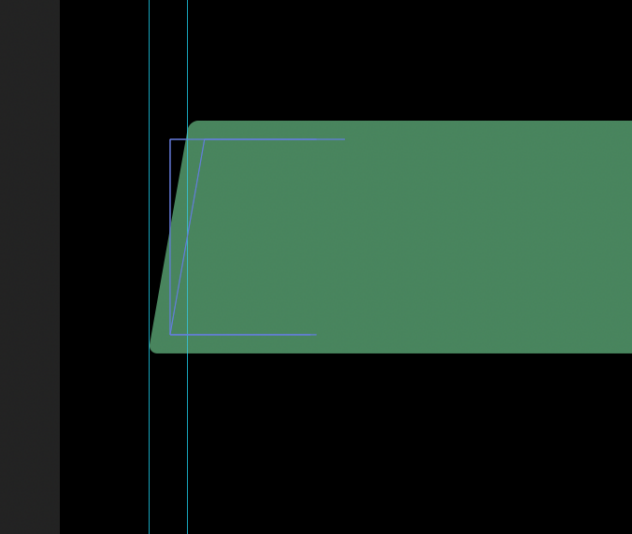
No matter how many lines the text has, the lower left corner always follows the guide layer (see pictures) and the upper left corner ist moving horizontally.
Since the anchor point is in the upper left corner I don’t understand this behavior. Why is the lower corner moving? And what can I do to fix the upper left corner in place? I’d rather like the lower corner to move and the upper corner to be fixed in place.

-
Julia Hoerr
May 20, 2021 at 10:32 am in reply to: Auto resizable Textbox with object connected to cornerThank you too. I added your piece of code to the expression. This is very helpful because most of my text boxes will be skewed.
-
Julia Hoerr
May 20, 2021 at 10:27 am in reply to: Auto resizable Textbox with object connected to cornerThis is just awesome! Thank you so much for your help. You even solved another problem I didn’t mention. There is now always some space between the text and the circle.
Now everything works perfectly. I’m so happy.
-
Julia Hoerr
February 3, 2021 at 10:08 am in reply to: Trapcode Particular – creating a silky texture – HOW?Hi Michael, thanks for your advice. I will look into it.
-
Julia Hoerr
May 7, 2018 at 5:19 pm in reply to: Resizable Box with Object attached to the edges – How?The third suggestion was exactly what I needed. So simple and so flexible.
I will use this feature a lot in the future. Can’t believe I didn’t know about that before.Thanks a lot. Also for the other suggestions. You really helped me.
Greetings
Julia -
Now I tried the audio waveform method. This really must be the easiest way. So cool
Thank you for this tip. -
Thanks a lot for your help. I tried your way and it works fantastic. You really saved my project.
When I have a little more time I will try the other suggestions as well to see what I can learn from it.
You guys in this forum are great. -
Julia Hoerr
March 9, 2016 at 12:06 pm in reply to: Scaling multiple layers and keeping the alignment without a null layerThank you all very much for your help. With your suggestiona I found a good working way to change the scaling and even the position of my beam animation. I have to change the thickness of the beam manually according to the scaling, but thats ok.
So, thanks again. This forum is great.