-
Trapcode Particular – creating a silky texture – HOW?
Hi there,
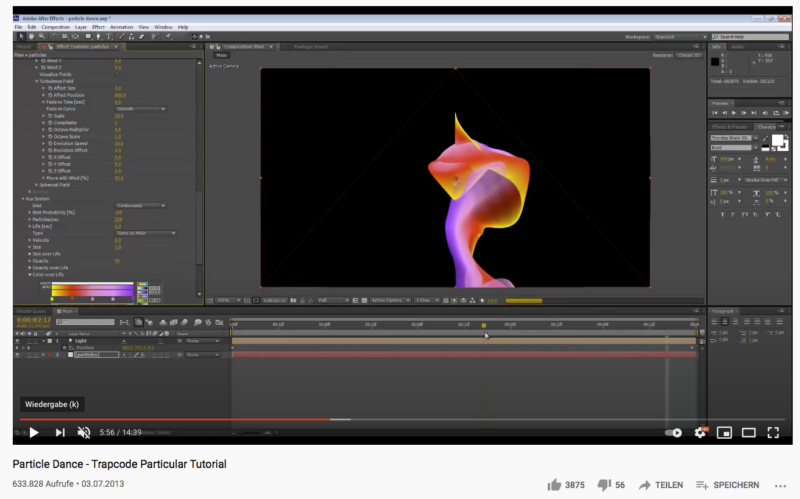
I tried to follow a tutorial on how to create something like a silky texture which is swirling around slightly. (See Picture with the red and pink thing)
I followed the tutorial very carefully and did the exact same thing, but the result is not even close. So I tried for two whole days to achieve it by myself and now it drives me crazy. I have to admit that I am not really familiar with Particular.
If someone can help me, I would be deeply grateful. This is something I need for work, so it’s not only playing around for fun.
What I would like to create:
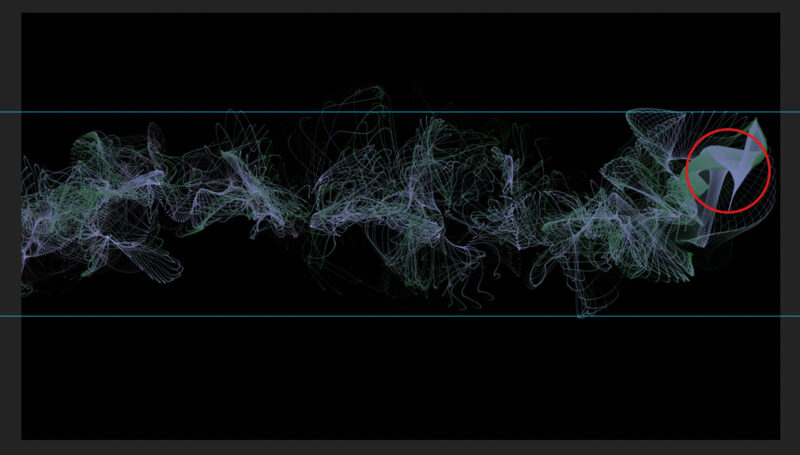
a silky fabric which is partly a little bit transparent but with no holes. And it has to go from the upper guide line (see picture with green/blue thing) to the lower guide line because it is supposed to be the background for a title animation. It should fly in from the left side of the screen, then stay for a few seconds and keep slightly swirling. My Comp is 1920×1080 if this matters. And I am working with newest version of AE and Trapcode Particular Version 2.6.
Any help is really appreciated.
Julia