Creative Communities of the World Forums

The peer to peer support community for media production professionals.

Activity Forums Adobe After Effects Expressions Auto resizable Textbox with object connected to corner

  • Auto resizable Textbox with object connected to corner

    Posted by Julia Hoerr on May 19, 2021 at 4:02 pm

    Hi there,

    maybe somebody can help me with a problem. I have a shape layer and a text layer.

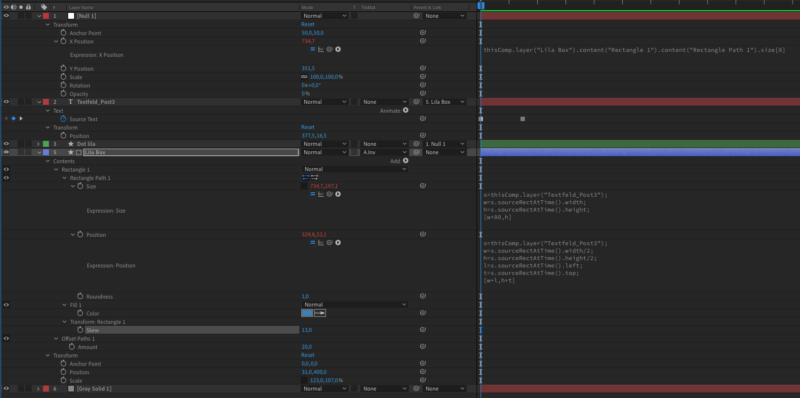
    I used “sourceRectAtTime” to make the text box automatically the same size as my text.

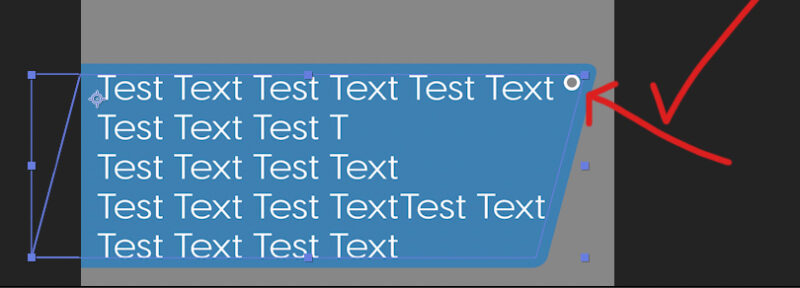
    That works perfectly. But I also want a little circle to always stay in the right upper corner of the box, no matter which size the box has.

    So I added a null layer. The null layers horizontal position is pick whiped to the size of the shape layer. And the circle is parented to the null.

    This is almost working but with a little problem. When I change the text, the text box changes its size and the circle is following the corner of the box. BUT with an offset. It seems like the circle isn’t following enough.

    Can someone help me? I’ve tried a lot for several hours now but I’m kind of stuck.

    Chris Voelz replied 4 years, 12 months ago 3 Members · 10 Replies
  • 10 Replies
  • Chris Voelz

    May 19, 2021 at 5:59 pm

    I did some tinkering and this is what I came up with.

  • Chris Voelz

    May 19, 2021 at 7:23 pm
  • 이 중광 Create COW Profile Image

    이 중광

    May 20, 2021 at 2:26 am

    I downloaded Chris Voelz‘s aep.

    I added a variable “sm” to get how much offset happens by a skew value, and multiplied 0.8 to it, and added it to position[0].

    It seems to work fine. 😀

  • Julia Hoerr

    May 20, 2021 at 10:27 am

    This is just awesome! Thank you so much for your help. You even solved another problem I didn’t mention. There is now always some space between the text and the circle.

    Now everything works perfectly. I’m so happy.

  • Julia Hoerr

    May 20, 2021 at 10:32 am

    Thank you too. I added your piece of code to the expression. This is very helpful because most of my text boxes will be skewed.

  • Julia Hoerr

    May 20, 2021 at 4:20 pm

    It’s me again. There is still one thing that is bothering me and I don’t understand why this happens.

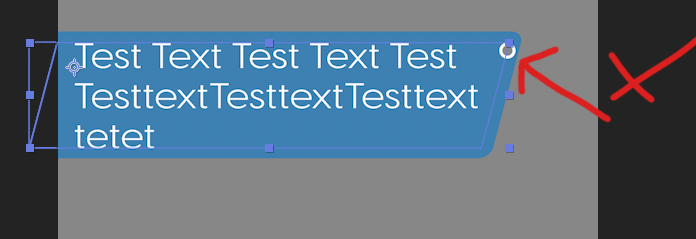
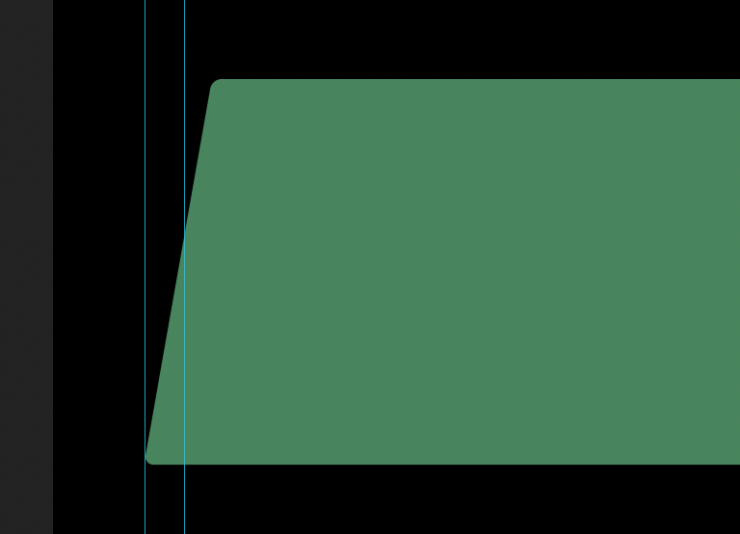
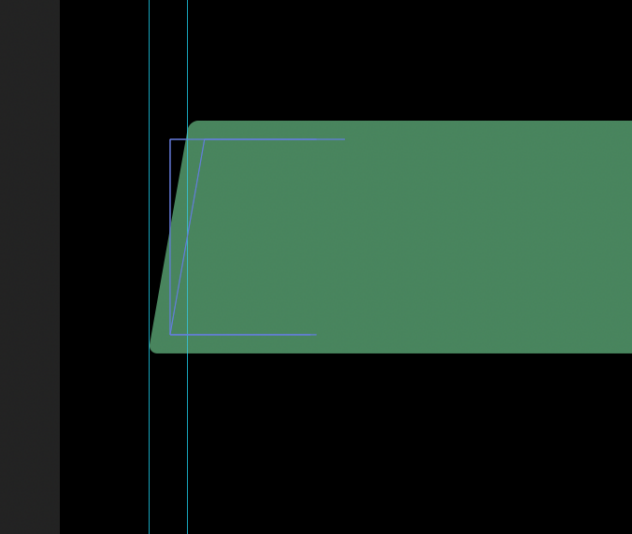
    No matter how many lines the text has, the lower left corner always follows the guide layer (see pictures) and the upper left corner ist moving horizontally.

    Since the anchor point is in the upper left corner I don’t understand this behavior. Why is the lower corner moving? And what can I do to fix the upper left corner in place? I’d rather like the lower corner to move and the upper corner to be fixed in place.

  • Chris Voelz

    May 20, 2021 at 4:39 pm

    It is most likely the way the skew is being calculated. The lower left corner is probably the anchor for the skew, which is why when there are less lines of text the top left corner shifts horizontally.

  • Chris Voelz

    May 20, 2021 at 7:04 pm

    Paste this into the shapes position and change the values to match your layer names. It will offset the positional value to keep the top left corner in place.

    h = content("Rectangle 1").content("Rectangle Path 1").size[1];

    b = Math.tan(content("Rectangle 1").transform.skew*Math.PI/180)*h;

    x = transform.position[0]-b;

    y = value[1];

    [x,y]

  • Julia Hoerr

    May 21, 2021 at 6:34 pm

    That’s it. Now everything behaves the way I want it to. I have to confess, I don’t really understand what you did, but I’m impressed and I’m really thankful for your help. I wish I could pay you to teach me your magic ; )

    Have a nice weekend

  • Chris Voelz

    May 21, 2021 at 7:38 pm

    Essential a little trigonometry. If you overlaid the skewed shape on the original rectangle a triangle would be created. Solving for the sides of that triangle gives you the values needed to offset the position. The more you get into expressions the more math you will need to use. Basically everything you learned in school that you thought you would never use…you find a use.

We use anonymous cookies to give you the best experience we can.
Our Privacy policy | GDPR Policy