Jim Curtis
 19
COW Coins
19
COW Coins
 11
Storage & Archiving Coins
11
Storage & Archiving Coins
Forum Replies Created
-

BRU doesn’t use TAR. You may have to do what I did. There’s a post on this forum about it. You can use the Terminal to restore the entire contents of the tape to a drive. I recall a command to list the tape’s contents, but I think it’s more complicated to grab a few files vs. copying the whole tape. Look for a post I started about not being able to contact Tolis support because the Tape Import Tool of ArGest Backup wasn’t working for me.
The Terminal commands are also in the ArGest and BRU PE owner’s manual PDF, if you can find those. I’m not entirely comfortable using the Terminal much, but the relevant info is in there.
One of the things I had to do was to mount an external disk, and rename it to the name of the drive the files were copied FROM to the tape.
-
Since you asked for “any help,” I’ll point you to a thread that helped me restore the entire contents of a tape using a Terminal window. I’m still a Terminal dummy. I suggest you start at the bottom of the thread and work backwards. Somewhere in there are the commands and syntax I used to do what you’re asking about:
https://creativecow.net/forums/thread/cant-access-tolis-support-need-to-restore-tape/
A very kind man named James Vorley helped me tremendously.
Can’t access Tolis Support – Need to restore tape contents to RAID
-
What makes Pr the best choice for me is the Adobe product line. I work with agencies and large corporations, most of which are Adobe based. So, I get many assets: logos, stills, PSDs, Ai files, etc. I need to edit or use for video. I also do motion graphics based on corporate branding. Ae is a design tool, whereas some of the moGFX apps or utilities from other companies aren’t as well implemented.
I have a friend who does nothing but cuts and dissolves mini-documentaries with simple titles and lower thirds he makes in the NLE. FCPX is all he needs, and all he will ever need.
So, the type of work you do, or expect to do, should be a consideration as to which NLE is best for you. Another consideration is whether you’re a standalone operation, or expect to share the post load with audio mixers, colorists, SPFX artists, etc., as you need to be sure you’re all compatible and can share files and projects without jumping hoops or encountering roadblocks.
-
<div>I just noticed I typed, “15.5.7.” Yes, I’m from the future. 🙂 </div><div>
</div><div>
I meant 10.15.7.
That has been a pretty solid build. The only issue I’ve noticed is some Mail messages are blank. Quit the Mail app, relaunch, and the messages show up again. Minor nuisance.
</div>
-
Robert, the moving goalposts are due to competition, and as I wrote, new cameras and codecs that clients want to work with. Some people call that “progress.” If you want a stable system, find one that works for you, and never upgrade anything on it, and be prepared to exclude cutting with any codecs newer than what’s qualified for that system.
FCPX used to, and maybe still does transcode everything to ProRes, which makes for a more stable and zippier system. The trade off is the time and drive space to dupe your media to a less efficient codec, and that you have to wait to start editing. A system that handles native footage lets you start cutting sooner. All the options have pluses and minuses.
Since you asked about Media Composer, I don’t think of that as a viable option in a sole proprietor scenario. It’s strength is it’s workgroup capabilities. Adobe is still working on their workgroup implementation. I don’t use it, so I can’t say much about it. Avid used to transcode everything to OMFI, but they started implementing native when I bailed on it.
Based on cost of entry, the best values are Resolve and FCPX.
-
I’ve been using Pr since CS 5.5 (and FCP7 and Avid before that). Most of the problems I have with Pr happen on big projects with lots of footage, and a combo of codecs, frame sizes, and frame rates.
There are a few troubleshooting lists around for the steps we need to endure to get back in business and finish projects. One of them is uninstalling and reinstalling the app. That’s not as daunting for me since I got fiber internet.
NLEs are one of the few apps that stress most of a computer’s resources. They’re very complicated, and the companies making them keep adding new features and accommodating new cameras and codecs, so expecting a bug-free NLE is a pretty big ask, no matter who makes it.
Getting into post on computers requires a never-ending learning curve. We could have become plumbers and learned all we’d need to know in a few months. But, here we are. We’ve made our choice.
-
<div>I can only commiserate, because I’ve had a lot of crashes on quit, or won’t quit (goes into Not Responding) upon quitting Pr for the last several builds, and Ae slightly less.
</div><div>Trashing prefs for Ae seems to have fixed that issue. I trash prefs on Pr so often that I’ve devised this trick to reset them quickly:
1. Find the folder where your Mac stores the Pr prefs: boot>Users>user>Documents>Adobe>Premiere Pro>14.0>Profile-user
2. Make an alias to this folder and put it on your Desktop.
3. Open the folder and trash the prefs: “Adobe Premiere Pro Prefs”
4. Launch Pr and create a new project.
5. Setup your prefs how you like them.
6. Quit Pr.
7. In the folder where the prefs reside, right-click the “Adobe Premiere Pro Prefs” file and Compress (archive) it, creating a zip file in the same folder.
8. When you start having problems with Pr – and you will – open this folder, trash the prefs, and unzip your “clean” version.
This method makes trashing prefs a pretty simple task. You will lose the list of Recent Projects, but that doesn’t bother me any.
I can’t say if trashing prefs will fix your problem, but it might. Some times, I go days without any issues in Premiere. Days!
One more thing: I try to remember to save before quitting Ae or Pr just in case the crash or hang happens before or simultaneous with saving the project.
</div>
-
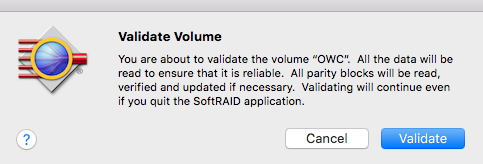
You probably answered your own question. For RAID 0, Apple RAID is probably all you need. SoftRAID allows those other RAID levels. I have one of the OWC RAIDs also, and had a hassle just getting my RAID to mount on one of my laptops. But, I finally got the app & extension installed on all the computers I wanted to use it on, and it’s become mostly invisible since, luckily.
There is a Validate function on SoftRAID that I haven’t seen any signs of in the Apple Drive Utility.
-
If you’re trying to use ArGest Backup Import Tool 4.0.0 (Mac), I have discovered it just doesn’t work on my 2019 MacPro and Catalina. I reported the same issue here a few months ago – running the app on a known older tape, and it not showing up in the ArGest Backup app archive list.
It’s been reported, including on this forum, that OWC has acquired Tolis’s assets and will be handling support. You could try asking them if they’ve produced an import tool and backup app that works yet.
I have consequently given up on ArGest and set up a 2012 MacPro with a 10GbE card running BRU PE 3.x to handle my archiving. It works.
Here’s a post in this forum about the Tolis situation:
https://creativecow.net/forums/thread/owc-and-the-tolis-group-and-lumaforge-acquisitions/ -
I just found Elmedia Player for playing movies. There’s a free version.
The paid $20 version claims to enable you to “download all online videos.” I’m not sure how that’s legal, but it could come in handy if your work requires you to snag videos under Fair Use, or you just want to save movies locally to study them, or whatever. I haven’t bought the upgrade yet, but the price seems reasonable, especially considering what some of these other players mentioned cost.
https://mac.eltima.com/elmediaplayer.html