Hung Nguyendac
Forum Replies Created
-

I thought that’s my PC specs problem. But today I saw a video on a Red Giant channel, it’s slow too 😂😂
https://www.youtube.com/watch?v=0MAfXAmrRXc&t=20s
Some contents or functionalities here are not available due to your cookie preferences!This happens because the functionality/content marked as “Google Youtube” uses cookies that you choosed to keep disabled. In order to view this content or use this functionality, please enable cookies: click here to open your cookie preferences.
-
I’m not sure, but you can try CC Sphere like this
-
Hung Nguyendac
June 9, 2022 at 10:29 am in reply to: Expression to offset shape group scale animation -
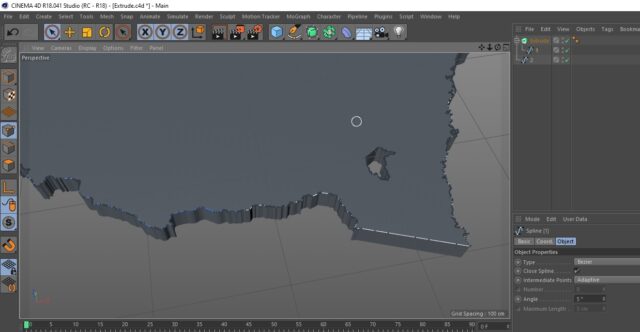
I just installed R18 version while finding easier method. R18 work like a charm, i don’t know what wrong with S24 & R23. But in R18 i just need drag path to Extruder, then delete inside path. Thank you Justin

-
I imported the splines from Illustrator. Seem like redraw is the only one way to make it work in c4d, so sad ?.
Thank you Justin.
-
Hi Dan. I’m facing a problem.
Text 1. Source Text: It’s simple and working fine.
x=thisComp.layer(“Null 1”).effect(“Slider”)(“1”);
if (x==1) “Name 1” else if(x==2) “Name 2” else “Name 3”Text 2 . Source Text: The problem in line 3.
n=Math.round(thisComp.layer(“Text 1″).text.sourceText)+”.csv”;
x=Math.round(comp(“MainComp”).layer(“Null 2”).effect(“Slider”)(“Slider”));
if(x==50) footage(n).dataValue([2,0]) else valueWhen i key Null 1 change from “Name 1” -> “Name 2”. But Text 2 can’t get “Name 2.csv” to n, After Effects shows error couldn’t find footage named NaN.csv.
I’m trying to add “” to n by this
if(x==50) footage((")+n+(")).dataValue([2,0]) else value. it’s wrong.
Is there any way to make it work? -
Hi Dan. I’m facing a problem.
Text 1. Source Text: It’s simple and working fine.
x=thisComp.layer("Null 1").effect("Slider")("1");

if (x==1) "Name 1" else if(x==2) "Name 2" else "Name 3"
Text 2 . Source Text: The problem in line 3.
n=Math.round(thisComp.layer("Text 1").text.sourceText)+".csv";

x=Math.round(comp("MainComp").layer("Null 2").effect("Slider")("Slider"));

if(x==50) footage(n).dataValue([2,0]) else value
When i key Null 1 change from “Name 1” -> “Name 2”. But Text 2 can’t get “Name 2.csv” to n, After Effects shows error couldn’t find footage named NaN.csv.
I’m trying to add “” to n by thisif(x==50) footage((")+n+(")).dataValue([2,0]) else value. it’s wrong.
Is there any way to make it work? -
Thanks a lot for your help Dan. I tried it and seem like expressions can not execute what i’m thinking, i’ll continue with old expression. Hope you are staying safe in the pandemic ????
-
Hi Dan.
Yes. I have 1 Slider and about 30 Toggle Hold Keyframe on it.
Each keyframe will get the value from csv file to Source Text.
Currently, when I key Silder’s value from 50->51. The source text will change (500->1000) Immediately in 1 frame when the Slider’s value = 51.
I’m looking for is it possible to make it change (500 count up to 1000) In 30 frames (1s) After each new keyframe of slider?