Forum Replies Created

Page 74 of 277
  • Sorry! You should save that script as a text-file with a .jsx extension inside of the scripts folder best to the app.

    Then run the script from the file -> scripts menu.

    Scripts can also be assigned a keyboard shortcut in the key command editor

  • Filip Vandueren

    September 20, 2020 at 11:17 am in reply to: Partial Text Colour Change Animation

    With just two color, the easiest way would be to work in black and white, set the overlapping object to white but layer mode “difference” wich will invert other colors below where it overlaps. Then add a tint on and adjustment layer to change black and white to different colors.

    The messier approach is to have a second circle (or second text) in the alternate color that is track matted by (a copy of) the intersecting object.

  • This script should be able to set it for you after a prompt.

    {
    var input = Window.prompt("Enter the desired subdivisions for Proportional grid (H,V)", "8,6");
    var dims = dim.split(",");
    if (parseFloat(dims[0])>0) app.preferences.savePrefAsFloat("Main Pref Section v2", "Pref_ANIMGRID_CELLS_HORIZ",dims[0]);
    if (parseFloat(dims[1])>0) app.preferences.savePrefAsFloat("Main Pref Section v2", "Pref_ANIMGRID_CELLS_VERT v2",dims[1]);
    }
  • Hi Mathieu, you didn’t use semicolons to end statements, maybe that’s why you get an error in line 1.

    The result of your calculation has 1 dimension, a number.

    In what direction do you want the layer to move?

  • Hello Hadi,

    it’s a perhaps bit counterintuitive, but you get the style, and then you apply a setText() method to the style. You can’t take a text (which would be converted a string) and add a style to it.

    so in your case:

    s = thisComp.layer("text A").text.sourceText.style;
    s.setText( effect("Slider Control")("Slider").value );
  • Yes, an even more robust way! This will also account for stretched or reversed layers etc.

  • Filip Vandueren

    September 18, 2020 at 10:59 am in reply to: Mute Audio at Markers Expression

    Ah yes, makes sense for L/R stereo audio

    replace 0 and -192 with [0,0] and [-192,-192]

  • Filip Vandueren

    September 17, 2020 at 12:49 pm in reply to: GEAR ANIMATION

    Easiest would be if you remove the teeth in illustrator and only keep the core shape.

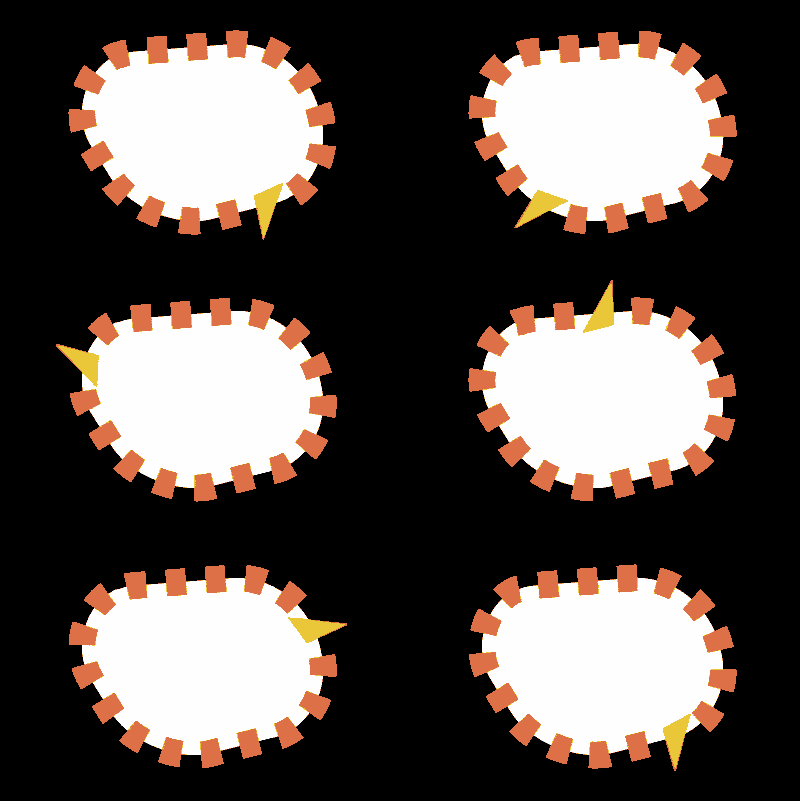
    – Then you create the straight teeth on a copy of the shape using a fat stroke with dashes.

    – Add a “trim path” with its “end” around 92%, so 1 of them is missing. Animating the Trim Path offset will now rotate the cogs.

    – select the Shape’s Path and run the “Create Nulls From Path” script with the option “Trace Path”

    – parent your 1 irregular triangle tooth to this null, now line up the animation of the trace path with the Offset of the trim paths so the null is right in the center of where the 1 dash stroke is missing.

  • Filip Vandueren

    September 16, 2020 at 6:36 pm in reply to: Forced Motion Blur doesn’t work

    After Effects also offers Pixel Motion Blur, which is the effect you’re looking for instad of force motion blur (which as Kevin mentioned is for adding lotion blur to effect settings, not footage per se)

  • Hey Andrei, sourceRectAtTime refers to the source’s time, which – if you’ve (accidentally) changed the inPoint of the layer – is not necessarliy in sync with the composition’s time.

    So the safest and correct use is:

    l.sourceRectAtTime(time-l.startTime);

Page 74 of 277

We use anonymous cookies to give you the best experience we can.
Our Privacy policy | GDPR Policy