Forum Replies Created

Page 46 of 277
  • I have the habit of splitting and parsing csv’s myself.

    If things get more complicated, I use a javascript library like babyparse/papaparse which you can easily embedded into an after effects expression, but you can do it naively if you’re sure there are no extra comma’s or linebreaks etc. in any stringvalues, like this:

    footage("data.csv").sourceText.split("\r")[0].split(/,/);

    this will give you an array of everything that was on the first line of text, split by comma’s.

  • add a “|” symbol to the start and end of the text and make it invisible using an opacity animator.

    It will still count as a part of the sourceRect, and the pipe symbol in most fonts spans the height from ascender to descender, unless you’re using double accents such as ǻ in which case, try to find a character in your font that does reach high enough, or even use 2 characters, but the advantage of a | is that it hardly shifts the layout of a centered paragraph.

    Lastly, there’s always the option to hack the font and add a special character that you’re sure has the right vertical span and is extremely thin and takes up no kerning space.

  • Filip Vandueren

    February 18, 2022 at 5:10 pm in reply to: Jumble Letters

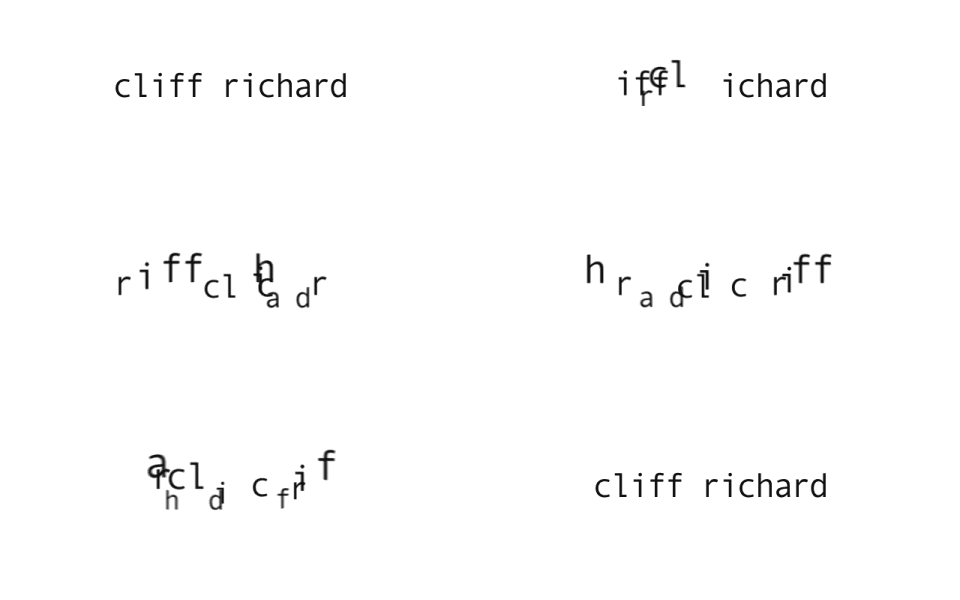
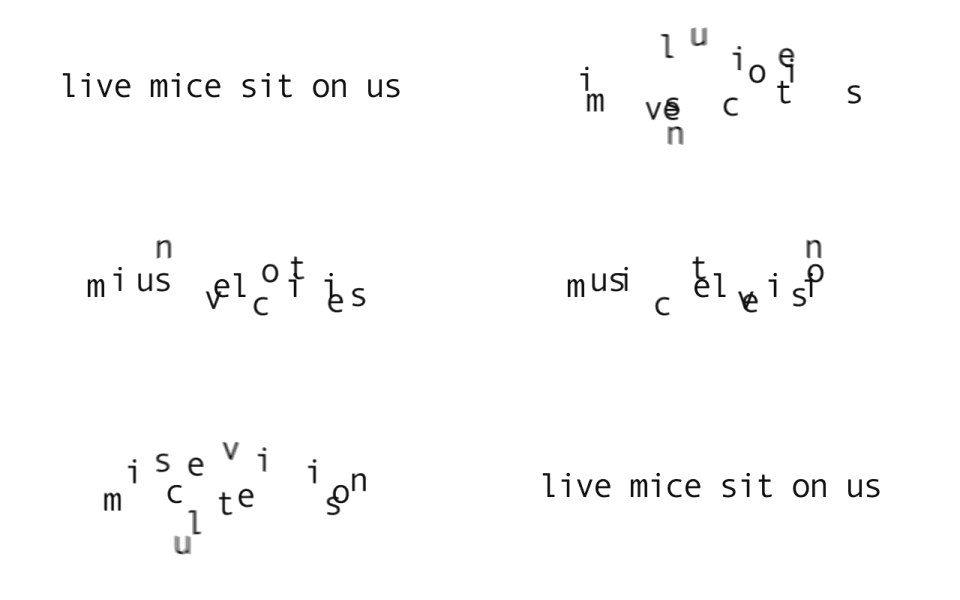
    The complexity relies on how you want the “unjumbling” to happen, what kind of animation happens between the scrambled and the unscrambled.

    I remember writing something like this way back when expressions were still called motionscript – edit: it’s still on the cow 🙂

    https://creativecow.net/forums/thread/quick-text-anagram-animationae/

    I still have the project-files too, but I doubt it’ll be easy to open an after effects file from 17 years ago…

    That solution relied on 1 layer per letter and a fixed-width font.

    I’m sure I could cook up a version now that supports variable width fonts and doesn’t need a layer per letter, but that would take some serious work though.

    Quick text anagram animation?

  • Filip Vandueren

    February 17, 2022 at 11:35 am in reply to: Parent Un-Partented Nulls – A Script I would love!

    Hi Laurie, this script should do just that:

    app.beginUndoGroup("Deselect parented layers of current selection");
    var sel = app.project.activeItem.selectedLayers;
    for (var i=sel.length; i>0; i--) {
    var sl = sel[i-1];
    if (sl.parent!==null) {
    sl.selected=false;
    };
    }
    app.endUndoGroup();
  • Hello Faizul,

    it depends on wether the layers might have different widths, but all keep the same height, or if there is also some logic that needs to be applied to how a layoutr needs to shift when the heights of layers differ.

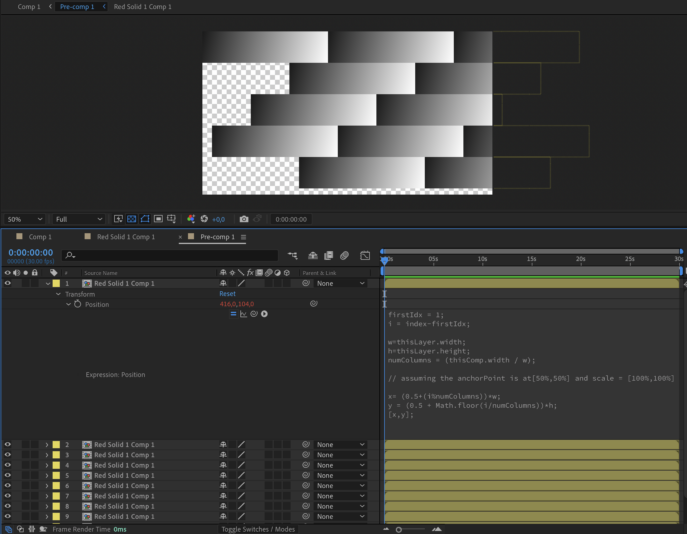
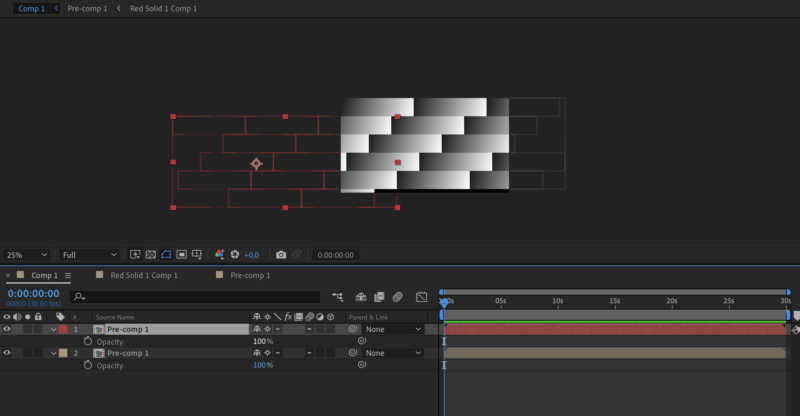
  • Here’s a workaround to achieve real wrapping”, which needs a precomp (see photos in attachment)

    The expression is altered a bit (no rounding down of the numColumns), which causes some layers to go offscreen on the right:

    firstIdx = 1;
    i = index-firstIdx;
    w=thisLayer.width;
    h=thisLayer.height;
    numColumns = (thisComp.width / w);
    // assuming the anchorPoint is at[50%,50%] and scale = [100%,100%]
    x= (0.5+(i%numColumns))*w;
    y = (0.5 + Math.floor(i/numColumns))*h;
    [x,y];

    The second (red) copy of the precomp has collapse geometries enabled so layers outside of the precomp’s bounding box also become visible, and it is offset 1920 pixels to the left and 1 row-height (208pixels) down. That adds the stuff that overflows on the right back to the left on the next row.

  • Hi Faizul,

    if all you want is to “wrap” the entire precomp to the netx line, then this should work:

    firstIdx = 1;
    i = index-firstIdx;
    w=thisLayer.width;
    h=thisLayer.height;
    numColumns = Math.floor(thisComp.width / w);
    // assuming the anchorPoint is at[50%,50%] and scale = [100%,100%]
    x= (0.5+(i%numColumns))*w;
    y = (0.5 + Math.floor(i/numColumns))*h;
    [x,y];

    But if you mean that when a third layer, which’ll only fit for the first 256 pixels, should be split in two and continue on the next line and so on… The problem is that an expression on position won’t be able to duplicate that layer to create the broken off part. Or am I making the problem too complex ?

  • Filip Vandueren

    February 12, 2022 at 12:52 pm in reply to: Random value each keyframe

    Could be a rounding error, it’s likely checking for the color exactly can get thrown off by any dithering noise.

    You can treat both lists as vectors or 3D points and check if the distance between them is very small:

    length(color1,color2)<0.001;

  • Filip Vandueren

    February 12, 2022 at 10:00 am in reply to: Random Overlapping Character Scaling

    Set the range selector’s shape to famous down in stead of square.

  • Let me know if you run into any edge cases (I haven’t tested with stuff like non Latin text with lots of diatcritic modiefiers and such, which also cause the animator textIndex to differ from the string character index

Page 46 of 277

We use anonymous cookies to give you the best experience we can.
Our Privacy policy | GDPR Policy