David Dean
Forum Replies Created
-

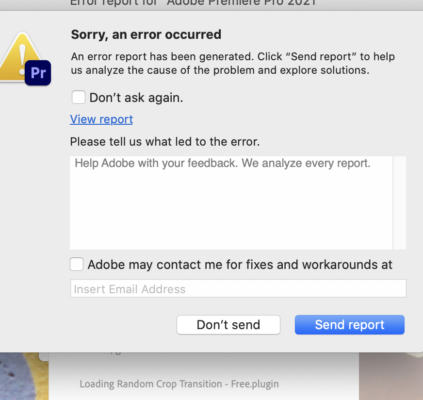
Oh, this is really bothersome now. Media Encoder 2021 won’t open either. I just reinstalled it (15.4.1) and it’s crashing on the splash screen on these “FX Factory” plug-ins too. What do they have to do with Media Encoder???
-
Crap, still crashing. I’ve done all the option/shift key processes, I uninstalled 15.4.1, re-updated it, and even unchecked the “import preferences” box. It still won’t get past the “FX Factory” plug-in, or the “Random Crop Transition” plugin. I could try and delete it, but I can’t be sure that the next one on the list won’t crash the program either.
-
No, I’m afraid not – the “reset cache” message did appear, I did click “OK,” but it crashed again, on a plug-in… thank you for the REALLY quick response, Chris.

-
Fixed – the “Fit Clip” option in Timeline Preferences somehow got unchecked. It’s working now. Thanks.
-
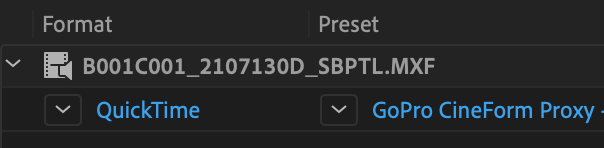
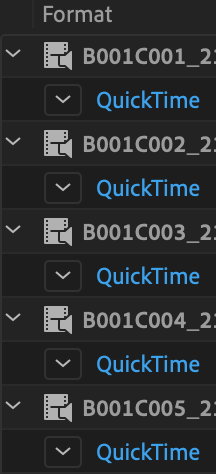
These screenshots, of what selected clips look like in ME2019 – where the clip names in Finder match those in ME – did not import in my original post.
-
Well, folks, you are not gonna believe this (or maybe you will), but it was all due to a corrupt LUT! For the past two years I’ve been using a CLog LUT from Canon for their C300 MKII camera with no problems. (I used to cut everything using PP2018, v.12, because 2019 gave me lagging issues as well.) Upgrading to PP2020 caused it to start happening again – but when I turned off the adjustment layer with the Canon LUT on it, or removed it entirely, the sequences played smoothly. And as an experiment, I dragged a DIFFERENT LUT from the Lumetri Creative panel – I made it black and white – and it played FINE! I tried one Creative LUT after another and they ALL played – but as soon as I replaced the working LUTs with the Canon one – jerky, lagging video. I even switched the LUTs in the middle of a shot, and as soon as it changed, the video staggered.
I’m not tech-savvy enough to explain how this happened, but needless to say I’ve dumped that LUT entirely. And I’m back in business. I’m grateful for everyone who helped me on this insanely frustrating issue.
-
Folks, I think the problem is PP2020, 14.5. Yesterday I bought a really powerful new iMac, thinking that my 2015 computer had a problem with Adobe compatibility. I’ve just opened the project, and my timeline is lagging just as badly. Proxies are attached, 1/4 resolution, it just staggers, while the audio plays easily (and it’s not a particularly elaborate timeline). So I tried an experiment – I plugged in a drive with an episode from last year, edited with PP2018 (v.12), with no lagging issues at all. I opened it with 2018, played the timeline and it was perfect. Closed 2018. On the drive, I double-clicked on the project, and by default PP2020 loaded and asked me to rename the project, which I did. And sure enough, when v.14 opened and I played the same timeline that flowed in v.12, it lagged and staggered. It’s not the hardware. It’s not the project. It HAS to be 14.5, and I’ve just spent a LOT of money on a new iMac that I apparently didn’t need.
Any thoughts, or even a “there, there”? Thank you…
-
Yep, that did it! Thanks, Tod! Happy Halloween!
-
Thank you, Merlin – I didn’t know you responded so quickly. I’ve been using the same proxy workflow for three years – creating them in Media Encoder before creating syncmaps in Tentacle Sync Studio and then importing the footage as XMLs into Premiere, where I attach the proxies. The drives I use are G-Drives, usually 6 to 8 TB, and there’s never more than 5 TB worth of media on them. I have dumped cache files, but did not trash preferences.
So when the lagging problem even happened with a different project that contained 720p Zoom videos, with no proxies and 1/2 resolution, I asked an expert at a computer store here in town, and he wondered if my 2015 iMac was up to the challenge of Adobe’s ever-increasing specs. And it was on the low end of acceptability. So I am writing this on my brand new 2019 iMac, 6-core, 4GB of graphics RAM, 128GB on system memory – and it better have fixed the problem! Thank you so much for the response, and happy Halloween!