Forum Replies Created

Page 2 of 6
  • Darren Lee

    October 6, 2021 at 1:33 pm in reply to: Looping in Trapcode Particular

    Yes that’s what all the tutorials I’ve googled say, I was wondering if there was a simpler solution, but thanks for confirming!

  • Darren Lee

    October 6, 2021 at 12:24 pm in reply to: Looping in Trapcode Particular

    Well they have to ‘birth’ don’t they? So you’d have to start from a few seconds in

    Also the physics, ‘Twirl’ etc.. aren’t keyframes

    Thanks for your reply

  • Darren Lee

    January 7, 2021 at 10:36 am in reply to: Delete inner/hidden polygons

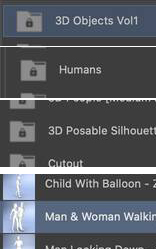
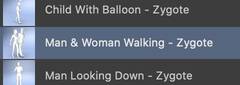
    Hi, it’s the model in the library here:

    As an experiment, I can join 2 simple cubes together using either the connect or Boole objects, but with more than 2 it doesn’t seem straight forward.

    I also tried Magic Merge plugin: https://www.youtube.com/watch?v=_2y2stgSJfg but that doesn’t seem to be able to handle it either

    Some contents or functionalities here are not available due to your cookie preferences!

    This happens because the functionality/content marked as “Google Youtube” uses cookies that you choosed to keep disabled. In order to view this content or use this functionality, please enable cookies: click here to open your cookie preferences.

  • Darren Lee

    November 13, 2020 at 9:15 pm in reply to: evalFile local path?

    Thanks

  • Darren Lee

    November 13, 2020 at 2:05 pm in reply to: evalFile local path?

    Thanks Trent, I’ve actually used that method before. The reason I have external scripts though is to use then in an editor..

  • Yes, that is one way of doing it.
    Seems incredible that you cannot do this though, I’m struggling to even figure out in expressions!

  • Thanks – Unfortunately that sets it’s globally and not the single layer instance.

  • Hello again, thought I’d come back to this old thread.

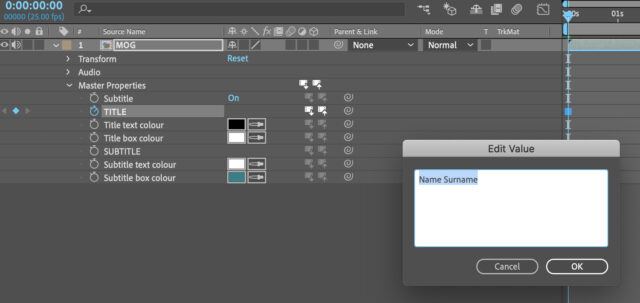
    I’ve been using the same Mograph Template for both for Premiere and After Effects (via Master Properties) it works great

    However, there doesn’t seem to be an option to select text formatting (Bold, Fontsize etc…)

    Is it possible in After Effects? I’ve tried using expressions such as masterProperty(“TITLE”).font = “impact”; but that just sets the text content

  • Darren Lee

    July 8, 2020 at 7:22 am in reply to: Copy & Paste Clip Markers

    Thanks, but that video explains sequence markers. I was looking for clip markers, but I don’t think it’s possible

  • Darren Lee

    June 3, 2020 at 10:09 am in reply to: Animating clones using noise shader

    Thanks, yes I had better luck with the UV 2d mapping, but when there are a lot of clones you can notice a few of them in sync. I’m surprised there isn’t an easy way of achieving this considering how straight forward it is in After Effects

Page 2 of 6

We use anonymous cookies to give you the best experience we can.
Our Privacy policy | GDPR Policy