
Chad Greene
Forum Replies Created
-

Relinking to a local drive that is spotlight enabled works fantastic. However, our relinking slowdown comes from our shared storage that is not spotlightable. I can point Final Cut at the root of one drive and wait for it to search, or I can try and help it along by navigating to specific areas. Either way, it is not my favorite task. 🙂
-
Joe, you are correct that bringing footage in as proxies doesn’t make a large difference. The only think it would save would be relinking time which, on our documentaries and Jellyfish SMB shares, can be time 1-3 hours of annoyance. I would love to be able to leave the proxies relinked so I have the option to flip back to them quickly.
Ultimately my current workflow works well and I was just curious if I was missing something. 🙂
-
Robert, thanks for the video.
Jeremy, thanks for clarifying what I am seeing. I look forward to the day that I can add proxies first, then relink to originals when ready (probably a long wait?).
-
Chad Greene
December 3, 2020 at 8:59 pm in reply to: How to display clip’s framerate or other meta data onscreen?Back in 2017 I was trying to do a similar thing. Some smart guy went through the code and came up with this Motion project with all the options. Give it a try and see what you think.
-
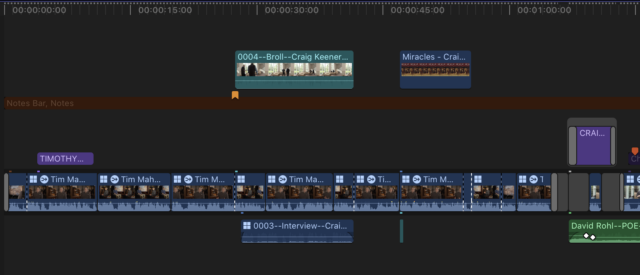
Andrew, there are time I would love video lanes as well. Until Apple adds that feature we use a disabled title as a separator. To make it more visual I also create a “notes” role.

-
Chad Greene
February 20, 2020 at 5:43 pm in reply to: FORK FLOW IN FCPX with video and external micsKinga, I agree with Robert. I cut documentaries with hundreds of hours of raw media and we always prep our footage first because it saves time down the line. It is also how FCPX is designed to work.
However, I also know we sometimes have to cut corners to hit a deadline so here is a thought for you… Create a Multicam or compound clip with your camera media, then use that to cut your footage down. Later you should be able to open up the sections used and add the good audio below.
I would caution you however. As I type this I can see multiple areas where it could go sideways and end costing more time than you will save. Maybe you can do a quick test and see if it works for you before editing.
Chad Greene : Mahoney Media : Minneapolis, Minnesota : iMac Pro 2017, OS 10.14.6 FCPX, Kona-LHi
-
Joe, if I read your email correctly, I believe you are suggesting we start with our 4K footage, then relink to Proxies for editing? Unfortunately that workflow does not work for us. We need to start with Proxies because not all original media is on the system from our 18 years of filming. We do set our Project setting manually so they are correct.
The event media and the video in the timeline are both showing the proxy frame size even after relinking to the original media. This small clip frame size is what I want to reset. Any ideas how I can do that?
Chad Greene : Mahoney Media : Minneapolis, Minnesota : 2×2.66 GHz 6-Core Intel Xeon, 12GB Ram, OS 10.11 FCPX, Kona-LHi
-
Not sure what would make the mess, but I would love to see a before and after screen grab. I had some audio that somehow got into the primary storyline at subframes. That messed up a number of things.
On a side note, we often cut our scenes in Compound Clips then assemble them in a Project timeline for exporting.
Chad Greene : Mahoney Media : Minneapolis, Minnesota : 2×2.66 GHz 6-Core Intel Xeon, 12GB Ram, OS 10.11 FCPX, Kona-LHi
-
Jeff, we use Goodsync to backup and move media and libraries here in our office. It only backs up new or changed files.
We have a large Jellyfish shared storage system with four editors working during the day. At night Goodsync backs up our working files to a cheep local raid I striped together.
Before we had our Jellyfish, I had a local drive in each edit suite and every night Goodsync would sync them all so in the morning we all had access to everything.
Goodsync costs $50 but has a trial that you can test.
-
I believe we have solved the problem… fingers crossed.
My gut said something became corrupt with the symlinks when we moved our libraries from NFS to SMB shares. But just to be safe, I copied the library to my desktop before opening the package and deleting all the symlinks. Then I opened my library (from the desktop), set the cashe to save on my desktop as well, and relinked my library.
In the last 24 hours I have not had my waveforms go offline. I can actually work again! Monday I will try moving the library and cashe back to the Jellyfish to see how that affects it.