Forum Replies Created

  • Andy Diesel

    January 27, 2026 at 10:22 am in reply to: Rotation and trigger expression rig

    Hi, Jonathon

    I greatly appreciate your generosity and sharing with me the work that you’re doing as well.

    Before I enter into it I jsut wanted to share my thanks.

    Have a great 2026

  • Andy Diesel

    September 23, 2024 at 8:51 am in reply to: marker name in the expression

    I greatly appreciate it, Andrei.

    I’ve sent you the details and will hopefully send a fuller post as I complete this learning.

  • Andy Diesel

    September 21, 2024 at 10:34 am in reply to: marker name in the expression

    Hi Andrei,

    I hope you’re doing well! I am Andy Diesel, an experienced After Effects user but new to coding expressions. I found this helpful discussion with Daniele Zacchi about using marker names in expressions.

    I’m working on a project where markers drive animations across layers, synced to an audio track. I’d love to clarify some points about marker usage and automation. Would you be able to offer some guidance?

    Thanks so much!

  • Andy Diesel

    September 19, 2024 at 12:01 pm in reply to: Expression – VO Markers Control Stroke Generation Effect

    Thanks, Roland
    All for the sake of progress, I appreciate your clarity.

  • Andy Diesel

    September 17, 2024 at 6:12 am in reply to: Expression – VO Markers Control Stroke Generation Effect

    Good morning, Roland

    I hope you are well and don’t mind my following up after implementing the Universal Audio advice you kindly shared with me.

    Returning to the manual process, I’ve added markers in a formatted and spaced manner to map out the video’s skeleton. This took time, but aligning it with the audio made ‘universal’ has been a smooth “colour by number” process.

    I have added a marker as a handle at the end of every generated ‘Branch’. Using these markers will be my next step towards linking it with the Titles ‘pre-comp’ and triggering its dissolve reveals after every generation.

    These steps are to create a repeatable and minimized workflow. Of course, an Ae scripted template is the first prize, but would you agree that I am heading towards a tested process?

    Kind regards

    Andy Diesel

  • Andy Diesel

    September 10, 2024 at 6:03 am in reply to: Expression – VO Markers Control Stroke Generation Effect

    Fantastic, let me try it out!

  • Thanks a lot, Roland

    I greatly appreciate your experienced opinion, even as it leads back to the drawing board.

    I need to complete a few dozen more of this same sort of project. Please point me towards books or links that are good references for efficient hierarchy in an After Effects workflow.

    Kind regards

    Andy Diesel

  • Thank you very much, Roland

    Your response is very insightful and gives practical insight.

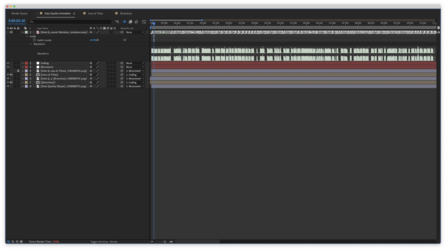
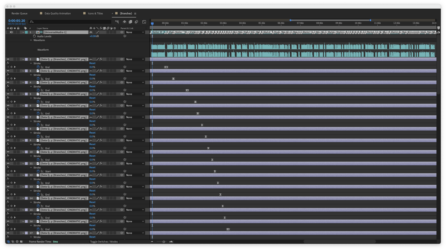
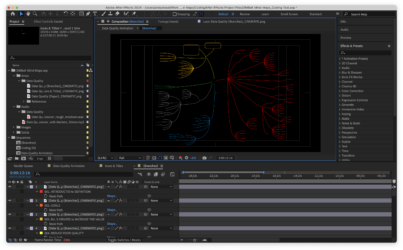
    I have attached below screengrabs of my project with the Timeline, Branch Precomp, and Title Precomp; I will refer to these.

    I’m learning to crawl before I can walk, so I’ve structured the composition/project so that expressions can manipulate it.

    The branches and titles for the mindmap animation/motion graphic have been precomped separately to keep order and simplify control. In the Branch Precomp, the layer has been duplicated and narrowed down to a single path in the previous order so that it can be implemented simply by sliding 0 to 100. The Title Precomp has every title and icon masked out and separated so that the Branch Precomp layers can trigger each layer.

    Before, I would copy and paste keyframes within the branch and title layers to maintain consistency, yet this manual process proved time-consuming and high-risk.

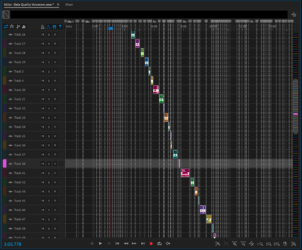
    Now that manual and automation are merging, I have added markers to the VO layer in Audition so that its paced KFs will trigger each of the branch layers’ stroke generation effect within the branch pre-comp.

    Is this updated procedure in line with what you advised and possible within the limited knowledge of AE coding?

  • Andy Diesel

    December 18, 2023 at 6:17 am in reply to: Ghosts in the Motion Pathway

    Thank you, Graham, for your response.

    I appreciate you clarifying the purpose of the Graph Editor and I thought that it may add to the jolts my motion graphic experiences. I see this wouldn’t change if the pathway changed.

    Yet the issue I’m experiencing is the unpredicted movement between keyframes not visible in the pathway lines in the Preview/Composition window.
    Each movement seems to have a glitch which I have no idea where to correct if not able to see and assess the disruption.

    Are there other windows/previews I can change to see underlying commands on the Motion Graphic?

We use anonymous cookies to give you the best experience we can.
Our Privacy policy | GDPR Policy