

Activity › Forums › Maxon Cinema 4D › Voronoi Fracture Dynamics Not Working When Set To Trigger On Collision
-
Voronoi Fracture Dynamics Not Working When Set To Trigger On Collision
Kouraib Abdmalek replied 2 years, 10 months ago 7 Members · 27 Replies
-

Dovlet Ov
November 7, 2023 at 4:15 pmHi,
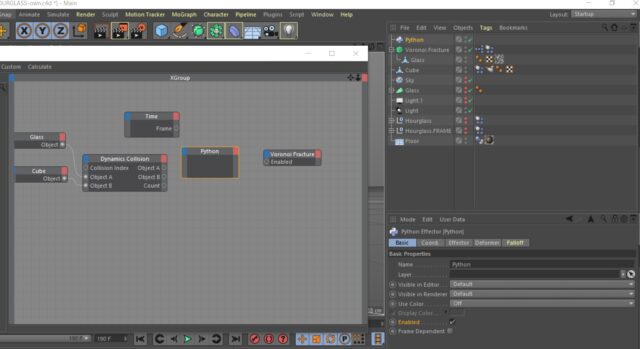
I could not implement the first solution i.e. recording the collision; the glass simply won’t fall and breaks at a certain frame on its own. The Expresso seems to be an elegant solution. However my Python node doesn’t seem to have the frame, trigger and fraction parameters. So I could not link the nodes. Are they version dependent?

-
Dovlet Ov
November 7, 2023 at 4:28 pmUpdate. I managed it! The key was to add the Rigid Body to the object IN ADDITION to Voronoi.I then, as you suggested delayed the Voronoi activation and it worked like a charm! Thank you so much for all your help!
-

Kouraib Abdmalek
November 8, 2023 at 8:32 amYou’re welcome, Dovlet! You’re right by adding the Rigid Body to the object the simulation runs more smoothly and realistic. Thank you for sharing that with us. Because you raised this topic, we were able to solve a problem that has been on the forum since 2018.
Many thanks!
-
Dovlet Ov
November 8, 2023 at 10:14 pmHi Kouraib,
Can you direct me in the right place for a slightly different issue. The same hourglass is now put in a frame that is a group of other objects. The frame consists of different parts that are supposed to fall apart as soon as they hit the ground. However, they “explode:” as soon as I hit Play. The explosion also affects the glass that is being ricocheted somewhere astray.
-
Kouraib Abdmalek
November 9, 2023 at 10:05 amwith pleasure, Dovlet! as the last time please record your screen with the right panel while your model moving so we can check it for you, If you can record a video that would be even better.
thanks!
-
Dovlet Ov
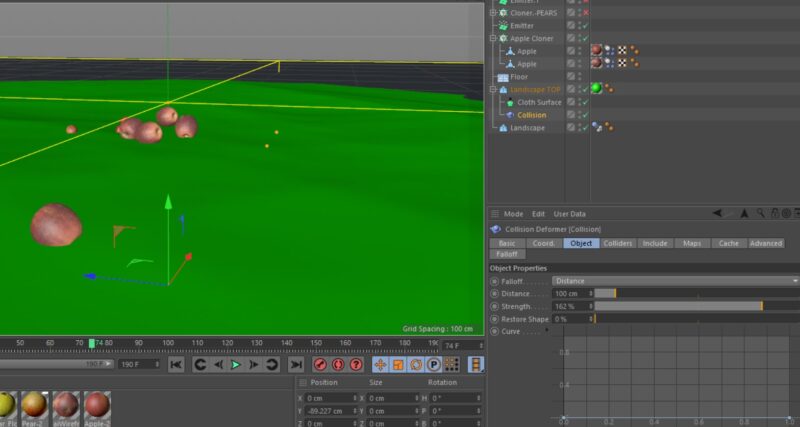
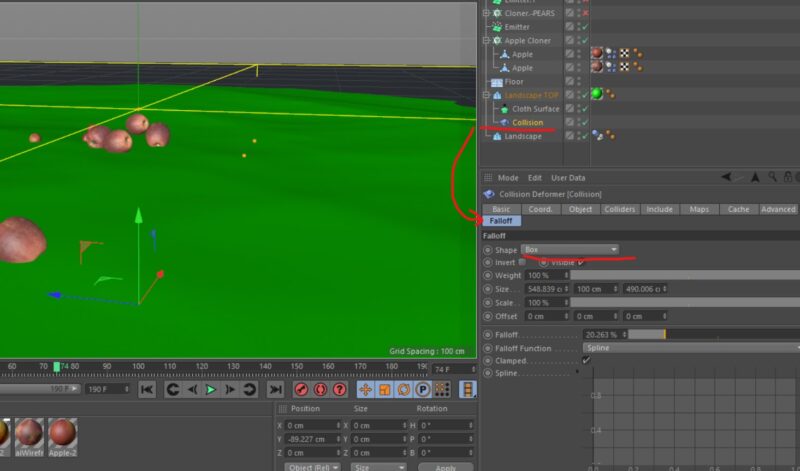
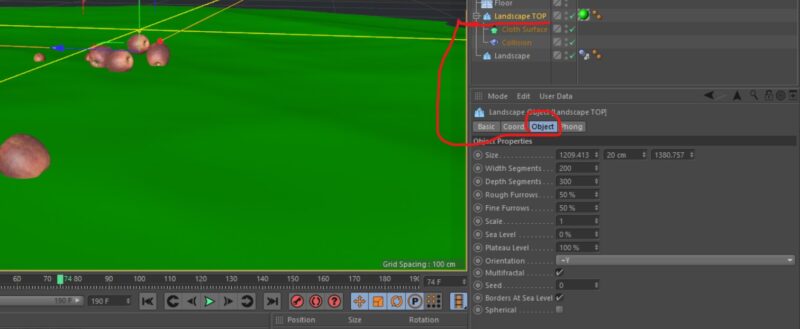
November 28, 2023 at 10:37 pmSorry for not responding sooner. Everything has worked as expected. I just made the glass a child of the frame. May a I ask if you can advise me on Collision deformer? I found a thread about a similar project (traces on the sand) and the guidance was helpful, but for same reason at some point the deformer stops working and objects just “sink” instead of leaving any trace. I played with Solvers and Falloff settings; they don’t change anything.
-
Kouraib Abdmalek
November 29, 2023 at 9:17 amI think this is the same topic related to the previous post. You will find the answer at this link.
https://creativecow.net/forums/thread/sand-trails-in-c4d/
My regards.

creativecow.net
Sand Trails in C4D - Maxon Cinema 4D - Creative COW
Sand Trails in C4D - Maxon Cinema 4D - Creative COW
Reply to this Discussion! Login or Sign Up