

Activity › Forums › Maxon Cinema 4D › Rope simulation stiffness
-

Anne-jan Reijn
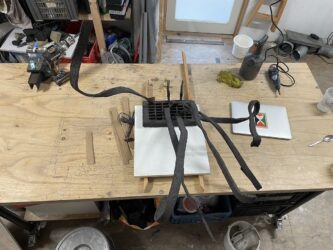
May 6, 2026 at 9:29 amBeen working with this for a while now and just finished the first version of a sculpture using this sim (see image).
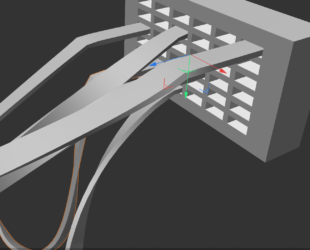
Now I’m trying to reposition the geometry to mirror my first version. But when I do that they start to misbehave (se screenshot – some ribbons remain totally stiff in the first bit for some reason). Seems there still some hidden magic in this (at least for me). So ribbons_cloth3_00 is working fine. Then in ribbons_cloth3_02 I’ve correctly re-positioned everything, but then they start to misbehave… Perhaps someone here knows a fix…?
-

Kouraib Abdmalek
May 7, 2026 at 8:19 amHi Anne-jan,
The problem is that in file number 02, you didn’t adjust the belt points so that each belt matches the corresponding point selection unlike in file number 00. I tried to explain this in the screen recording below. I don’t know why you needed to readjust all the ropes and didn’t just work on your first file; there might have been something preventing you from doing so.
-
Anne-jan Reijn
May 12, 2026 at 7:59 amYes I got it working!
And the repositioning is because I want to make another version/composition of the same concept. So then with the ribbons’ initial position mirrored…
-
Kouraib Abdmalek
May 12, 2026 at 8:46 amI’m very glad this worked for you! Regarding changing the ribbons positions, I think there’s another, more practical way without needing to readjust the billet points. I tried to explain this in the recording below; let me know if that’s the right approach.
Reply to this Discussion! Login or Sign Up