

Activity › Forums › Maxon Cinema 4D › Rope simulation stiffness
-

Anne-jan Reijn
March 17, 2025 at 6:44 pmI downloaded a newer version and now it works perfectly 👍
Thanks!!!
-
Anne-jan Reijn
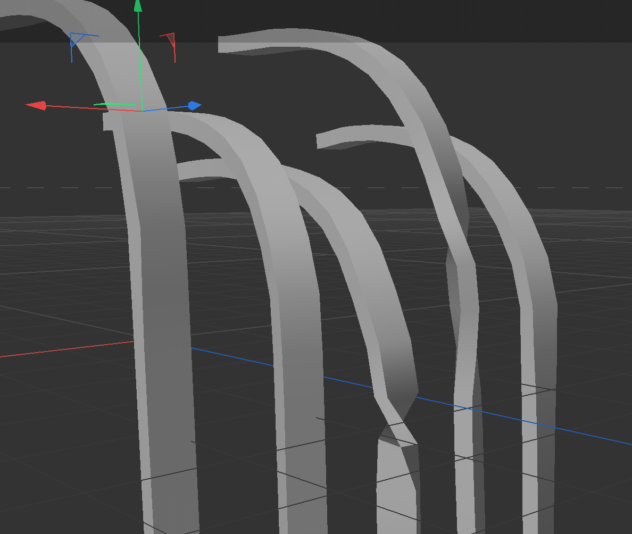
November 5, 2025 at 8:26 pmI’ve given new shape to this little project. Literally. So from round shaped ropes I went to rectangle shaped ribbons. Sort of. Now the big difference is that now the rotation on it’s own axis is visible. And here are two factors which I cannot get working the way I want them to;
1.
The base of the rope – where the connector tag fixes it to the plane – now seems to fully rotate. As if the connector doesn’t relate at all to this rotational movement. I want the connector tag to fixate the rotational movement just as it does the physical position in the xyz axis.
2.
The ‘ribbon’ doesn’t seem to torque naturally. Or maybe at all. I would like the base to be fixed and to have this torque movement appear over the length of the rope.
Any ideas on how to change these physical properties?
Anne-Jan
-

Kouraib Abdmalek
November 6, 2025 at 10:48 amHi Anne-jan,
Regarding the base rotation, just go to the sweep properties under Object and disable Banking. As for the rope movement, it seems natural to me; you might need to adjust some values in Wind and Turbulence to make the movement look more realistic. I’ve included a screenshot below demonstrating this; I hope this is helpful.
-
Anne-jan Reijn
November 6, 2025 at 12:06 pmAmazing! Disabling banking did the trick. And on the other issue (me basically wanting more torque movement) you were also right I think – adjusting the frequency of the turbulence already seems to give me better results. I’m going to work a bit further on this, but I think this is what I was looking for. Thank you so much again!
-
Anne-jan Reijn
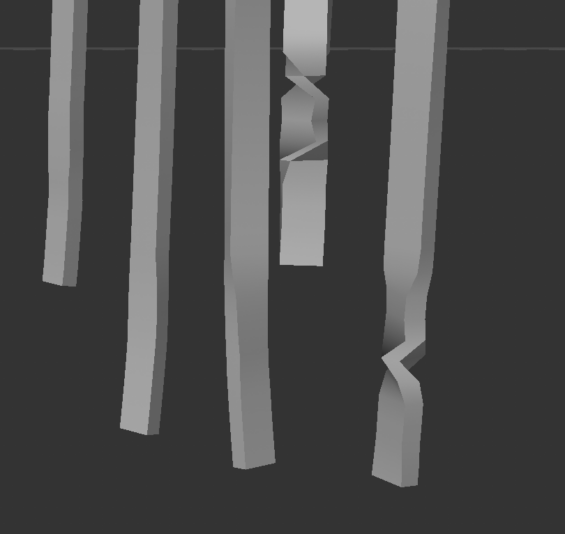
November 10, 2025 at 4:28 pmI’m getting some weird artefacts which I can’t seem to fix…

-
Anne-jan Reijn
November 10, 2025 at 4:30 pm -
Kouraib Abdmalek
November 11, 2025 at 9:54 amHi Anne-jan,
I think this is normal because we fixed the rope base after disabling the banking function. The rope rotates on its own axis, so if you re-enable the banking function, you’ll notice that this disappears because the rope will rotate completely from the base. The effect of the rope rotating on its own axis seems strange because it’s affected like a polygon, not a rope. If you want it to be more realistic, you should apply a cloth tag to the rope and adjust the settings until you get a satisfactory result. You can also completely change the principle to avoid the rope rotating at the base by using the Cloth Belt tool instead of the Rope. I’ll put a link to a tutorial about this tool below. If you encounter any problems, please create a new thread with a suitable title for the new issue so that the forum visitors can easily find what they need. I hope the above has been helpful.
https://www.youtube.com/watch?v=VJHibDe0D8w&pp=ygUUY2luZW1hIDRkIGNsb3RoIGJlbHQ%3D
Some contents or functionalities here are not available due to your cookie preferences!This happens because the functionality/content marked as “Google Youtube” uses cookies that you choosed to keep disabled. In order to view this content or use this functionality, please enable cookies: click here to open your cookie preferences.
-
Kouraib Abdmalek
November 12, 2025 at 8:48 amYou are welcome, Anne-jan! The result you get it was fantastic, happy it worked for you.


Reply to this Discussion! Login or Sign Up