

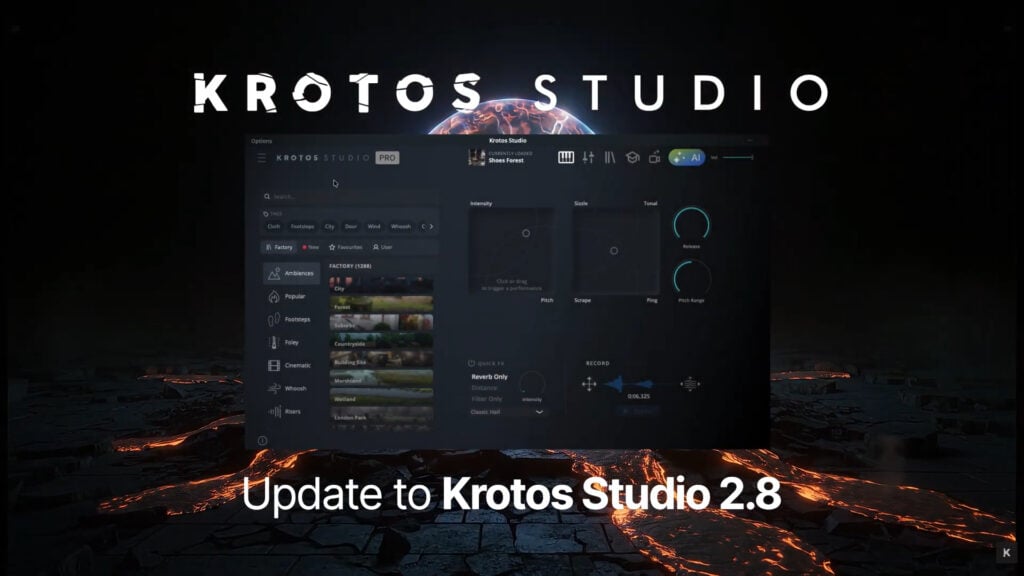
Krotos Brings Video to Sound Footsteps Directly into Premiere Pro and DaVinci Resolve

Latest Krotos Studio developments bring Footsteps directly into NLE workflows alongside rebuilt search, tags, and preset Favorites
Krotos has expanded its Video to Sound Footsteps workflow to Adobe Premiere Pro and DaVinci Resolve through Krotos Studio plugins. The latest Krotos Studio 2.8 update also includes a rebuilt browser, improved search, new tags and quick filters, and preset Favorites.

Footsteps detects footfalls in a video clip and places individual footsteps in sync with the action, building a synchronized pass against the edit. In Premiere Pro and DaVinci Resolve, users can review the result through the Krotos Studio plugin, where they can change the suggested surface or footwear and adjust levels. The resulting footstep clips are placed directly on the Premiere Pro or DaVinci Resolve timeline, where editors can move or delete individual steps as needed. The timing stays in place when switching surfaces, making it easy to try different sounds without rebuilding the pass.
In the browser version of Krotos Studio, users can also download a MIDI note for every detected step and bring that into a DAW or Krotos Studio for deeper editing and sound design.
Can’t see this video? Click here!
Faster sound search
Search in Krotos Studio has been rebuilt from the ground up with a focus on speed and accuracy. In addition to exact matches, the browser now returns similar results. It supports semantic searches, allowing users to describe the type of sound they are looking for even when they do not know the exact preset name.
The update also introduces preset Favorites, the most-requested feature from Krotos Studio users. Sound designers and editors can add any factory- or user-created preset to a searchable Favorites list and organize it using the new tag system.
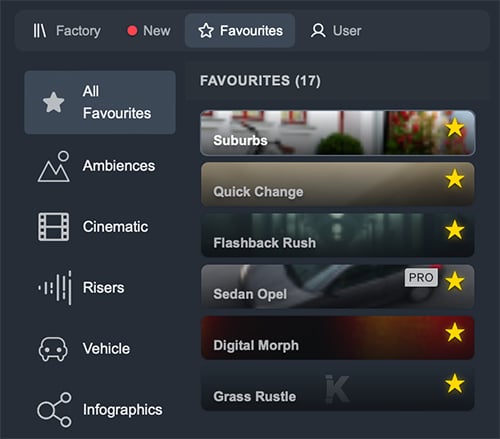
New tags provide one-click access to commonly used searches, while quick filters allow users to jump directly to newly installed content, user-created presets, Favorites, and other areas of their library. Krotos Studio 2.8 also displays the currently loaded preset directly within the browser for easier reference while working.
The 2.8 update does not alter existing presets or require users to migrate their content. Current Krotos Studio users can update to version 2.8 and begin using the new browser features immediately.
To learn more about Video to Sound and Krotos Studio, visit https://krotos.studio/.
Enjoying the news? Sign up for the Creative COW Newsletter!
Sign up for the Creative COW newsletter and get weekly updates on industry news, forum highlights, jobs, inspirational tutorials, tips, burning questions, and more! Receive bulletins from the largest, longest-running community dedicated to supporting professionals working in film, video, and audio.
Enter your email address, and your first and last name below!


Responses