

Activity › Forums › Adobe After Effects Expressions › Highlight Text by ** Symbols
-

Ben Sterr
July 16, 2024 at 4:30 pmIf you have another minute for another one, let me know (just got a new request for an additional feature for this). Anyway, thanks again for your great support!
-
Ben Sterr
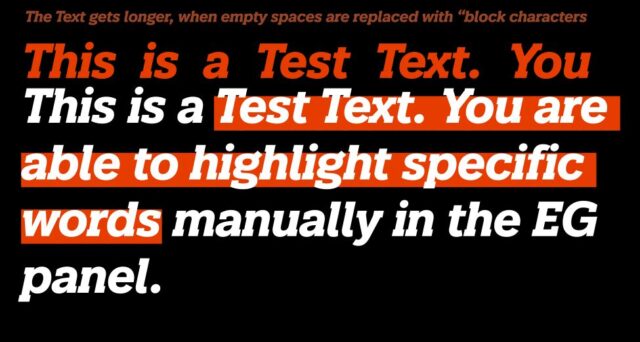
July 16, 2024 at 5:00 pmYou are the best! Just got another request to bridge the gaps between all highlighted words. I have tried to do so by replacing the empty spaces with another character of the “box shape font” (replace(/ /gi, “\u2337”)). But unfortunately, this makes the Highlight Text Layer longer as the Original Text, so (because defined as paragraph texts) the automatic line breaks do not match any longer. It also creates a little error at the end of each line right before the line break, as the empty space gets highlighted, as well.

-

Julian Chojnacki
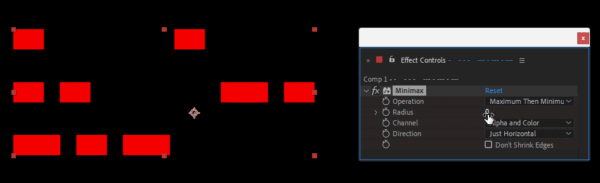
July 16, 2024 at 5:33 pmWould the Minimax effect work for your setup instead of using the space-replacement char?


Reply to this Discussion! Login or Sign Up