Will Batchelor
Forum Replies Created
-

Will Batchelor
April 19, 2021 at 7:37 pm in reply to: Auto-FontSizing Text that Also Auto-Line Breaks?Very, very cool idea and I was able to get it running! However after effects really chugs even with posterizeTime(0) thrown in when applicable. Will probably not be able to use this right now. but still quite happy with the result! Thank you so much!
Here’s the code I ended up using:
On the Source Text layer for the hidden text layer (layer name “ramptext”):
const sourcetext = thisComp.layer(“bounding box text”).text.sourceText;
const fontSize = timeToFrames(time);
style.setText(sourcetext).setFontSize(fontSize);
On the Source Text for the visible text layer (layer name “bounding box text”):
posterizeTime(0);
const maxHeight = 300;
const ramptext = thisComp.layer(“ramptext”);
const defaultsize = 100;
try{
for(i = 1; i <= timeToFrames(thisComp.duration) ; i++){
if(ramptext.sourceRectAtTime(framesToTime(i)).height < maxHeight)
n = i;
}
}catch(err){
n = defaultsize;
}
style.setFontSize(n)
-
Will Batchelor
April 16, 2021 at 8:08 pm in reply to: Auto-FontSizing Text that Also Auto-Line Breaks?Thank you Tomas! I recently learned how to set up the autoscaling constraints on a 1 line text layer doing something like this:
maxWidth = 500;
currentWidth = sourceRectAtTime().width;
s = Math.min(maxWidth / sourceRectAtTime().width * 100, 100);
[s,s]
So you’re suggesting trying to work this in while adding in a line break expression driven from a set character limit? I will try that!
I was trying to avoid any code for manipulating the sourceText (like adding line breaks) since I don’t really know how to do that other than copy/paste Mr. Dan Ebberts code. So thought I could use the text bounding box to line break for me, but the scale parameter doesn’t work the same on those, which is why I was targeting fontSize.
-
Will Batchelor
April 16, 2021 at 7:51 pm in reply to: Auto-FontSizing Text that Also Auto-Line Breaks?Edit- Sorry posted this before seeing replies
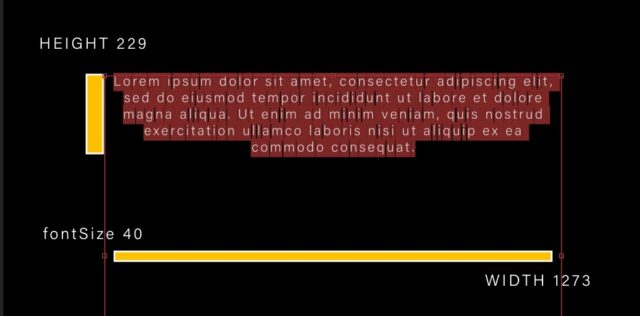
My setup is drawing a text bounding box which automatically adds line breaks. It scales to fit when you manually change the font size. My goal is to create an expression that automates the action of changing the font size.
In theory I would draw the bounding box to the desired width and then make the height very large and set the maximum height in the expression.
Here is my current code that does not work. I am trying to create a forLoop that will increase the font size by 1 until the font size causes the sourceRectAtTime Height value to exceed the set maximum height.
posterizeTime(0);
const maxHeight = 400;
var n;
for(var i = 1; i < 1000; i++){
thisLayer.text.sourceText.style.setFontSize(i);
if(thisLayer.sourceRectAtTime().height < maxHeight){
continue;
}else{
i = n;
break;
}
}
thisLayer.text.sourceText.style.setFontSize(n);

-
Will Batchelor
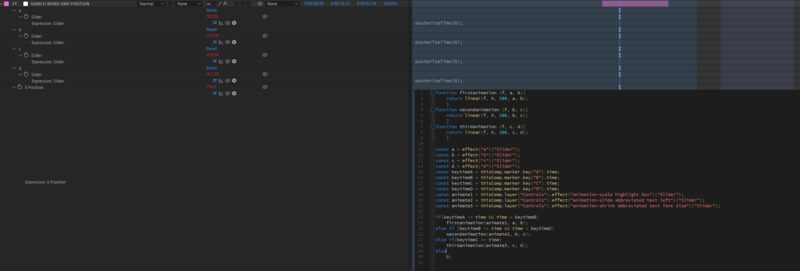
March 22, 2021 at 4:25 pm in reply to: Best Practices for Optimizing Expression Code for .Mogrts?Quick update after a weekend of tweaking. Turns out I was overcomplicating quite a bit. I just precomposed the entire animation and added some hold keyframes anywhere that was applicable to freeze all calculations and it worked! Got my export times down significantly (from 30 minutes to 2 minutes). So now I can keep writing crappy code and just slap this band-aid on it and no one will ever know 🙂
Cheers,
Will
-
Will Batchelor
March 21, 2021 at 4:26 pm in reply to: Best Practices for Optimizing Expression Code for .Mogrts?