Shaun Sweet
Forum Replies Created
-

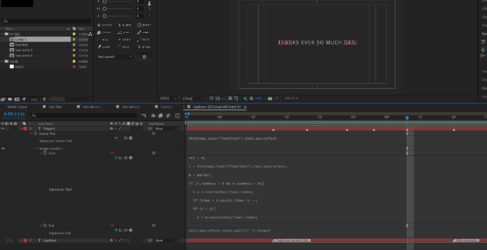
At the risk of gilding the lily, I’m also looking at using the marker comment property to generate the subtitle text instead of Source Text keyframes, i.e:
marker.nearestKey(time).comment
This method has the advantage that the entire Captions layer can be reformatted in one go – also some subtitle importers create the text only in the marker comments. The problem with using markers to supply the text is that my ‘trigger’ markers mess things up (i.e. the ’empty’ ones I add manually with the asterisk to advance the text word-by-word) – the expression obviously can’t distinguish between a ‘text marker’, and a ‘trigger marker’:
val = 0;
t = thisComp.layer(“Captions”).text.sourceText;
m = marker;
if (t.numKeys > 0 && m.numKeys > 0){
k = t.nearestKey(time).index;
if (time < t.key(k).time) k –;
if (k > 0){
n = m.nearestKey(time).index;
if (time < m.key(n).time) n–;
if (n > 0){
nCount = 0;
nTemp = n;
while (nTemp > 0 && (m.key(nTemp).time >= t.key(k).time)){
nCount++;
nTemp–;
}
val = nCount
}
}
}
val
BUT if I create a secondary ‘Triggers” layer for all the manual word-by-word triggers, the current Start property expression is looking for a keyframe on the Captions layer, and the value keeps climbing instead of resetting every time there’s a new text marker. However the end property expression returns the correct value for any given subtitle:
text.sourceText.value.split(” “).length
Apologies in advance for this bonus challenge!
-
Ah yes, this is perfect – I did see the opacity trick somewhere when I was hunting around!
I’m so grateful for your time in helping me with this. It’s a truly elegant solution.
All the very best…Shaun
-
That’s incredible, thank you so much for your swift response – amazing! I’ve learned such a lot from you.
There’s probably no way round this but I’ve now noticed that if I import the subtitles centred in the frame, After Effects centres each partial line as the the line builds – so with each new word the line jumps around as it gets centred. If it’s Left Justified then it’s fine as the words build on progressively from left to right.
Is there a way to have each line centred based on the full line length, and still build it word-by-word without each partial line being re-centred?! Really appreciate any ideas for this!
-
Also to clarify, each subtitle is a single line of text and the next subtitle appears where the previous subtitle was. The effect is a bit like when you see live subtitling on a news prog, each word appears after the last, then the whole line disappears when the next line starts.
-
Thanks for your reply Dan.
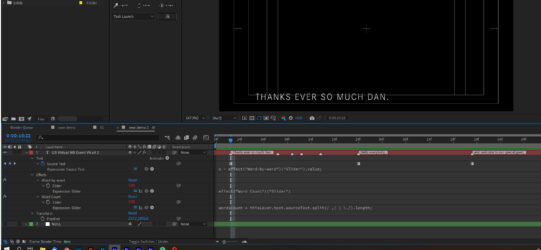
For any given line of Source Text keyframed on a text layer, I’d like to be able to build it word by word, timed using markers that I put on that text layer or a null. I’ve attached a grab; the first word of each subtitle already has a marker, and I’ve manually added extra markers where I’d like the remaining words to appear. When the next Source Text keyframe appears, I’d like the new line of text to build again. So in the example, for the line “Thanks ever so much Dan.”, the complete line would build timed with the first 5 markers. The next line “Hello Everybody”, would build with 2 more markers.
Many thanks again