Forum Replies Created

  • Sasha Zik

    September 17, 2020 at 3:03 pm in reply to: Clips gone black in multicam clip in Resolve 16

    Michael ur so kind. Thank you for the help. In the end i came to the same conclusion and did just that – went to an old version from before the sound edit (i also back up the projects daily) and just re-did the work. I think you nailed it when you said it was because i deleted linked media… and there doesn’t seem to be a way to match-frame from a multicam synced clip back to the original file, to just find and restore the synced media… Unless i am just missing a trick? Anyway, thanks again for the support. ?

  • Sasha Zik

    September 16, 2020 at 12:07 pm in reply to: Clips gone black in multicam clip in Resolve 16

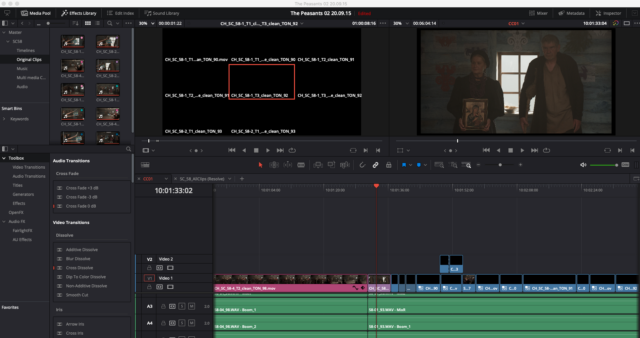
    Hi Michael, thank you so much for helping. That might be what happened… yes. Thanks. Is there a way to restore this, do you think? I mean, can i relink the media in the multicam clip to the original clip which is still showing in the media page…? Some of the original media is still there in the video track and in the clip, but not all… See attached screenshot. Thank you so much ?

We use anonymous cookies to give you the best experience we can.
Our Privacy policy | GDPR Policy