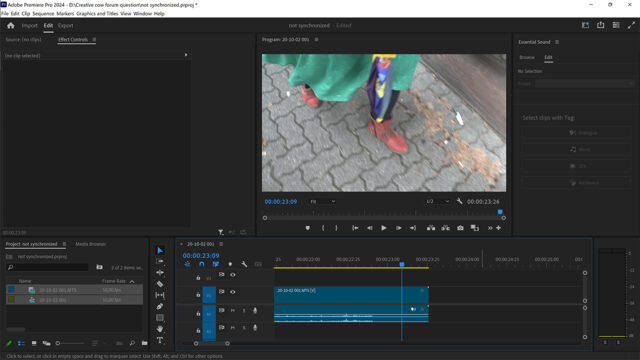
When importing a MTS video file into Adobe Premiere Pro 2024, the video track and audio track are not synchronized. I can see that the audio track is empty before the end (See attached jpg). When unlinking the video and audio tracks, cutting the audio track from the time there’s no more audio, deleting the empty part, and adjusting the speed/duration of the audio track to the duration of the video track, the problem seems to be solved. But if I have to do that for every imported MTS file in a project, that’s really boring, takes a lot of time. Is there not a way to fix this problem in preferences, or wherever in Premiere Pro?
This problem does not occur when importing MOV files, shot with my more recent camera. But I still have a lot of MTS video files I want to use for my new projects.
Can you please help?
Thanks in advance, Rob


 17
COW Coins
17
COW Coins
 8
Premiere Pro Coins
8
Premiere Pro Coins