Forum Replies Created

  • Patrick Blot

    September 17, 2024 at 4:55 pm in reply to: control 3D position to cam

    yes, I only animate the Z of the photos, but I have more than 200 photos, which is why I’m looking to automate the moving process.

    in x position, the point must be close to the axis which is at 960

    for example, if my layer is positioned at 662 pixels, it needs to get closer to the 960 value to remain on the camera axis

    similarly, if y is at 842, it needs to approach the 540 value

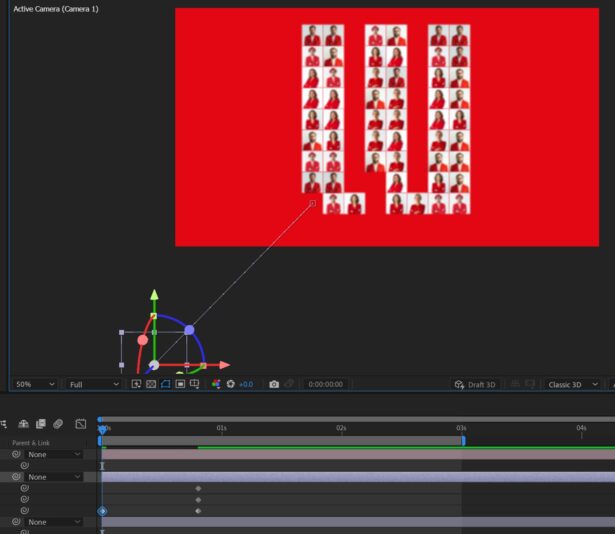
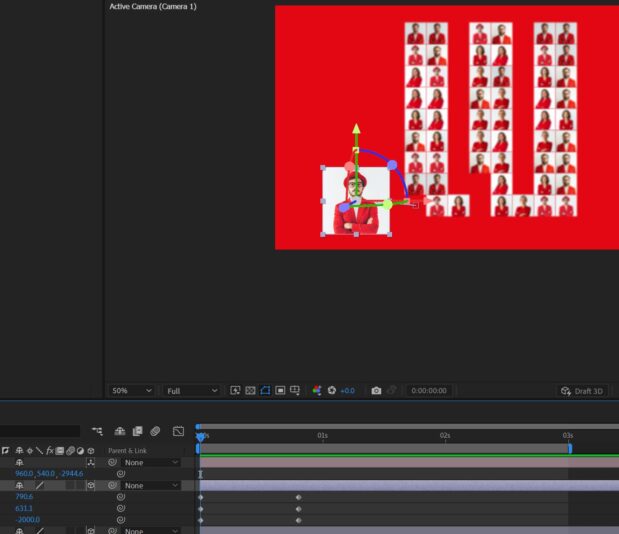
    the first image is with only the z and the 2nd is with x and y corrected by hand

  • Patrick Blot

    September 17, 2024 at 8:39 am in reply to: control 3D position to cam

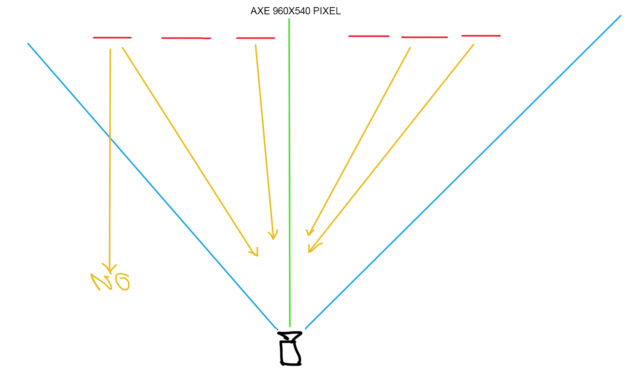
    yes I suspected, here is an image

    Basically, the photo that zooms in on the camera must be close to the 960×540 axis of the camera, which is in the center.

    to calculate a displacement in x and y

We use anonymous cookies to give you the best experience we can.
Our Privacy policy | GDPR Policy