Thanks for this, Walter!
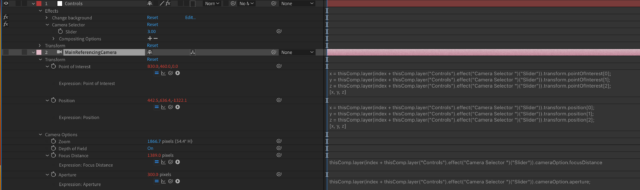
For anyone who happens upon a similar issue, I got this working using an index expression. Screenshot attached in case it’s helpful.
So as described in Walter’s solution, I have one main camera and a bunch of other cameras in the scene directly below the main camera in the layer stack, with their eye tags turned off. The main camera references these.
The main camera has an index expression applied to any properties that need to change, eg: point of interest, position, focus distance. Within the expression, the index number references a slider control, on a separate null layer.
So in this example, if you change the slider control value; 1, 2, 3, the reference camera updates to the linked properties of the cameras directly below the main camera, in the layer stack. Camera 1, Camera 2, Camera 3. So you can easily select the different camera angles in the scene by changing this slider control.
This slider can then be added to the Essential Graphics window from this comp and exported as a template file, allowing an editor to easily switch between camera angles in Premiere.