


Forum Replies Created
-

How to fall out of a plane is pretty easy; open the door and step out. Gravity will do the rest. (I’m kidding, I’ll get to how to od this in After Effects in a sec.)
You cannot create a Tsunami in After Effects, but you can composite one into a scene with AE. After Effects is not a 3d application, much less one with amazing liquid simulation. You could get footage of waves from some place such as Artbeats and use AE to place it in the scene. It will require a lot of preplanning, storyboarding, etc. before shooting to make sure it looks good.
Footage of waves would be good for when it’s offshore heading in, but if you’re wanting to have it hit the shore, your actors, buildings, trees, etc. you will have to use some other techniques as well.
Creating something like this that looks realistic will probably take weeks, if not months, of work.
You will want your shot of the wave developing and coming in (this is where you could use the stock footage and comp it in). Then you’d want reaction shots from your talent. Then, depending on what other shots are called for, I would suggest building miniatures and flooding them while shooting at a high frame rate (more than 100fps). This way when played back it’ll be in slow motion, this makes miniatures look more like the proper size.
If you wanted, you could composite people into your miniature shot to add realism and to make it look like your actors are actually in the scene. But I’m not sure what your script actually calls for, so I’m just guessing.
You might look into the Psunami plug-in for AE that does some very good water simulation to help with some of your composites. You may also want to use a particle effect to get some splashes. AE ships with several decent particle generators (such as CC Particle World), but Trapcode Particular is my favorite AE particle tool. I’m also a fan of Wondertouch’s ParticleIllusion, but I use the stand-alone program, not the AE plug-in that was just released.
The gist is that you will need to do a whole lot of planning and practice to get it right. Usually, in Hollywood, scenes like this use teams of people working over months to make it look right; don’t expect to be able to do it yourself in a few hours. There is a reason movies like 2012 cost so much to make.Now, to the much easier task of making it look like someone is falling out of an airplane:
How you do it will depend on what kind of shot you’re looking for. Do you want it from inside the aircraft as he falls out the door and away from us? Do you want it from outside the aircraft as he comes into view? Do you want it to be of him hitting the ground in a big splatter of human juice?
Is he intending to fall out of a plane or is he being pushed? If this character wants to fall out of a plane, then I would assume he’s taken precautions against gravity, such as wearing a parachute. In which case, the easiest thing to do would be to go to a sky diving place and film someone jumping out of a plane.
If it absolutely must be done without using a real plane or the person must be parachuteless, I do have some suggestions:If you need a shot from inside the plane you can put a blue screen (or green screen, but I think blue would be better since any color spill will look like sky) outside the door of your plane interior set, have your fans blowing to simulate the wind whipping around the plane and have your stunt guy jump out onto your mats. If you’re not shooting DV or HDV and everything’s lit well, it should be a relatively easy thing to key him out with Keylight, Color Key, or any of a zillion different recipes for keying. (There are many tutorials on getting a good key around.)
Another possibility is to build your set outside in a location that allows you to shoot out the door of the plane and see nothing but sky. Then on a windy day (or with fans), have the stunt guy jump onto your mats.
If you need the shot to be outside the plane, looking up at the falling guy, you could just dangle your stunt guy on a wire and have him wiggle around while some fans blow. Again, this could be done on a blue or green chromakey screen or outside looking up at the sky. All you’d have to do is a bit of wire removal and you’d be good to go. CC Simple Wire Removal may work, or you may have to do a teeny bit of rotoscoping.
You would then just take a picture or footage of an airplane and composite it into the shot.If you want the shot to be looking down at the ground, you could use a similar process, but you’d need some aerial photos or video to composite against instead of merely the sky.
While this is easier than the Tsunami, it will still require quite a bit of planning (and some test shots) to make it look real.
– The Great Szalam
(The ‘Great’ stands for ‘Not So Great, in fact, Extremely Humble’)No trees were harmed in the creation of this message, but several thousand electrons were mildly inconvenienced.
-
Panasonic HDD cameras record video with MPEG2 compression. I believe this is the root of your problem.
As Dave LaRonde would say:Dave’s Stock Answer #1:
If the footage you imported into AE is any kind of the following — footage in an HDV acquisition codec, MPEG1, MPEG2, mp4, m2t, H.261 or H.264 — you need to convert it to a different codec.
These kinds of footage use temporal, or interframe compression. They have keyframes at regular intervals, containing complete frame information. However, the frames in between do NOT have complete information. Interframe codecs toss out duplicated information.
In order to maintain peak rendering efficiency, AE needs complete information for each and every frame. But because these kinds of footage contain only partial information, AE freaks out, resulting in a wide variety of problems.
So, use Adobe Media Encoder or your favorite video editing app to output the footage in a different format. Quicktime (using the PNG codec) is pretty popular and at high quality it’s essentially lossless.
– The Great Szalam
(The ‘Great’ stands for ‘Not So Great, in fact, Extremely Humble’)No trees were harmed in the creation of this message, but several thousand electrons were mildly inconvenienced.
-
I hope you had a merry Christmas.
From the example you’ve posted, it looks like they simply used CC Toner coupled with a levels or curve effect (before CC Toner in the stack) to crush some of the levels. It’s hard to tell in the example, because it’s a little small, but they may also have used a posterize effect.To be honest, unless you absolutely must copy something else exactly, play around with it and come up with your own look. You can make it as simple or as complicated as you want. I would suggest playing with some of the Stylize effects such as Brush Stroke and Cartoon. Don’t just settle for the default settings, you can get a lot of different looks out of some of them with some experimentation.
You could also do as I previously mentioned and take that still into Photoshop and do tons of things to it there.
If there’s a specific thing you’re looking for and can’t seem to find a way to do it, let us know.
– The Great Szalam
(The ‘Great’ stands for ‘Not So Great, in fact, Extremely Humble’)No trees were harmed in the creation of this message, but several thousand electrons were mildly inconvenienced.
-
Good question. It depends on the kind of work you’re planning to do. AE is such a complex and multi-faceted program that you will not be able to be an expert at every part of it, so you should probably focus on things that you will use every day.
Now, that expression I gave you, I did not write myself. I did it with a pick whip, but explaining about undocking the panels to enable you to pick whip between compositions (without pictures because I was on my iPhone) seemed more complicated than typing it out the expression. Plus, I figured by causing you to type out the expression, you could understand how it worked better. (Just be aware that you can pick whip from one comp to another and it can be a lot faster.)
If you do want to start on learning expressions, I can suggest no place greater than the Dagobah of Expressions where Yoda lives. In this case Yoda is Dan Ebberts and you can find Dagobah here.
And don’t forget that if you get stuck there is a special forum just for expressions here at the COW.– The Great Szalam
(The ‘Great’ stands for ‘Not So Great, in fact, Extremely Humble’)No trees were harmed in the creation of this message, but several thousand electrons were mildly inconvenienced.
-
Oh. It’s just basic animation in After Effects.
In order to get them all falling in place you could make one layer do the movement all the way to the farthest point and duplicate it, offset the duplicates in time, and then when each duplicate reaches the point you want it to stop just add another keyframe there and delete any keyframes past that point.
(That’s just one way…I can think of several)– The Great Szalam
(The ‘Great’ stands for ‘Not So Great, in fact, Extremely Humble’)No trees were harmed in the creation of this message, but several thousand electrons were mildly inconvenienced.
-
Without a picture to go on, I would suggest it’s possible they took a still into Photoshop and played with it extensivly to get the look. Then, when they zoom in, they mask the trasition from movement to still with the zoom and some motion blur.
Again, I’m just guessing because the picture doesn’t seem to be attached. Pop a picture up on here, and I’ll be happy to take another stab at it.
– The Great Szalam
(The ‘Great’ stands for ‘Not So Great, in fact, Extremely Humble’)No trees were harmed in the creation of this message, but several thousand electrons were mildly inconvenienced.
-
How are you “playing the file back”?
– The Great Szalam
(The ‘Great’ stands for ‘Not So Great, in fact, Extremely Humble’)No trees were harmed in the creation of this message, but several thousand electrons were mildly inconvenienced.
-
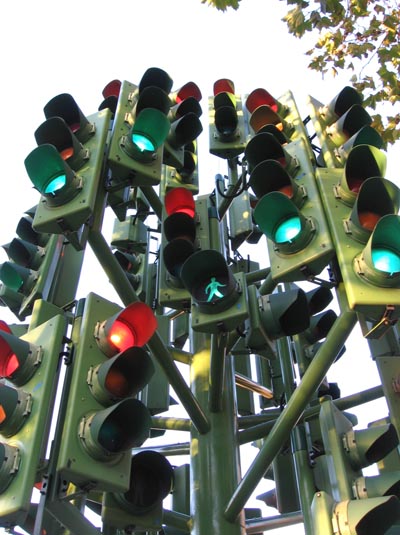
One of these ways will get you there eventually…– The Great Szalam
(The ‘Great’ stands for ‘Not So Great, in fact, Extremely Humble’)No trees were harmed in the creation of this message, but several thousand electrons were mildly inconvenienced.
-
I know this post was a while ago, but in case you’re still working on projects like this or in case someone stumbles across it later I thought I’d pass on some other resources.
Try a search for Day for Night on the After Effects forum here on the COW. You’ll find several techniques that you could translate from AE into Motion. And, at the very least, some good shooting tips too. This recent thread is a good read. I did a long post in there with quite a number of tips from my own experiences.
Here’s something I didn’t mention in that thread: Try to do things practically if at all possible.
For example; the fake lights put in with Motion in that nice example from Stephen, while helping sell the night-time look of the scene, look a little fake especially on the left where the 3-dimensional letters on the side of the building aren’t casting the proper shadows from the false light. (The other fake lights actually look pretty good, probably because they’re more subtle and are placed in better locations.) If it’s not too sunny and bright outside, you may be able to do it practically with some really bright lights. Or you can return to the “fixing it in post” idea and put in some fake shadows.BTW, Stephen, I like that you didn’t go blue with your scene; the yellow color is much more realistic for suberbia.
– The Great Szalam
(The ‘Great’ stands for ‘Not So Great, in fact, Extremely Humble’)No trees were harmed in the creation of this message, but several thousand electrons were mildly inconvenienced.
-
Michael Szalapski
December 24, 2009 at 2:06 pm in reply to: Importing Anamorphic DV to After EffectsThis is possibly a dumb question, but have you checked the Toggle Pixel Aspect Ratio Correction button?
– The Great Szalam
(The ‘Great’ stands for ‘Not So Great, in fact, Extremely Humble’)No trees were harmed in the creation of this message, but several thousand electrons were mildly inconvenienced.
Social Media Profiles