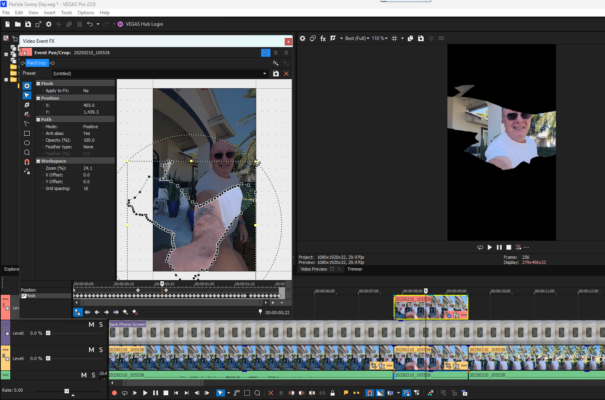
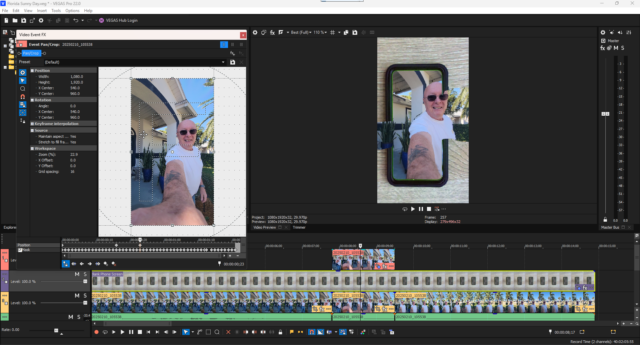
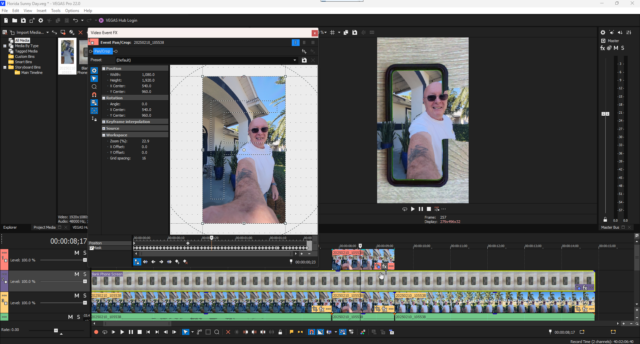
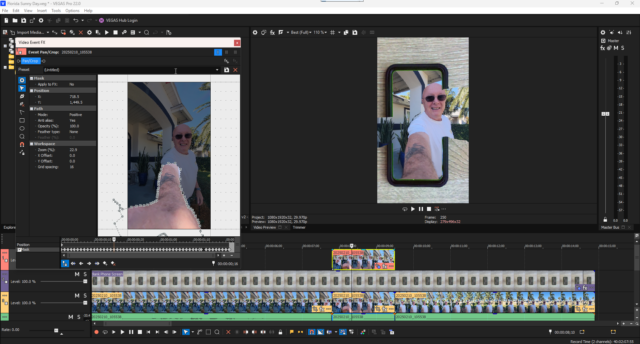
Lucien Vaillancourt 35 COW Coins 62 VEGAS Pro Coins @lucienvaillancourt • Joined Feb 2025 • Active a year ago Remove Connection Are you sure you want to remove from your connections? Timeline Profile Connections Photos Forums Points Leader Badges Discussions Replies Favorites Discussions Replies Favorites Forum Replies Created Lucien Vaillancourt February 11, 2025 at 2:11 pm in reply to: Mask appears in different location in the preview window Well, I tried rotating the mask but that did not work. It’s as if the mask is on a different plane since it appeared skewed. Lucien Vaillancourt February 11, 2025 at 12:49 am in reply to: Mask appears in different location in the preview window tried a test render. Same result. Lucien Vaillancourt February 11, 2025 at 12:29 am in reply to: Mask appears in different location in the preview window Aspect ratio and strecth to fill marked yes Lucien Vaillancourt February 11, 2025 at 12:26 am in reply to: Mask appears in different location in the preview window I don’t think so. I actually don’t know how to do that. Is it something I could have done by accident in the event pan crop window? Lucien Vaillancourt February 11, 2025 at 12:17 am in reply to: Mask appears in different location in the preview window I switched from mask to position in the pan crop window and was able to change the resoltion to 1080 x 1920 to match the project settings but the problem persists. Lucien Vaillancourt February 11, 2025 at 12:06 am in reply to: Mask appears in different location in the preview window I right clicked insided the pan crop workspace but do not see an option to match project settings. Lucien Vaillancourt February 11, 2025 at 12:04 am in reply to: Mask appears in different location in the preview window Thank you for the fast reply. I changed the project resolution to 1080 x 1920 but the problem is still there.