Forum Replies Created

Page 5 of 38
  • John Bolton

    April 25, 2021 at 7:48 am in reply to: Transparent Canvas

    Hi Peter, Your image of the Logo from your download was shown as a .png transparent file but the actual Black area is Black so it will not show anything on the timeline below where you will have your piece of Band media.

    So, you have a couple of options but the easiest one is to put your Logo media on the Top Timeline and then select the Crhoma Keyer FX tool from the ( Video FX Tab ) and add it to that media. Then within the Chroma Keyer options, click on the Colour bar and then select the little Pic tool and then move the cursor over to the Black area that surrounds the Logo and click it. The Black background will disappear and you will see any Media placed underneath the Logo timeline.

    If the Area of Black is not completely gone, have a play with the slider tool in the Chroma Keyer ( Low threshold / High threshold ) to get the best results.

    Hope this helps..

  • John Bolton

    April 23, 2021 at 8:19 am in reply to: Transparent Canvas

    Like this..

    Title back and front – YouTube

    Click the link

    I think this is what you need

  • John Bolton

    April 21, 2021 at 7:30 am in reply to: Transparent Canvas

    You can just Chroma key the black out. Drop the Chroma Keyer FX onto the event and then select the Pick tool and click it on the black.

    Put some media on the timeline underneath and you will see the title is black has gone .

  • John Bolton

    March 31, 2021 at 4:23 pm in reply to: Parent Track Motion won’t grab offscreen media

    Just a note that the Veg file is for V18..

    Would be great to let me now how you get on

    Thanks

  • John Bolton

    March 31, 2021 at 8:02 am in reply to: Parent Track Motion won’t grab offscreen media
  • John Bolton

    March 31, 2021 at 7:59 am in reply to: Parent Track Motion won’t grab offscreen media

    Hello Peter

    The only way I found how to make this happen I found out the hard way some time ago 🙂

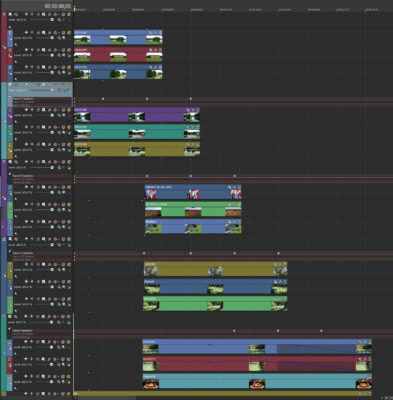
    In my Video I made a Parent Track and 3 child tracks per screen. In the same way you started.

    Then I made another Parent track and 3 child tracks, etc, etc

    Just a matter of matching up when the First scroll get to the top of the screen you need to adjust the Second Parent to slide the image up the join the first, etc. and when you scroll back and the previous screen is fully show the need to adjust the roll back of the second Parent.

    Not easy to explain. I will attach the Veg file without media if that also helps

    As I only had a few bits of video I used just still picture to fill the project just to show you

  • John Bolton

    March 30, 2021 at 2:59 pm in reply to: Parent Track Motion won’t grab offscreen media

    Hi Peter

    Not quite sure what you are wanting but is it something like this?

    https://www.youtube.com/watch?v=ruc2Tjb6-z0

    Regards

    Some contents or functionalities here are not available due to your cookie preferences!

    This happens because the functionality/content marked as “Google Youtube” uses cookies that you choosed to keep disabled. In order to view this content or use this functionality, please enable cookies: click here to open your cookie preferences.

  • John Bolton

    March 28, 2021 at 2:36 pm in reply to: Videos over 17 minutes no longer rendering in Vegas

    Have seen these problem before and it was due to the CPU shutting down due to over heating,, Just a long shot but worth eliminating one thing.

  • John Bolton

    January 16, 2021 at 8:47 am in reply to: Need help motion tracking a mask. (Bezier Mask)

    Not quite sure what you are trying to do with Masking but there are there ways.

    Not sure if this Youtube link will work when I post it.

    But is it something like that

    Eyes mask – YouTube

  • Or you can also try this which will layout all the various controls for you

Page 5 of 38

We use anonymous cookies to give you the best experience we can.
Our Privacy policy | GDPR Policy