Forum Replies Created

Page 2 of 8
  • Jeff Krieger

    May 17, 2021 at 6:06 pm in reply to: Modifying a Generator

    Who would’ve known just “save” would do it. 🙂 It worked…although, something is definitely messed up between Motion and FCPX with this generator. When I click save, it goes thru the motions and then gives me a notification saying “unable to share ‘untitled”” … the Motion project has a name. So, not sure. But after I closed both Motion and FCPX, the change showed up in FCPX. Thx so much.

  • Jeff Krieger

    May 13, 2021 at 5:10 pm in reply to: Recognize This Missing File Icon?

    Ha yeah it’s not. But I did open the motion project file I found, and it’s want I want. Going to try and publish it into FCPX again.

  • Jeff Krieger

    May 13, 2021 at 5:06 pm in reply to: Recognize This Missing File Icon?

    Thx again. Ok, so I did find some content in the folders you mentioned. If I put them in the corresponding folders on my current drive, do I need to do anything to “connect” those with the FCPX file? Or should it just show up?

  • Jeff Krieger

    May 13, 2021 at 2:17 am in reply to: Recognize This Missing File Icon?

    You are a smart man. I realized I had customized a Generator (the plugin), so I looked in my Time Machine backups. I found a customized version of the Motion content…but for a similar/different project I had used the same plugin/generator for. At least I have the blank customized generator…but any idea how to find the original? I looked in the Movies/Motion Content and Movies/Motion Templates folders.

  • Jeff Krieger

    May 13, 2021 at 1:39 am in reply to: Recognize This Missing File Icon?

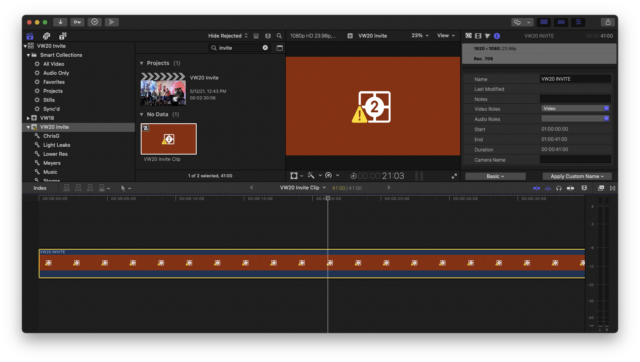
    Thx again. When. I click on that, nothing shows up in the Inspector. 🙁

  • Jeff Krieger

    May 12, 2021 at 11:03 pm in reply to: Recognize This Missing File Icon?

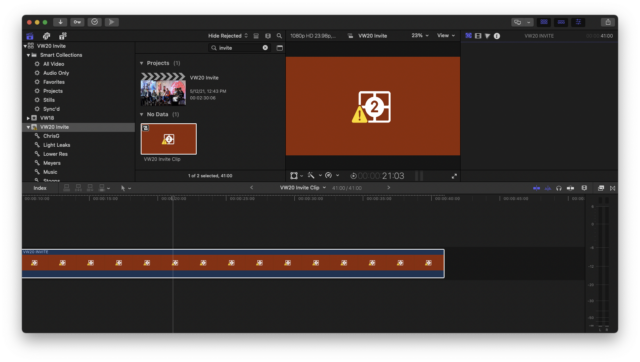
    When I open the compound clip named “VW20 Invite Clip”, it opens a very similar looking clip called “Vw20 Invite” that I believe was the plugin. Keep trying to upload a screenshot but it’s very similar looking to what I uploaded already.

  • Jeff Krieger

    May 12, 2021 at 10:24 pm in reply to: Recognize This Missing File Icon?

    Keep trying to upload a screenshot, and it doesn’t take.

  • Jeff Krieger

    May 12, 2021 at 8:18 pm in reply to: Recognize This Missing File Icon?

    I did. It’s the same thing inside the cc.

  • Jeff Krieger

    July 29, 2020 at 1:31 pm in reply to: Apply to Multiple Titles at Once

    Thx again Andreas! I tried this but it didn’t work. It created another title above but didn’t apply the preset to the existing titles.

  • Jeff Krieger

    July 28, 2020 at 4:08 pm in reply to: Tough One – Subtitles Premiere to FCPX

    Andreas, I downloaded and activated XTI. I clicked “Import Source File” and selected my .txt file. Now what? Am I doing it right? Thx!

Page 2 of 8

We use anonymous cookies to give you the best experience we can.
Our Privacy policy | GDPR Policy