Hi Brendon –
Thanks for checking in and taking a swing at it!
I am working in 16 bit, since many of the astronomy actions I use need 16 bit.
The source file is a 32-bit TIF from a program called “Deep Sky Stacker”. It’s a program I’ve used for some time to combine the multiple (long) exposures into a single image. When I bring into Photoshop, my first two steps are to crop (get rid of the stacking artifacts) and convert to 16 bit.
As of now, I’m sharing my final images on the web (my Facebook page, to be precise), so JPG vs. TIF probably doesn’t make much difference. However, as I get better at astrophotography, I’d like to print out some of my better images, so I’ll eventually need to sort this out.
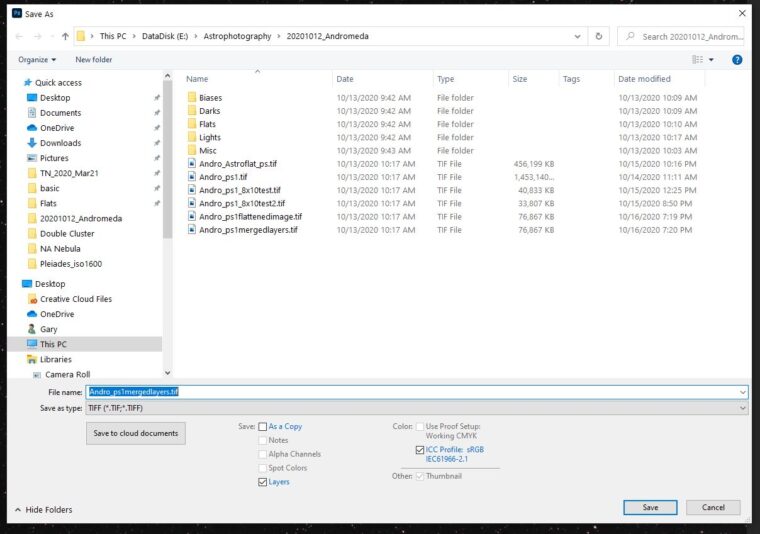
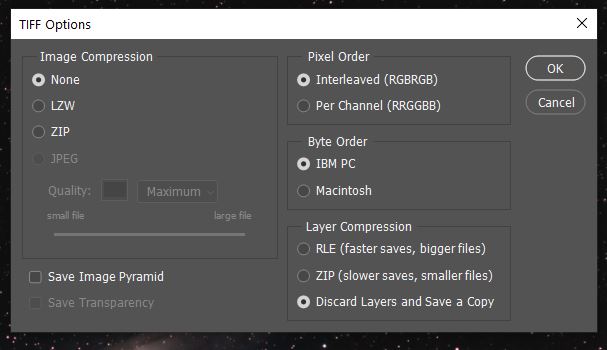
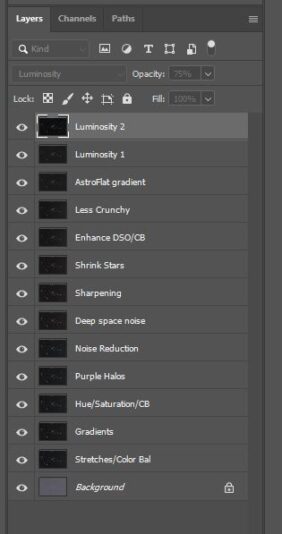
I’ve attached screenshots of each step/screen of the saving process. To get to the first screenshot, I click File > Save As… > Save on your Computer.
I used the basic Windows Pictures viewer to open the images. This used to work OK, and still does for older Photoshop TIFs and ones that come from Lightroom. However, I can only open the more recent TIFs in Photoshop or Bridge (Lightroom even chokes on them).
Thanks again for your help! Hopefully you can find where I have gone astray.
Gary