Forum Replies Created

Page 38 of 277
  • Filip Vandueren

    April 12, 2022 at 1:35 pm in reply to: If Else When Source Text Contains String

    Hi Sean, you can do it without a regex like this:

    var txt = text.sourceText.value;
    var findQ = txt.includes("q");

    note that it doesn’t return true for Q, only lowercase q.

    If you want to do it with a regex test, you have to create the regular expression, and run the .test() method on the regex, not on a string, like this:

    var txt = text.sourceText.value;
    var regexQ = /q/i; // the i makes it case-insensitive: this will match a q or a Q
    var findQ = regexQ.test(txt);

  • Filip Vandueren

    April 9, 2022 at 5:32 pm in reply to: ADBE Vector Shape Anchor & Position

    Hello Ilya,

    Yes, that can be very annoying and puzzling. Those are the actual coordinates of the vertices.

    a line that goes from [0,0] to [100,0] can look excatly the same as a line that goes from [123,56] to [223,56] but with an adjusted ancorpoint.

    Here’s an expression to manipulate the verteces of a path and “center” them around the average of all the points:

    p=points();
    avgVertex = p.reduce( (prev, cur) => add(prev, cur/p.length), [0,0]);
    p = p.map( el => sub(el, avgVertex));
    createPath(p, inTangents(), outTangents(), isClosed());

    or an expression that moves the whole shape so that the first vertex has coordinates [0,0]:

    p=points();
    firstVertex = p[0];
    p = p.map( el => sub(el, firstVertex));
    createPath(p, inTangents(), outTangents(), isClosed());
  • Filip Vandueren

    April 9, 2022 at 5:21 pm in reply to: People to gather to form a world map

    Pastiche, or Trapcode Particular with a layer emitter.

    I’m sure other particle systems can achieve something like that too.

  • Filip Vandueren

    April 9, 2022 at 5:19 pm in reply to: text colour based on position/index in word

    Hi Christian,

    if you start from black text and have a text-animator change the fill to white, you can then control how much R, G and B are affected separately with an expression, the result should be three percentages.

    So an expression-selector with result [100,50,25] on a white fill color would change the black letters to a Bright Orange).

    This example would make a rainbow:

    hue = textIndex/textTotal;
    newColor = hslToRgb([hue,01,0.5,1]);
    [newColor[0], newColor[1], newColor[2]]*100;
  • I’m not sure I follow, but how can you have it both ways ? Either the Null moves at a customisable speed, and that will take it off screen sooner or later, or it doesn’t move…

    Or maybe it could be as simple as:

    value+ [0, time * -100];

    which means you can still reposition the Null (also when it’s offscreen by scrubbing the value in the timeline), and it moves up at 100px/s

  • Filip Vandueren

    March 25, 2022 at 3:50 pm in reply to: Puppet tool – Unpin / move / pin again

    But how would that work if you’ve keyframed the pins? Or would you combine this method with the expressions that then gets their animation from another hidden layer?

  • Filip Vandueren

    March 25, 2022 at 3:34 pm in reply to: Puppet tool – Unpin / move / pin again

    …and sure enough if you google “ADBE FreePin3 PosPin Vtx Offset”

    you wind up in this discussion from 2015, where they are describing exactly the same limitations and use case:

    https://community.adobe.com/t5/after-effects-discussions/create-puppet-pin-on-existing-mesh-via-scripting/td-p/6977252

  • Filip Vandueren

    March 25, 2022 at 3:31 pm in reply to: Puppet tool – Unpin / move / pin again

    hi Henry,

    I did some more digging, and as far as I can tell, a script can indeed add a puppet pin (by adding a property to the indexed Group “Deform”), but it is always added at position [0,0], and if you then setValue(), you’re moving/distorting the mesh already.

    Some more digging, and it turns out each (“ADBE FreePin3 PosPin Atom”) property has a (“ADBE FreePin3 PosPin Vtx Offset”) property, and that’s the one that seems to store the actual original position of the pin… but it’s readonly and doesn’t respond to .setValue()

    Maybe some scripting experts now another way to hack into it, but that’s as far as I could get.


  • Filip Vandueren

    March 25, 2022 at 2:49 pm in reply to: Puppet tool – Unpin / move / pin again

    in scripting you can do this:

    app.project.item(2).layer(2).effect(1)("arap")("Mesh")(1)("Deform")(1).name = "Face Outline 1";
    app.project.item(2).layer(2).effect(1)("arap")("Mesh")(1)("Deform")(2).name = "Face Outline 2";

    etc.

  • Filip Vandueren

    March 25, 2022 at 2:43 pm in reply to: Puppet tool – Unpin / move / pin again

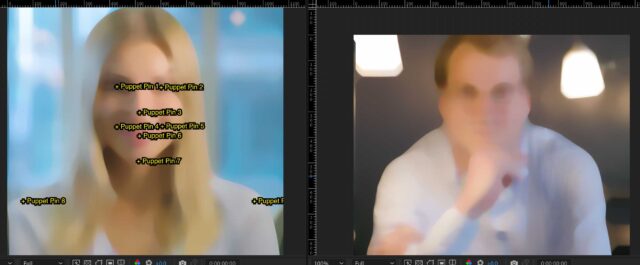
    Hi Stephane, first, here is an example of how to visualize numbers/names of Pins:

    https://we.tl/t-bNYuPotEin

    then you could have one reference comp open, and know it what order to click on the second comp, as in the example

Page 38 of 277

We use anonymous cookies to give you the best experience we can.
Our Privacy policy | GDPR Policy