Forum Replies Created

Page 2 of 4
  • Hi Graham,

    Thank you so much. In the past I just automatically duplicated the original layer and put the one with Particle System Effect on top of it. I did a new project without duplicating and was mislead by the fact that the layer underneath simply won’t show. Again, thank you very much!

  • Dovlet Ov

    December 8, 2023 at 4:17 pm in reply to: Sand Trails in C4D

    Thank you so much!

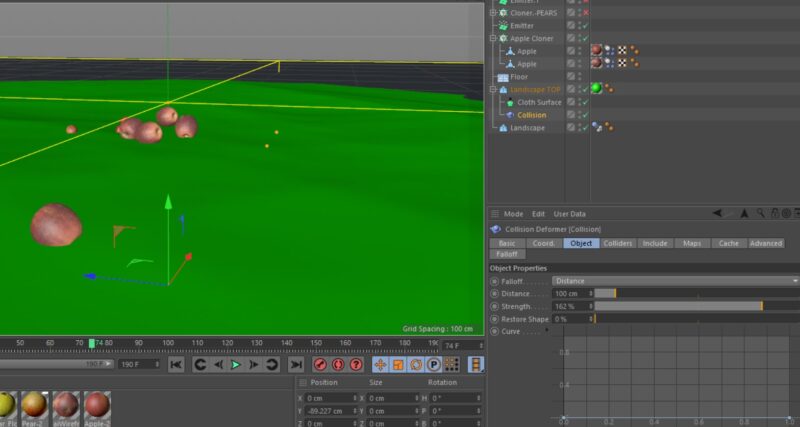
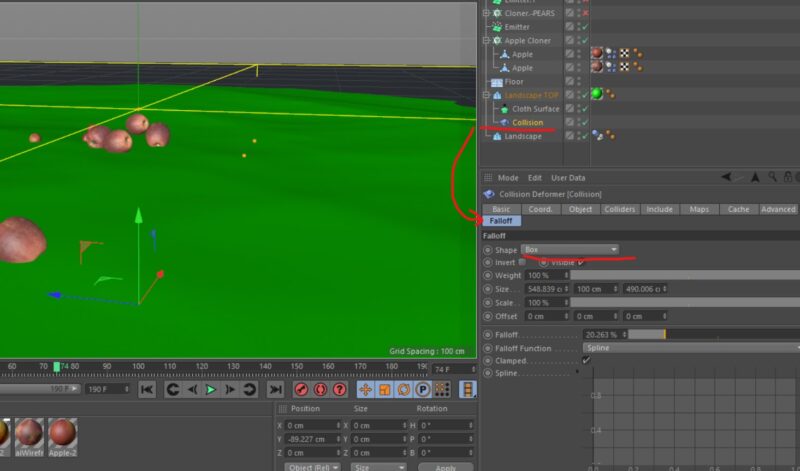
  • Sorry for not responding sooner. Everything has worked as expected. I just made the glass a child of the frame. May a I ask if you can advise me on Collision deformer? I found a thread about a similar project (traces on the sand) and the guidance was helpful, but for same reason at some point the deformer stops working and objects just “sink” instead of leaving any trace. I played with Solvers and Falloff settings; they don’t change anything.

  • Dovlet Ov

    November 28, 2023 at 5:06 pm in reply to: Sand Trails in C4D

    Hello.

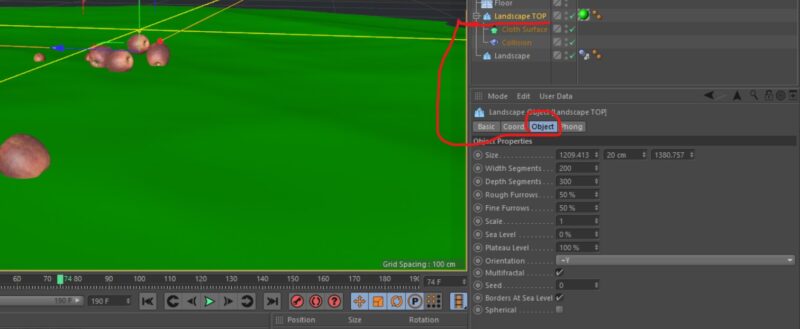
    I was after the same effect and got close to it BUT no matter what I do the objects simply “sink” into the surface. I played with Object Falloff and Collision solvers, the same unrealistic result. I increased the object segments -nothing. Anywhere else I could look at?

  • Hi Kouraib,

    Can you direct me in the right place for a slightly different issue. The same hourglass is now put in a frame that is a group of other objects. The frame consists of different parts that are supposed to fall apart as soon as they hit the ground. However, they “explode:” as soon as I hit Play. The explosion also affects the glass that is being ricocheted somewhere astray.

  • Update. I managed it! The key was to add the Rigid Body to the object IN ADDITION to Voronoi.I then, as you suggested delayed the Voronoi activation and it worked like a charm! Thank you so much for all your help!

  • Hi,

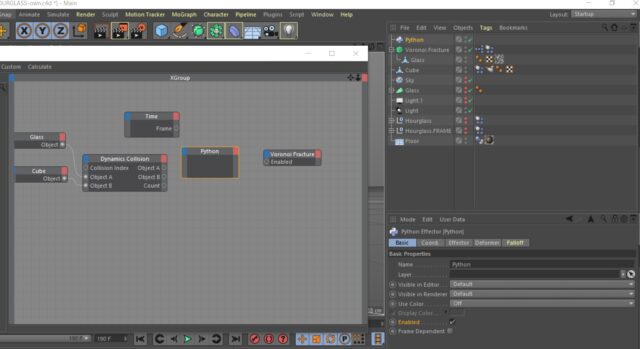
    I could not implement the first solution i.e. recording the collision; the glass simply won’t fall and breaks at a certain frame on its own. The Expresso seems to be an elegant solution. However my Python node doesn’t seem to have the frame, trigger and fraction parameters. So I could not link the nodes. Are they version dependent?

  • Hi,

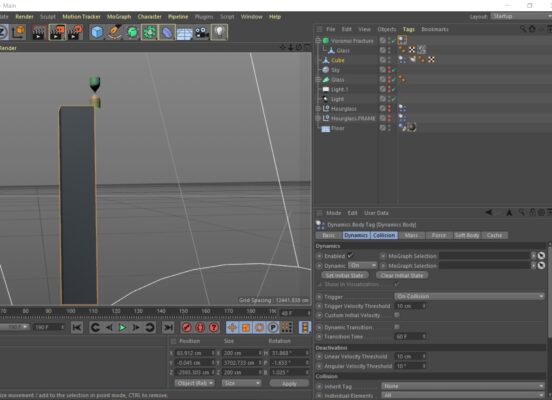
    I took a screenshot. The cube simulation is set to Rigid Body, it does wobble a bit to allow for the hourglass to fall off. The Voronoi on the hourglass is set to Rigid body with simulation set to On Collision. It won’t fall. If I set it to Immediately it just breaks down before even starting to fall. Once I have sorted this out I would love to figure out the frame/glass conflict.

  • Dear Kouraib,

    Thank you so much for the suggestion. While very useful, it is slightly not what I have been trying to achieve. To add to the complexity, the hourglass bulb is now placed in a frame and it explodes as soon as I hit play. But when it is not in the frame it just hangs in the air. The Voronoi is set to Rigid Body and trigger is set to on collision.

  • Hello,

    I have a similar problem with a slightly different animation. My object (an hourglass) is placed at the top of a cube, the cube moves and the hourglass is supposed to fall and break. If I set the trigger to Immediately everything happens before it starts falling. If I set it to On Collision it just sits there and not falling. I experimented without a cube and falls and breaks just fine. However I am expecting it to flip around once or twice instead of falling like a bomb. Any ideas/suggestions? C4D R19

Page 2 of 4

We use anonymous cookies to give you the best experience we can.
Our Privacy policy | GDPR Policy