Forum Replies Created

  • David Nerlich

    November 30, 2025 at 5:27 am in reply to: Make lens flare reactive.

    Thanks Roland, a clue maybe. It’s going to take a minute to figure out what you’ve done here visually. Please let us know if you upload an aep.

    However I’m very happy. Mask control isn’t vital for my purposes and your expression has made it possible to have the flare controlled by a hidden layer so I can put all sorts of moving mattes derived from the video source in a precomp then layer the flare over a clean video underneath the hidden precomp – which is more useful than having to roto masks.

  • David Nerlich

    November 29, 2025 at 11:27 am in reply to: Make lens flare reactive.

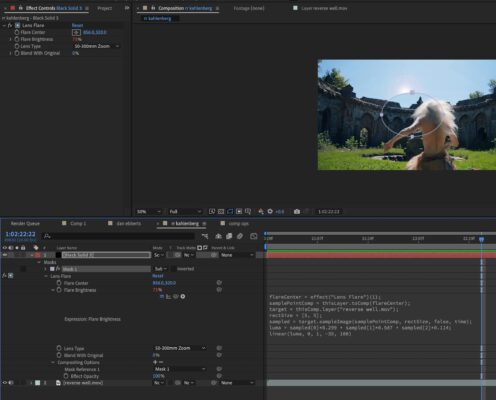
    Roland, that’s working really well! Thank you!

    However the mask doesn’t seem to do anything but cut a hole in the layer.

  • David Nerlich

    November 29, 2025 at 4:08 am in reply to: Make lens flare reactive.

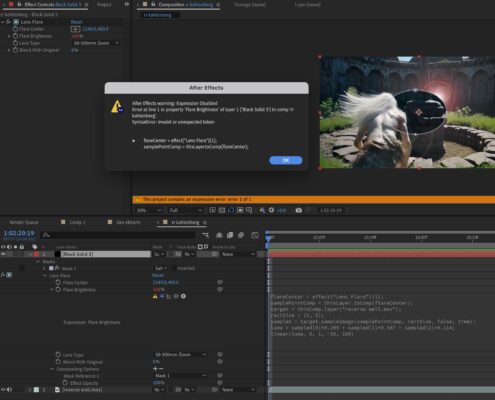
    Thanks Roland. Expression error. What have I done wrong here?

  • David Nerlich

    November 29, 2025 at 3:51 am in reply to: Make lens flare reactive.

    Thanks Dan. This worked! However a shortcoming with the result is there is no control, as it’s been all ceded to the underlying image layer. It would be good if there was a secondary brightness control or threshold to control the degree to which the brightness is affected.

    Another option would be if the brightness could be driven by a copy of the source that was not visible, while the flare remained visible, so you could adjust the brightness, contrast etc of that layer. Then you could control the behaviour of the flare, which could be placed over a clean image layer.

We use anonymous cookies to give you the best experience we can.
Our Privacy policy | GDPR Policy