Forum Replies Created

  • Carl Johnson

    September 20, 2022 at 1:45 pm in reply to: How to delete a layer based on its name?

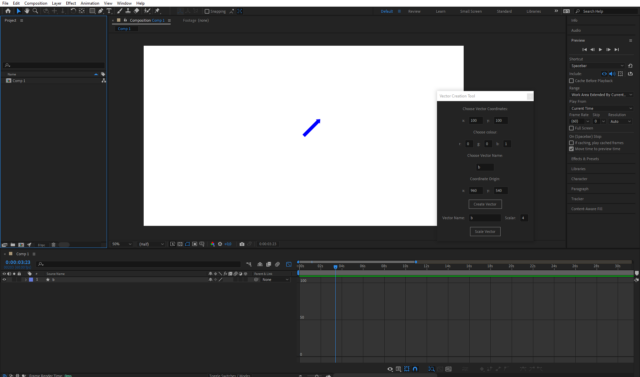
    Update. I made it work. As an update of what i’ve done so far, the picture shows the result.

    I can place vectors, and animate how they scale through time.

    I realize however now that this project is becoming quite the endeavor.

    Now i need for the objects to keep track of what after effect is doing. So that the properties of my object reflects what it is in after effects. I will probably have to rethink my entire approach. If someone has any vague suggestion of how to achieve that, i’d be thankful. This still was a good exercise.

  • Carl Johnson

    September 20, 2022 at 10:17 am in reply to: How to delete a layer based on its name?

    Thank you for your answer!

    I fixed my issue Yesterday, but now that i saw your Post, I am implementing it.

    Wome of what you did with the properties is black magic to me.

    I have another question. I want to change lengthen the vector, by changing the shape path.

    So far, i have implemented a button that creates a vector and one that scales it and they work using setValue, as long as they are constant in time. Any suggestion on how i can go at some time, press the scale button and have my vector scaled?

    Somehow i feel like i should use “setValueAtTime()”, but so far haven’t managed to make it work.

    The thread name is my mistake: It was a question i had earlier in the day and i forgot to change it accordingly.

We use anonymous cookies to give you the best experience we can.
Our Privacy policy | GDPR Policy