Forum Replies Created

Page 1 of 2
  • Andres Cuervo

    January 1, 2024 at 8:25 pm in reply to: Timeline constantly freezing

    This is a difficult one, I need more information on how to proceed. Thank you.

  • Andres Cuervo

    January 1, 2024 at 8:23 pm in reply to: Timeline constantly freezing

    Thank you so much. Unfortunately the problem is in all projects and regardless of where the timeline is.

  • Andres Cuervo

    January 1, 2024 at 8:21 pm in reply to: Timeline constantly freezing

    Thank you so much and Happy New Year to you.

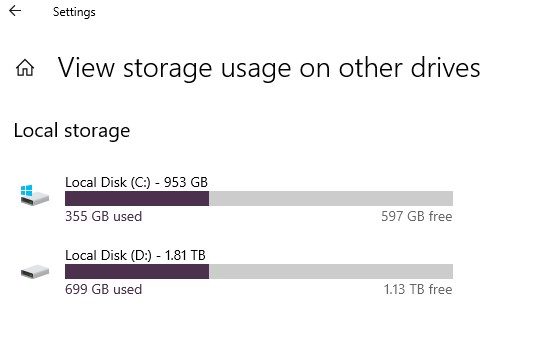
    I have 2 Solid State HDs. They are less than half full. I have cheques performance. I have trashed Preferences. The problem is in all projects. Have powered down many times. Problem persists.

  • Andres Cuervo

    December 6, 2020 at 12:24 pm in reply to: Music Score as a video

    Could you please recommend a video format and size/filetype/quality combination that works?

  • Andres Cuervo

    December 2, 2020 at 9:54 pm in reply to: Music Score as a video

    Thank you for your interest and good will.

    In my last attempt I decided to start with high resolution stills, I used the export graphics in my music software Sibelius 7, and the images are rather good, 12512×8219 pixels in TIF format, 442 KB the Idea was to reduce the image size in Photoshop until they fitted premiere without rescaling in any way, the result was I had to reduce them to 12% of the original and the quality was then unacceptable. I imagine the detail in a score page to be somewhat like a page from a paperback book. I have used premiere mostly for videos for YouTube without any trouble. I leave the settings alone HDV1080i25 (50i)

    When I have tried to have a moving score, or rather a score with a moving line I have used TALK HELPER trial SCREEN RECORDER. With equally disappointing results. Webcam Size 640X480

  • As far as I have been able to understand from my attempts to contact youtube support, it is totally automated and the algorithms used to answer questions are not nearly sufficiently sofiticated to answer but the simplest questions, one is constantly refered to various articles that very seldom have relevance. The youtube oficial forum is so large that ones quuestions mostly get lost in a sea of new questions and answers that are being formulated at a rate of several per second. Very frustrating. On the other hand in this forum there is a much more human aproach and it’s members are of a higher level of film making ability than the avarage youtuber.

  • Andres Cuervo

    March 5, 2018 at 1:33 am in reply to: slight shudder

    Hi , my (very amateur video I know) is finally up on youtube Partly thanks to your help so thanks and here is the link. Hope you enjoy it.

    https://youtu.be/FjFT7BVPIuY

  • Andres Cuervo

    February 22, 2018 at 2:55 am in reply to: Uploading to YouTube from an Android tablet.

    MPEG4 (H.264)
    1920X1080
    ACC Audio
    25fps
    5.2 GB
    22 minutes long.

    Registered google account
    Upploading 1 hour 10 minutes at 5 GB Upload speed wi fi

    From my YouTube channel, from a Samsung tablet.

    Upploading correct 100% processing correct almost to end, then “file cannot be processed ” and it disappeared. Very frustrating.

    Why? What is wrong?

    I did not understand Dave LaRonde’s kind advice to export out of AME, I would like to know how to do that and if it deteriorates the video quality.

    Thanks in advance.

  • I agree about the TV and the peanuts,

    I FOUND IT! Now it has prefex Auto Save and instead of sufix 1 it has 1-1 it was in folder : Adobe Premiere Pro Preview Files. Thank heavens for that!

  • I just notice that the project that seems to be replacing the original since it has its name has the prefix PREMIERE / Adobe Premiere Pro Auto-Save / which it definitely did not have before. Isn’t there a way to recover, to go back in time like you can in Windows?

Page 1 of 2

We use anonymous cookies to give you the best experience we can.
Our Privacy policy | GDPR Policy