Creative Communities of the World Forums

The peer to peer support community for media production professionals.

Activity Forums Apple Motion Write on with pen tool, low opacity in FCP

  • Write on with pen tool, low opacity in FCP

    Posted by Bret Yager on February 5, 2009 at 8:03 pm

    I am using my pen tool and creating a write on effect to a logo. Everything looks like it works very smoothy in Motion. When i save the motion file and import into FCP and overlay existing video footage. It is there but very very vague. I actually duplicated the motion layer up to 20 times to start to see my Motion work over the video footage.

    In Motion I have my Logo PSD at the top of my group with the blending mode set to Stencil luma. Underneath that layer is all of my pen tool layers with “write on” selected. When I hit play, all the the motion and such that is supposed to happen, does. Once in Final Cut its like the clip has an opacity setting of 1.

    Any Suggestions? Thanks

    http://www.yagervideo.com

    Andy Neil replied 17 years, 3 months ago 4 Members · 10 Replies
  • 10 Replies
  • Walter Biscardi

    February 5, 2009 at 8:19 pm

    First, make sure you’re rendering with an alpha channel.

    Then in FCP.

    Click on the Clip > Item Properties > Alpha > Black

    See if that helps.

    Walter Biscardi, Jr.
    Biscardi Creative Media
    HD and SD Production for Broadcast and Independent Productions.

    Read my Blog!

    STOP STARING AND START GRADING WITH APPLE COLOR Apple Color Training DVD available now!

  • Bret Yager

    February 5, 2009 at 8:24 pm

    thanks,

    It was exported in Motion with Color+Alpha selected. In final cut when I select clip/item properties/format/ it shoes alpha is set to black

    http://www.yagervideo.com

  • Bret Yager

    February 5, 2009 at 9:24 pm

    i have uploaded a video so you can see what I am talking about.

    https://yagervideo.com/test.mov

    The first part of the video, i had to jump through hoops to get too and my results are not as clear and high as I anticipated. The Outlined Deer is supposed to be the same color as the word whitetails when it appears. But i am lossing video somewhere in my process

    the 2nd part of the video is just my .motn file imported into FCP.

    Hope this helps.

    http://www.yagervideo.com

  • Peter Wiggins

    February 5, 2009 at 11:56 pm

    What does it look like in Motion over the chequerboard background?

    Peter

  • Bret Yager

    February 6, 2009 at 2:44 pm

    Hey Peter,

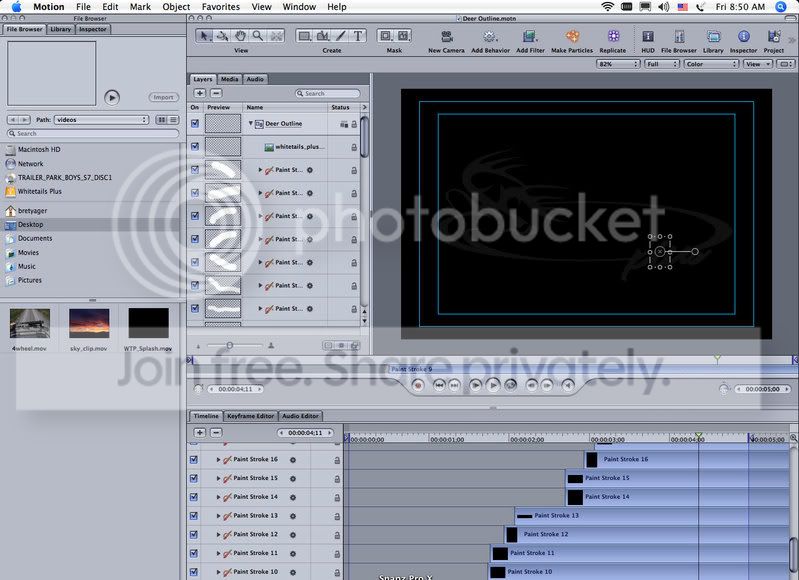
    Its actually a black background.

    http://www.yagervideo.com

  • Peter Wiggins

    February 6, 2009 at 2:53 pm

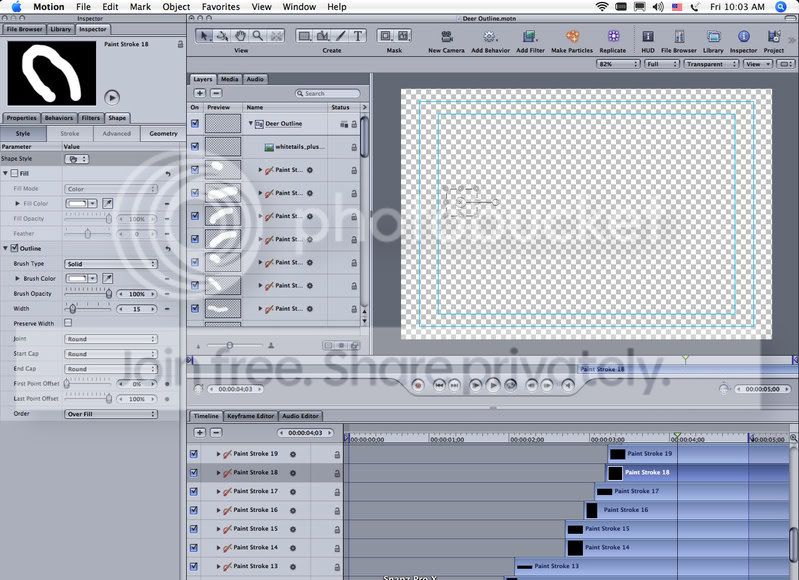
    Yes, but if you toggle to the chequerboard it will show the transparency of the strokes better.

    Peter

  • Bret Yager

    February 6, 2009 at 4:07 pm

    ok, i did and yes the stokes barely show up. I guess I don’t know how to correct that. here is what the settings for my strokes are… thanks!

    http://www.yagervideo.com

  • Peter Wiggins

    February 6, 2009 at 4:36 pm

    That will be the reason they don’t show up in FCP!!!

    Is it a pen pressure/opacity thing?

    Peter

  • Bret Yager

    February 6, 2009 at 4:39 pm

    well my brush opacity is set to 100% as shown in the image i attached.

    http://www.yagervideo.com

  • Andy Neil

    February 8, 2009 at 7:16 am

    I think your problem is related to the Stencil Luma blend mode on your PSD.

We use anonymous cookies to give you the best experience we can.
Our Privacy policy | GDPR Policy