Creative Communities of the World Forums

The peer to peer support community for media production professionals.

Activity Forums Maxon Cinema 4D Voronoi within Voronoi Caching…

  • Voronoi within Voronoi Caching…

    Posted by Josh Earle on December 30, 2024 at 1:45 pm

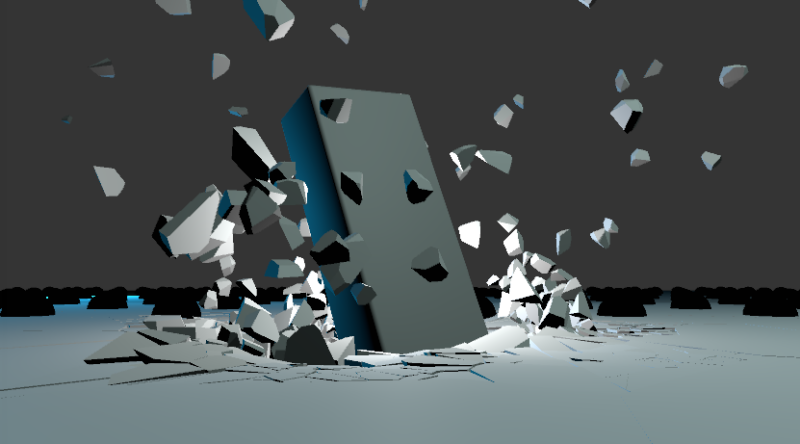
    Cant seem to get this to work. I have a voronoi within a voronoi object. The first is the basic cracking apart, then the second is for when the collider object crashes through. I have a rigid body tag on the top voronoi. When I cache, it seems to be working fine in the viewport but then its bugged out when the cache plays back. Voronoi piece are all offset in weird positions.

    Also tried:

    – putting the rigid body tag on both and caching
    – trying to cache the bottom voronoi first (which does nothing for some reason)
    – tried mograph cache tag

    Could this be something to do with the fact im working within a take? I have no idea whats going on…


    any help appreciated!

    Brie Clayton
    replied 9 months, 1 week ago
    3 Members · 7 Replies
  • 7 Replies
  • Kouraib Abdmalek

    December 31, 2024 at 11:20 am

    Hi Josh,

    Cache corruption sometimes occurs due to some settings with other “render time” values. You could change the SDS subdivision value and then notice the difference, or try replacing the Voronoi Fracture with a cloner and then redo the caching, I hope this helps you.

  • Josh Earle

    January 7, 2025 at 4:52 am

    Still cant figure this out. Not sure what you mean by SDS subdivision? nor replacing the voronoi with a cloner?? Anyone actually know how to cache voronoi fractures? It shouldnt be this complicated. Im missing something obvious here

  • Kouraib Abdmalek

    January 7, 2025 at 9:45 am

    Of course, caching Voronoi is easy, but the problem occurs because there are other tools in the scene that may affect the caching, such as the SubDivision Surface tool. This happened to some of users and the problem was overcome by changing the settings, there are also those who overcame the problem by baking as alembic. You could also post your file here so we can check it for you.

  • Josh Earle

    August 5, 2025 at 4:09 am

    Still running into this problem, works with some voronoi within voronoi setups i have, cache perfectly. For others it is bugged, or something is not switched on.

    I have attached a project file. It has already been cached so you can see the problem. When it runs through the caching procedure the animation plays in the viewport perfectly, then the finished cache is wrong. Can someone have a look and let me know why the cache is not caching properly.

  • Kouraib Abdmalek

    August 5, 2025 at 2:27 pm

    Hi Josh,

    The reason might be the interference between the field effects and tools such as the voronoi so that it does not appear when displaying, but the cache reveals it. I tried to fix the file as it is, but I noticed that when I put the rigid on the voronoi below, or when changing the MoGraph weightmap location or deleting it, the cache works fine. However, you could always overcome such problems the problem by using Bake as Alembic. I used that and it worked, as in the screen recording below.

  • Josh Earle

    August 7, 2025 at 10:31 am

    Thanks very much, this seems to do the trick! Its such a pain in the ass that caching has to be this complicated.

  • Brie Clayton

    August 11, 2025 at 10:42 pm

    Thank you for solving this, Kouraib!

We use anonymous cookies to give you the best experience we can.
Our Privacy policy | GDPR Policy