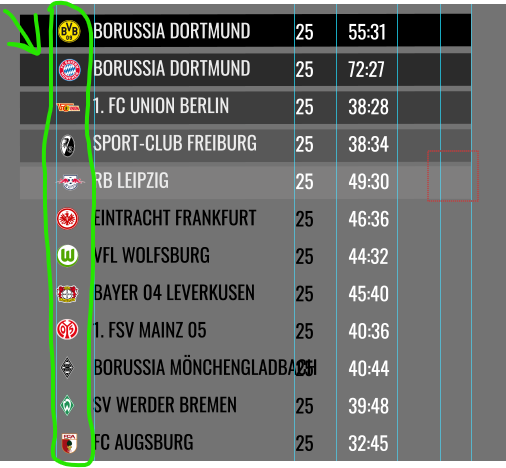
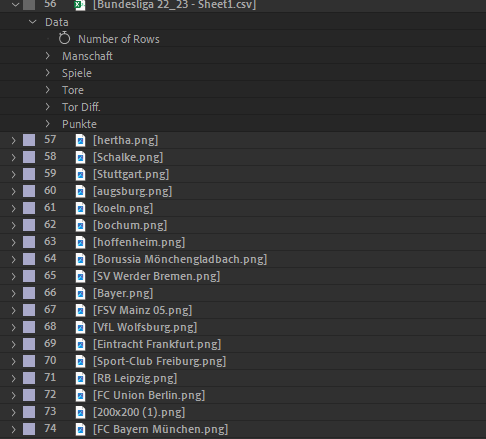
Hi Tomas, thanks for answering. I think that’s a good suggestion, I have actually OMG been able to solve this myself using the following If / else …/else…./else…. kind of expression. Like if the name at position 1 is team A (is the same as Badge A) then use Position 1 Here is the expression I used for all 18 Teams in the Bundesliga
x = transform.position[0];
y = transform.position[1];
a = thisComp.layer(“Bundesliga 22_23 – Sheet1.csv”)(“Data”)(“Outline”)(“Manschaft”)(“Manschaft 0”);
b = thisComp.layer(“Bundesliga 22_23 – Sheet1.csv”)(“Data”)(“Outline”)(“Manschaft”)(“Manschaft 1”);
c = thisComp.layer(“Bundesliga 22_23 – Sheet1.csv”)(“Data”)(“Outline”)(“Manschaft”)(“Manschaft 2”);
d = thisComp.layer(“Bundesliga 22_23 – Sheet1.csv”)(“Data”)(“Outline”)(“Manschaft”)(“Manschaft 3”);
e = thisComp.layer(“Bundesliga 22_23 – Sheet1.csv”)(“Data”)(“Outline”)(“Manschaft”)(“Manschaft 4”);
f = thisComp.layer(“Bundesliga 22_23 – Sheet1.csv”)(“Data”)(“Outline”)(“Manschaft”)(“Manschaft 5”);
g = thisComp.layer(“Bundesliga 22_23 – Sheet1.csv”)(“Data”)(“Outline”)(“Manschaft”)(“Manschaft 6”);
h = thisComp.layer(“Bundesliga 22_23 – Sheet1.csv”)(“Data”)(“Outline”)(“Manschaft”)(“Manschaft 7”);
i = thisComp.layer(“Bundesliga 22_23 – Sheet1.csv”)(“Data”)(“Outline”)(“Manschaft”)(“Manschaft 8”);
j = thisComp.layer(“Bundesliga 22_23 – Sheet1.csv”)(“Data”)(“Outline”)(“Manschaft”)(“Manschaft 9”);
k = thisComp.layer(“Bundesliga 22_23 – Sheet1.csv”)(“Data”)(“Outline”)(“Manschaft”)(“Manschaft 10”);
l = thisComp.layer(“Bundesliga 22_23 – Sheet1.csv”)(“Data”)(“Outline”)(“Manschaft”)(“Manschaft 11”);
m = thisComp.layer(“Bundesliga 22_23 – Sheet1.csv”)(“Data”)(“Outline”)(“Manschaft”)(“Manschaft 12”);
n = thisComp.layer(“Bundesliga 22_23 – Sheet1.csv”)(“Data”)(“Outline”)(“Manschaft”)(“Manschaft 13”);
o = thisComp.layer(“Bundesliga 22_23 – Sheet1.csv”)(“Data”)(“Outline”)(“Manschaft”)(“Manschaft 14”);
p = thisComp.layer(“Bundesliga 22_23 – Sheet1.csv”)(“Data”)(“Outline”)(“Manschaft”)(“Manschaft 15”);
q = thisComp.layer(“Bundesliga 22_23 – Sheet1.csv”)(“Data”)(“Outline”)(“Manschaft”)(“Manschaft 16”);
r = thisComp.layer(“Bundesliga 22_23 – Sheet1.csv”)(“Data”)(“Outline”)(“Manschaft”)(“Manschaft 17”);
if (a==thisLayer.name) [x,y];
else if (b==thisLayer.name) [x, y+thisComp.layer(“Controll”).effect(“Slider Control”)(1)];
else if (c==thisLayer.name) [x, y+(thisComp.layer(“Controll”).effect(“Slider Control”)(1)*2)];
else if (d==thisLayer.name) [x, y+(thisComp.layer(“Controll”).effect(“Slider Control”)(1)*3)];
else if (e==thisLayer.name) [x, y+(thisComp.layer(“Controll”).effect(“Slider Control”)(1)*4)];
else if (f==thisLayer.name) [x, y+(thisComp.layer(“Controll”).effect(“Slider Control”)(1)*5)];
else if (g==thisLayer.name) [x, y+(thisComp.layer(“Controll”).effect(“Slider Control”)(1)*6)];
else if (h==thisLayer.name) [x, y+(thisComp.layer(“Controll”).effect(“Slider Control”)(1)*7)];
else if (i==thisLayer.name) [x, y+(thisComp.layer(“Controll”).effect(“Slider Control”)(1)*8)];
else if (j==thisLayer.name) [x, y+(thisComp.layer(“Controll”).effect(“Slider Control”)(1)*9)];
else if (k==thisLayer.name) [x, y+(thisComp.layer(“Controll”).effect(“Slider Control”)(1)*10)];
else if (l==thisLayer.name) [x, y+(thisComp.layer(“Controll”).effect(“Slider Control”)(1)*11)];
else if (m==thisLayer.name) [x, y+(thisComp.layer(“Controll”).effect(“Slider Control”)(1)*12)];
else if (n==thisLayer.name) [x, y+(thisComp.layer(“Controll”).effect(“Slider Control”)(1)*13)];
else if (o==thisLayer.name) [x, y+(thisComp.layer(“Controll”).effect(“Slider Control”)(1)*14)];
else if (p==thisLayer.name) [x, y+(thisComp.layer(“Controll”).effect(“Slider Control”)(1)*15)];
else if (q==thisLayer.name) [x, y+(thisComp.layer(“Controll”).effect(“Slider Control”)(1)*16)];
else if (r==thisLayer.name) [x, y+(thisComp.layer(“Controll”).effect(“Slider Control”)(1)*17)];
A bit long perhaps but it works well