Creative Communities of the World Forums

The peer to peer support community for media production professionals.

Activity Forums Adobe After Effects Texture issues while importing an OBJ model to Element 3D in After Effects

  • Texture issues while importing an OBJ model to Element 3D in After Effects

    Posted by Fer Plan on April 16, 2022 at 11:43 pm

    Hi guys, my first post here.

    The thing is that I have downloaded a free dragon 3D model (GLB file) from Sketchfab, opened correctly in Blender with its texture and modified its animation to achieve the flying loop I wanted.

    Then, I exported the model as an OBJ with the “animation” box checked.

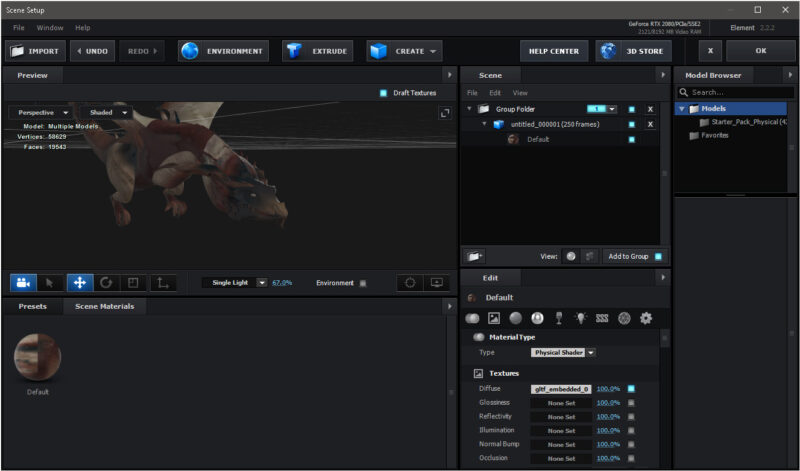
    Once I import it into Element 3D, the texture is missing and when I try to manually link it’s messed up.

    I tried to play with the UV Offset settings from UV Mapping, but it did not work at all.

    Can anyone help me out?

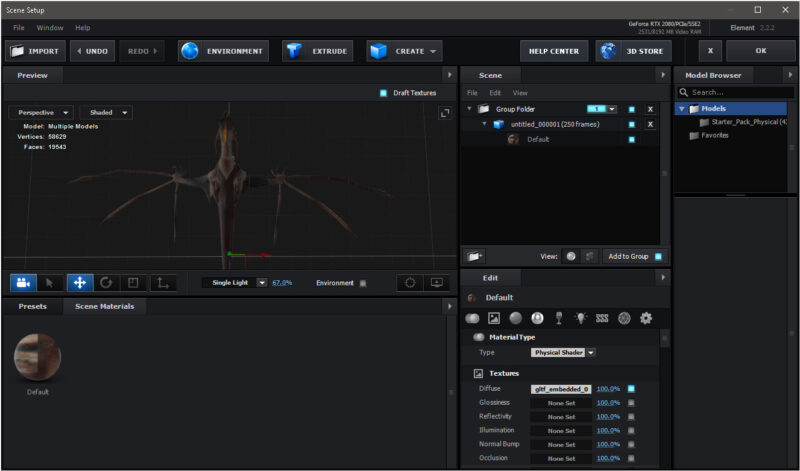
    And there is also another weird thing. When I look at the dragon from below, part of his wings became invisible. Why is that?

    Dragon Sketchfab link: https://sketchfab.com/3d-models/animated-dragon-three-motion-loops-eca98cf6cd084c1596cecf716e110c29#download

    I am looking forward to hearing from you.

    Thank you in advance.

    Walter Soyka replied 3 years, 11 months ago 3 Members · 2 Replies
  • 2 Replies
  • Nidhi Patel

    July 11, 2022 at 3:25 pm

    Hey Fer, were you able to solve this issue?? I am facing the same issue with my file in E3D. please help!

  • Walter Soyka

    July 11, 2022 at 5:00 pm

    I think the main cause of vanishing polygons in E3D is an inverted normal. You’ll have to turn on a view of normals in your 3D application and invert the normals on the errant polys before bringing the OBJ back into Element.

We use anonymous cookies to give you the best experience we can.
Our Privacy policy | GDPR Policy