

Activity › Forums › Adobe After Effects Expressions › Texts in two line
-
Texts in two line
Posted by Arun Longjam on June 28, 2023 at 5:57 pmHi all,
I have a text layer. I want my text start a new line/paragraph automatically after reaching a certain width and start shrinking to show all the texts in two lines. And also I want to adjust the leading of the font. Thanks.
Arun Longjam replied 3 years, 2 months ago 2 Members · 6 Replies -
6 Replies

-

Filip Vandueren
June 29, 2023 at 5:21 pmHello Arun,
I would use a textbox to automatically limit the horizontal length of the lines, and have a hidden textlayer that tries different fontsizes untill it finds thethreshold of where it becomes a three line text.
Like this:
– make a text-box that has the horizontal size that you want to wrap at, but make it plenty tall so it fits at least 3 lines.
– give the sourceText this expression:
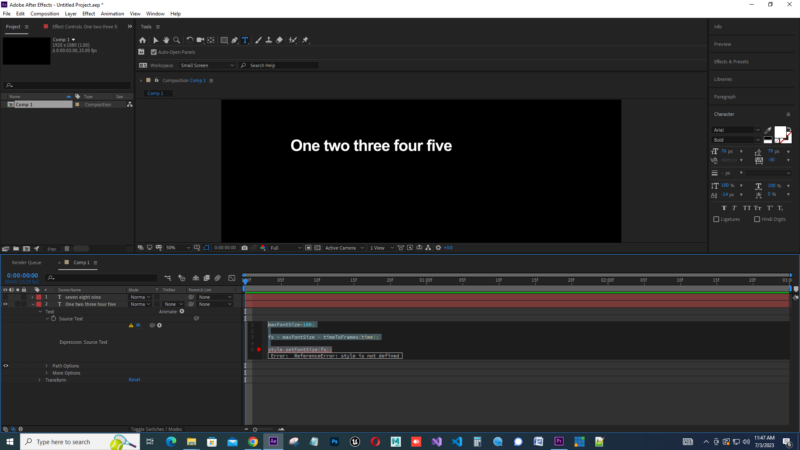
maxFontSize=100;
fs = maxFontSize - timeToFrames(time);
style.setFontSize(fs);
Starting from 0, it will try all integer fontsize starting from your desired maximum/default fontsize.
– give this text-layer a slider control effect, I renamed it to “optimal FontSize” and give it this expression:
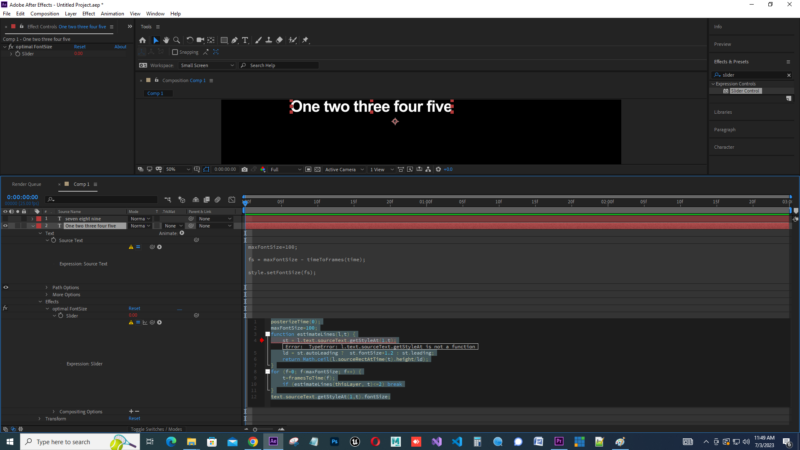
posterizeTime(0);
maxFontSize=100;
function estimateLines(l,t) {
	st = l.text.sourceText.getStyleAt(1,t);
	ld = st.autoLeading ?  st.fontSize*1.2 : st.leading;
	return Math.ceil(l.sourceRectAtTime(t).height/ld);
}
for (f=0; f<maxFontSize; f++) {
	t=framesToTime(f);
	if (estimateLines(thisLayer, t)<=2) break
}
text.sourceText.getStyleAt(1,t).fontSize;
(alternatively this could be done witha binary search algoritmh instead of a frame by frame scan)
The resulting fontSize is the first one fits in exactly 2 lines.
You can hide the current layer, and use the calculation in a second text-layer like this:
The second Textlayer should also be a textbox with the desired wrapping width and this expression for sourceText:
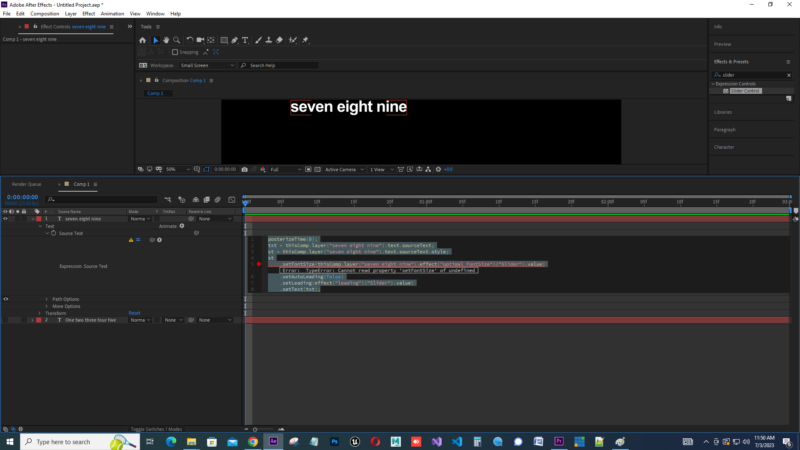
posterizeTime(0);
txt = thisComp.layer("input txt").text.sourceText;
st = thisComp.layer("input txt").text.sourceText.style;
st
	.setFontSize(thisComp.layer("input txt").effect("optimal FontSize")("Slider").value)
	.setAutoLeading(false)
	.setLeading(effect("leading")("Slider").value)
	.setText(txt);
as you see, it now references the contents of the original text, the optimal fontsize, and a new effects slider where you can dial in the desired leading
-

Arun Longjam
July 3, 2023 at 6:27 amHello Filip, I tried ur scripts some errors I found. I don’t have scripting knowledge. I will be grateful if you could help. Thanks.

-
Filip Vandueren
July 3, 2023 at 9:54 amHi Arun,
looks like your File -> Project Settings -> Expressions -> Engine is set to “Legacy Extendscript” (it needs to be Javascript)
or, if you don’t see that setting, you are in a version of After Effects that doesn’t support font styles via expressions.
-
Arun Longjam
July 7, 2023 at 7:05 pmHi Filip, Your first script does shrinking text overtime and second script does manually slider control. I want my text shrink/fit automatically in a box in two lines from frame 0 and will export as a mogrt file. thanks
-
Filip Vandueren
July 7, 2023 at 9:23 pmHi Arun,
That is correct, the only way I know to calculate the best fontsize for a wrapping textbox is to try all of them and then choose the first one that fits less than 3 lines.
So the first layer (shrinking) is necessary, but it should be hidden.
The 2nd layer is based on a slider, because if you set it up correctly, the 1st slider contains an expression that looks up the correct font size, and the second slider is what you asked: manual control of the leading.
The first (hidden, shrinking) textlayer’s sourceText should be added to your mogrt, it will give a warning that you are adding a property with an expression, but that is ok.
The second visible textlayer will copy the text and style of the 1st with the correct fontsize and leading.
Reply to this Discussion! Login or Sign Up