

Activity › Forums › Adobe Illustrator › Text on a Spiral path
-
Text on a Spiral path
Posted by Nanda Kumar on January 8, 2010 at 12:44 pmHello,
I’m writing from Bangalore, India. My name is Nanda Kumar. . I’m struggling to..1. Get the fonts to be in a gradually ascending order.
2. I can only created a sentence which starts out and spirals inward. I want it to start inward and spiral out.Kindly help me with these.
Thank you.
John Negoita replied 5 years, 2 months ago 5 Members · 8 Replies -
8 Replies
-

David Cabestany
January 10, 2010 at 3:47 amNanda, the only way to get the font to gradually increase its size on a sentence is by manually setting it.
To change the side of the path (inwards/outwards) the text flows in you need to finish writing your copy and click it, you will see an I-beam at the middle of your text object (see attached, is very subtle and can be easily missed) click it and drag it to the side you want your text to be in.Best,
D.


-

Nanda Kumar
January 10, 2010 at 3:56 amHello David,
Thanks a ton for your time and patience. 🙂 Got it! -

Mike Gondek
January 20, 2010 at 8:24 pmSelect your type on a path and choose:
Type >> Type on a path option >> check the flip boxYou can fake the type size change by doing an
effect >> distort & transform >> free transform
on a straight line of type to distort so it is taller on the left end (as in the picture)
then drag this to you brush palette and create an art brush.
Apply the art brush to a spiral and you have type that looks bigger at the start and smaller at the end.

There was a better way to do this using Multiple Master fonts, but there are so many technical problems with mm fonts I don’t encourage that. If you are interested it is somewhere on adobes website under typography samples an hourglass image filled with type that gets smaller as it descends down the path.
-
Martina Walters
September 13, 2013 at 9:31 amThis is a brilliant way of doing it. Which Illustrator version did you use? Thank you
-
Mike Gondek
September 13, 2013 at 3:36 pmThe post is from years ago, could have been CS3 or 4. Since this post they have added the width tool in CS5, which can be used in this process.

-

John Negoita
July 2, 2021 at 1:21 pmI was looking a solution for the same spiral text effect.
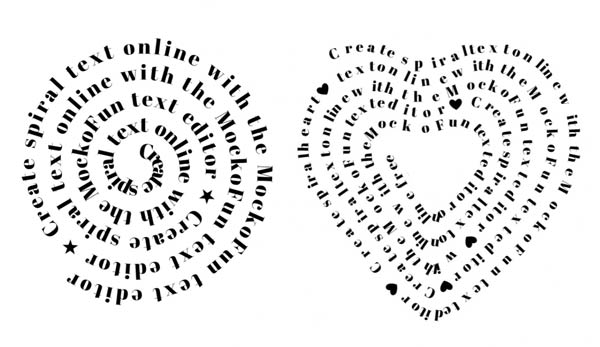
I use this online tool to make text on spiral path but unfortunately the size of the text is the same, not ascending or descending gradually ?
https://www.mockofun.com/template/spiral-text/


Reply to this Discussion! Login or Sign Up