Creative Communities of the World Forums

The peer to peer support community for media production professionals.

Activity Forums Adobe After Effects Expressions TEXT ALIGNMENT IN A BOX USING EXPRESSIONS

  • Dan Ebberts

    December 5, 2020 at 5:11 pm

    I think this should work:

    L = thisComp.layer("Rect");

    L.toComp(L.anchorPoint);

  • Mackie John

    December 6, 2020 at 3:48 am

    Thank you Dan,

    This works just fine.

  • Mackie John

    December 21, 2020 at 3:20 pm

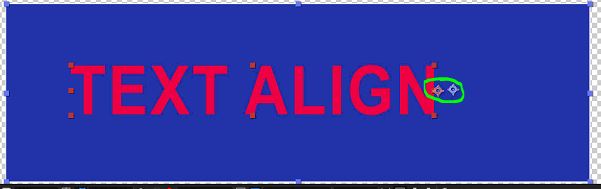
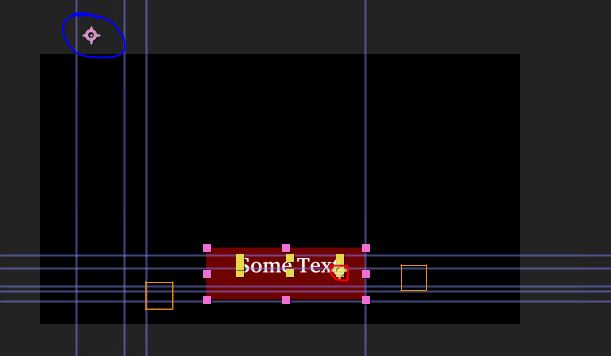
    I’m having a problem with another project and tried your suggestion above, it give me a huge offset or difference between the anchorpoint of the rectangle and the position of the Text. I can see the Text is attached to the anchor point of the Rectangle by moving the anchor point of the rectangle and the text moves along, but what I don’t understand is why is there a huge difference in this project an the same thing works in another project which I tested earlier. Confused.

    D = thisComp.layer(“TEXT BOX”)

    fullPosition = D.toComp(D.anchorPoint);

    Attached is the file showing the offset between the anchorpoints of the textbox and text. Marked in red is the text anchorpoint and marked in blue is the rect anchor point

  • Mackie John

    December 21, 2020 at 3:30 pm

    There was a parent link, I removed that now below is the result, still there is offset.

  • Mackie John

    December 21, 2020 at 3:33 pm

    Sorry kindly please ignore this, this is fixed. I was using the wrong rectangle. Just need to understand something, why is Parent and LINK used

We use anonymous cookies to give you the best experience we can.
Our Privacy policy | GDPR Policy