Creative Communities of the World Forums

The peer to peer support community for media production professionals.

Activity Forums Maxon Cinema 4D Spline Paths From After Effects and Photoshop Not Seen in C4D

  • Spline Paths From After Effects and Photoshop Not Seen in C4D

    Posted by Sean Lloyd on September 2, 2022 at 1:07 am

    Hi All,

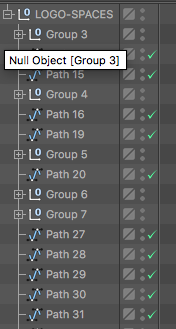
    This is very frustrating. I’ve follow may tutorial to the letters and yet no matter what I do spline I’ve created in AE of PS show up at Nulls with nothing in them in C4D.

    I’ve also tried adding points to the spline which is a solution I’ve read on line.

    What’s more frustrating is that I got it to work with two very complex Logos I made in photoshop and they come in as Nulls with multiple paths in them.

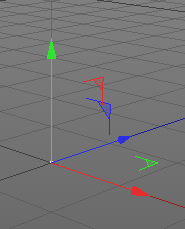
    The following are pics of the successful version and two of the non-successful.

    Any help would be greatly appreciated.

    I’m on R-19

    Sean Lloyd replied 3 years, 8 months ago 2 Members · 2 Replies
  • 2 Replies
  • Jon Simpson

    September 4, 2022 at 2:20 pm

    I believe you need to convert to illustrator paths in Photoshop first, then open as an illustrator file and save to Illustrator version 9. Then you can import the paths to C4D and they will all be there.

    So, select your objects in Photoshop, then right click and select “make work path”
    Then go to the “paths” window and select that path and then go to export>paths to illustrator and save.
    Then you need to go to that Illustrator file and open it. You need to re-save that very same file to a much later version of Illustrator for this to work! When the save dialogue window comes up, SAVE AS ILLUSTRATOR VERSION 9. This is critical because C4D will NOT read any Illustrator version past 9.

    Then you can just drag into C4D and have your way with them.

  • Sean Lloyd

    September 6, 2022 at 2:15 am

    Hi Joe,

    And thanks for the reply. Fortunately or unfortunately, I have done that already. I have gone from Photoshop to AI and also done an image trace in AI and exported then imported into c4d. And like I said, I got it to work on a complicated logo from Image Trace in AI to C4D, but then later it hasn’t ever worked.

    Also there is nothing in the null (no paths) when I import into c4d. Strange.

    But thanks for the reply. I appreciate it…

We use anonymous cookies to give you the best experience we can.
Our Privacy policy | GDPR Policy