-
Speech bubbles with dynamically adjustable tail
Hey, I’ve recently started diving deeper into AE but hit kind of a wall with this project. I think it’s mostly a lack of understanding of how layer coordinates and anchor points are influenced by each other, by parenting of layers and relationships between compositions.
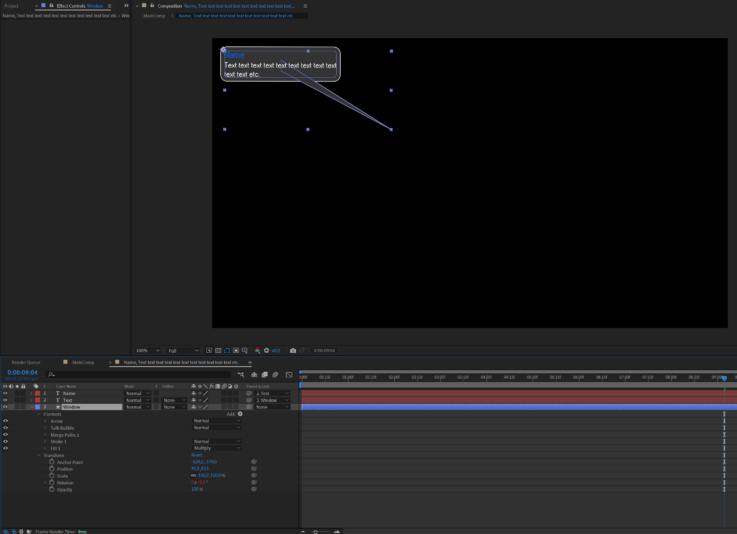
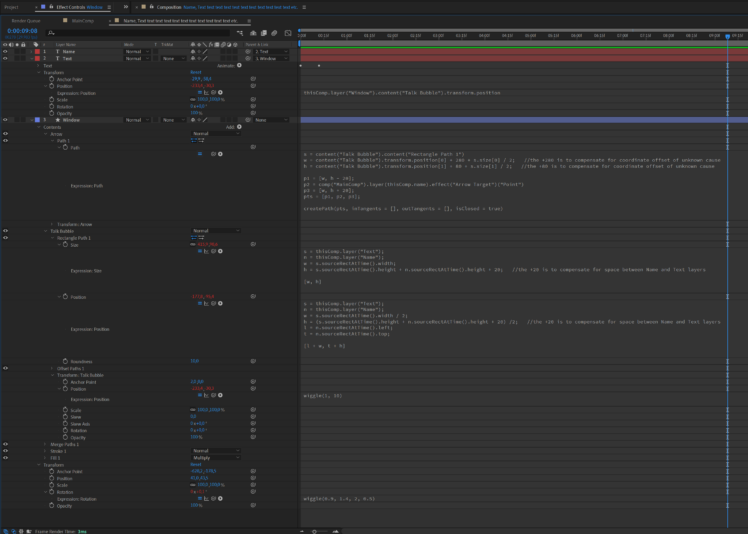
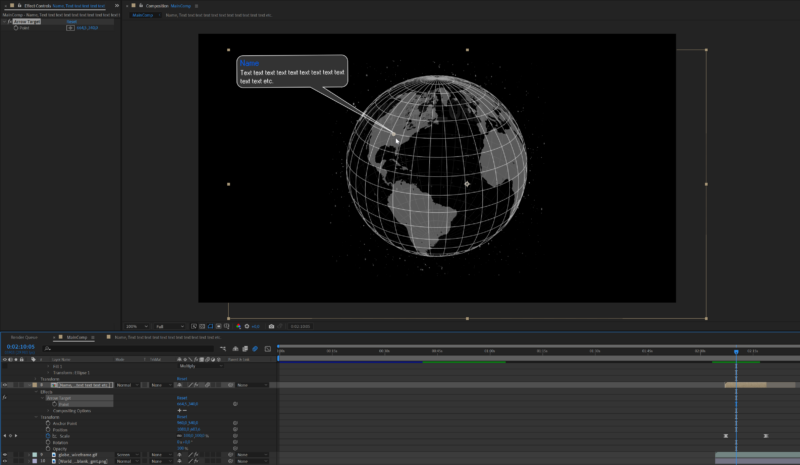
What I’m trying to create is a speech bubble which adjusts in size based on the text layers inside (this part I got working with the help of some tutorials), and with a tail which can be pointed to an adjustable location indicated in the main composition. The last has been the most problematic, I only got it to work assuming the bubble is located in the top-left corner of its composition. I’d like to have a number of them appear in sequence and in different locations surrounding a globe in the center of the image, each with different captions and with the tails pointing towards different areas of the globe. Hopefully the attached screenshots give an idea of what I’m trying to do and of the limits of my understanding.
Ideally the bubble could be placed anywhere and the tail would rotate around the edge of the bubble, extending to point at any indicated location. I wanted the tip of the arrow to remain static relative to the the base of the arrow and the bubble itself, which (connected to each other) would have a slight wiggle. This was working on and off for unclear reasons. The Name and Text strings in the bubble are taken out of the speech bubble’s composition name, separated by the comma. This was the only way I found so far to have it be adjustable from the main comp (there’s probably a better way to do this). Finally I wanted it to pop up and pop back out of existence by scaling the bubble up and down.
So far it’s been kind of a complex, compound problem and I’m probably trying to do something way above my level here. I hope it’s not too much to ask, but any help or suggestions would be very much appreciated.