

-
Sound level up when adding clips
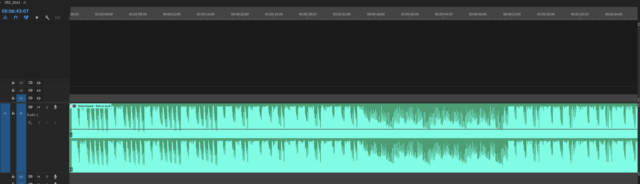
Hello. Hoping to find the answer to this question. Whenever I put a clip into my timeline whether it’s music or sound within a video file the waveform shows a DB level of 0.0 but the white line is up about 1/3rd. Is this normal? It seems to me that the line should be in the middle of the sound clip. If I manually lower that to the center is shows me the sound is down -5db. Anyone know what is correct here? Screenshot attached for reference. I would assume this white line/volume level would be centered left/right, etc.
I’ve tried to explain this to Adobe but they just don’t understand what I’m trying to explain.

Sorry, there were no replies found.