Creative Communities of the World Forums

The peer to peer support community for media production professionals.

Activity Forums Adobe After Effects Expressions slider counting with different font size

  • slider counting with different font size

    Posted by Donna Li on November 7, 2022 at 9:47 am

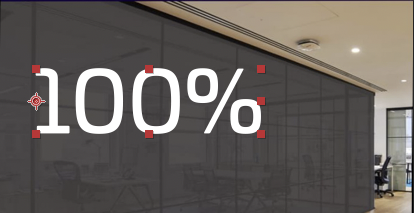
    I use the slider control to count the numbers, and I want the percentage symbol a bit smaller, how can I do this?
    this is the script now:

    s=effect(“Slider Control”)(“Slider”).value.toFixed(0)

    prefix = “%”;

    s + prefix;

    Donna Li replied 3 years, 6 months ago 2 Members · 2 Replies
  • 2 Replies
  • Tomas Bumbulevičius

    November 7, 2022 at 4:34 pm

    Hey Donna,

    1. Apply text animation to the text layer for scaling.
    2. Change the range from percentage to index.
    3. Set start of range to be text.sourceText.length-1
    4. Set start of range to be text.sourceText.length
    5. Adjust scaling inside text animation to your preferred size – only last char will be affected.

  • Donna Li

    November 8, 2022 at 11:11 am

    Thank you Tomas, let me try!

We use anonymous cookies to give you the best experience we can.
Our Privacy policy | GDPR Policy