Creative Communities of the World Forums

The peer to peer support community for media production professionals.

Activity Forums Adobe After Effects Relight and 3d occlusion with depthmap in lens redistortion comp with cam track

  • Relight and 3d occlusion with depthmap in lens redistortion comp with cam track

    Posted by winston hobbs on June 30, 2026 at 3:53 am

    AE 25.3.1

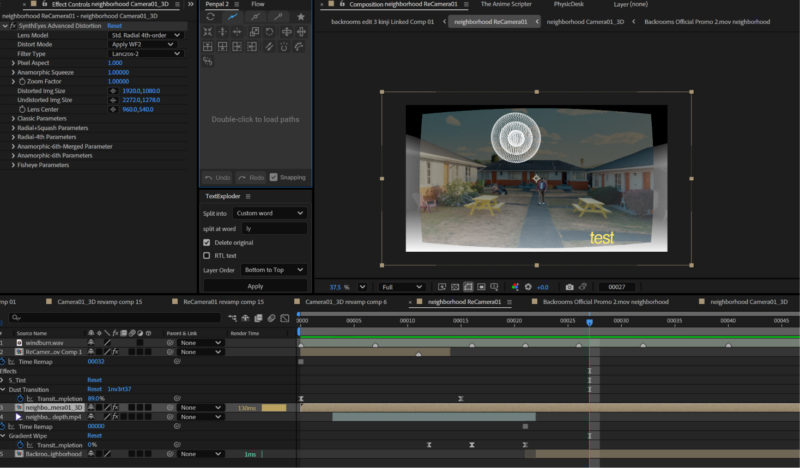
    I have a camera solve with redistortion workflow from syntheyes into AE, and i have a depthmap of the original scene.

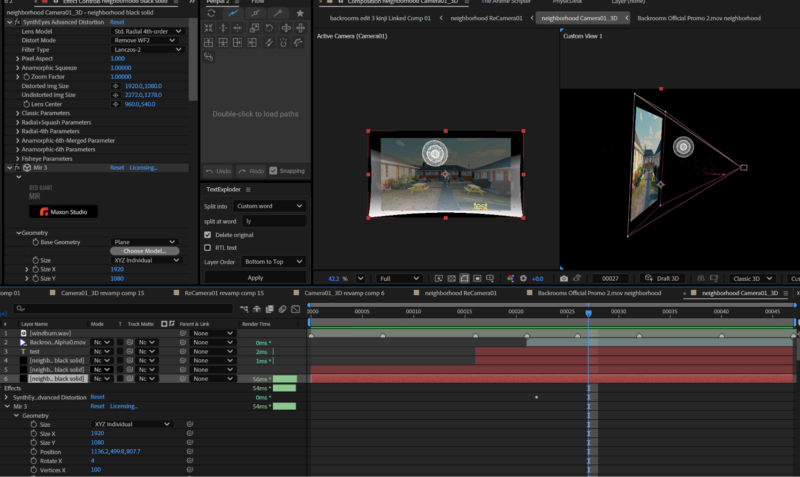
    I want to put 3d in the scene in the form of red giant tao, and i was planning on using the depth map to extrude the footage so that it is in real 3d, so that it could interact with the 3d that i insert. I have seen tutorials to do this, but they have never done it in a camera tracked camera scene with an redistortion workflow. I’m using the syntheyes plugin for the redistort and undistort.

    It actually doesn’t need to be red giant tao, but i really like the abstract 3d fractals from tao. I would be willing to buy another plugin that can do that and actually works better with this workflow.

    By the time i get a response, the deadline for this project would be due and i probably would have just scrapped this idea, but i would love to learn for the future.

    winston hobbs replied 2 weeks ago 2 Members · 2 Replies
  • 2 Replies
  • John Martin

    July 1, 2026 at 5:29 am

    Hey man! i’m gonna keep it short and simple for now, you can try to undistort the footage first, displace with depthmap in 3D (Trapcode Form/Mir or Plexus reads depth as displacement), then innsert Tao geometry in that same undistorted 3D space, redistort the whole comp at the end.

    This should Keep your camera solve’s 3D space matching the depth extrusion without double-distorting Tao’s render. lemme know if that helps even a tiny bit, took me a littl ebit to figure this out!

  • winston hobbs

    July 3, 2026 at 12:17 pm

    Thanks, I think you might have misunderstood but i should have been more clear on my end.

    I mean like i want to use the depth of the video to occlude the geometry im putting in. example: the volume of the floor will cut off the parts of the tao fractal if i put the tao fractal on the “floor”.

    I was already using a distort and redistort workflow, syntheyes export makes a comp that redistorts, then puts the camera track comp inside of that comp and the camera track comp is undistorted by the syntheyes plugin (redistortion on the outer comp also done by syntheyes plugin).

    I finished the project already and just settled for having the tao fractals and other geometry being positioned in a way where it just doesn’t touch anything.

    If a plugin or workflow ever gets made that works with this, please let me know. I eventually want to act on this idea.

We use anonymous cookies to give you the best experience we can.
Our Privacy policy | GDPR Policy