-
Project Crisis: Playback Crawls on Large Layer Opacity Fades (M1, 8GB, Ext Drive
I need new eyes to take a look at my Mac, which has slowed down immensely in the middle of a project.
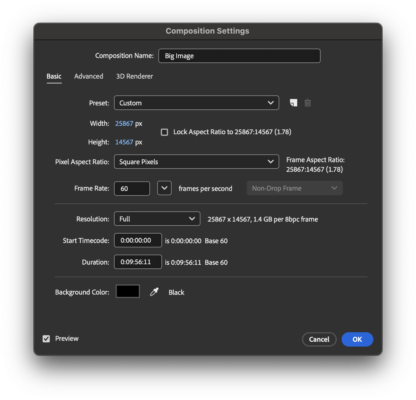
The project I’m working on is a motion graphic animation with the strokes of a mind map growing outward, and its titles’ opacity fading in at each point in the synced voiceover. The layers of this project are broken into four images: wooden background, Mind-Map’s paper, Mind-Map’s branches, and Mind-Map’s titles. Each of these layers ranges around the 25867 × 14567 pixels mark.
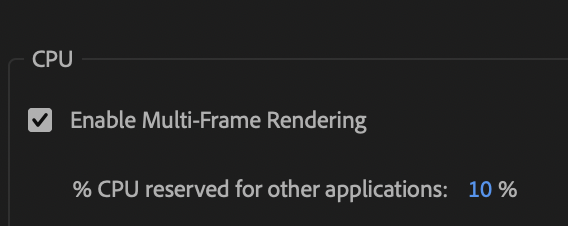
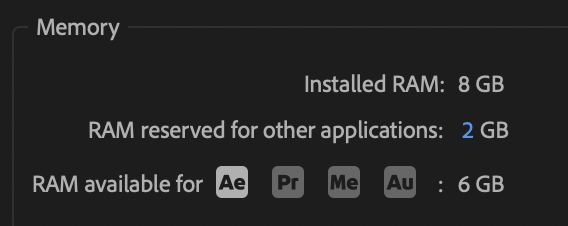
These image files are on a USB 3 hard drive, while the project file is on my computer with my scratch disk on the hard drive as well.My computer is a MacBook 13″, M1, 2020 model, which has completed 10 of these similar project’s before. It has been updated to macOS Tahoe 26.2, and as I have shown the attachments, has enough memory to perform with the battery being charged. The percentage of RAM is 6 GIGs of the available 8 GIGs. I have cleared the cache and shut down the computer for 10 minutes to turn it back on in order to clear memory.
Here’s my challenge: I still have no idea that when I play the project so as to preview, it will still sit processing before playing and with its Voiceover, slowing down every time the opacity titles appear..
The other project I’m busy with is editing wedding photos on Lightroom Classic from a separate hard drive.
If you have any questions, please ask. HELP would be greatly appreciated.