

Activity › Forums › Adobe After Effects › [PROBLEM] After Effects detects H264 mp4 as AVI
-
[PROBLEM] After Effects detects H264 mp4 as AVI
Posted by Albert Navarro on September 16, 2020 at 11:58 amSo I have some videofiles that are detected as mp4 by Windows and Video Editing Software such as Nuke.
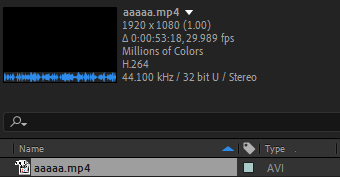
In spite of that, when I import them into AE, they are interpreted as AVI, even though in the video properties in After it says they are encoded in H264.
How can I solve this? It’s giving me preview errors because of this.
Thank you!
Albert Navarro replied 6 years ago 4 Members · 7 Replies -
7 Replies
-

Eric Santiago
September 16, 2020 at 12:59 pmDo a test with one and convert it to something off e.g. ProRes or DNxHD/HR.
Will you get the same results in AE is the question.
-

Michael Szalapski
September 17, 2020 at 1:33 amDo Premiere Pro and AME see them as AVI too? I would assume so, but want to double check.
What is the source of these files?
-

Walter Soyka
September 17, 2020 at 2:13 amDo you have any third-party codec packs installed?
What are the preview errors you’re seeing?
-

Albert Navarro
September 17, 2020 at 7:46 amIf I convert it to another format the issue is solved, but I would like not to convert all of the files I have.
-
Albert Navarro
September 17, 2020 at 7:50 amYes, the K-Lite Codec Pack.
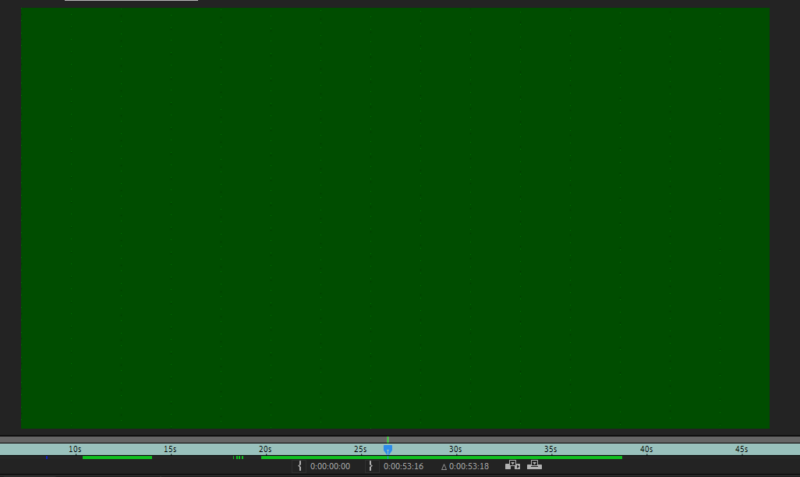
The issue I’m having is this frame in the middle of the footage for no reason. When I play it on premiere or vlc, I have no playback issues.
I exported the footage with this frame in it without noticing the first time, and weirdly enough, you can only see a glitch when you play it, not when you scroll through it frame by frame. But when you play it frame by frame on After before exporting, you can see it clearly tho.
-
Albert Navarro
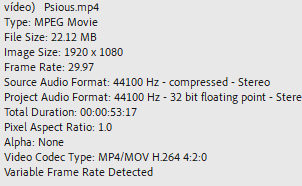
September 17, 2020 at 7:53 amActually not, Premiere sees them as mp4:
So does VLC. After seems the only want to sees them as AVI (even though it says they are encoded in H264 which makes no sense at all).
These files are Youtube videos downloaded through a program called 4k Video Downloader. This is surely the issue with the encoding, but what I can’t understand is why is After the only problem encountering the issue. Every other program I tried just reads it correctly.
-
Albert Navarro
September 17, 2020 at 7:56 amSorry I have just realised my screenshots can’t be seen, here are the pics again:

Reply to this Discussion! Login or Sign Up