-
Date format altered in text layers in new AE versions
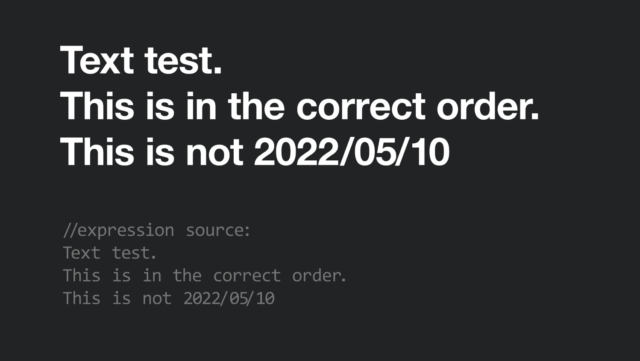
Writing a date (or copy-pasting from another source) makes it automatically reorder its elements.
Text test.
This is in the correct order.
This is not 10/05/2022Example: this is the text I copied in a new text layer in ae, as you can see year, month and day are reversed. The only way of making them appear in the intended order is writing them backwards.
I tried getting the original text with an expression but it displayed exactly the same thing as the source.I have no idea of what’s happening and cannot find any information online.
This happens both in AE 22.4 and 22.5 using different fonts