Creative Communities of the World Forums

The peer to peer support community for media production professionals.

Activity Forums Adobe After Effects 'noisy' Xs over layers and precomps after recent update

  • 'noisy' Xs over layers and precomps after recent update

    Posted by Frazer Ash on November 28, 2020 at 7:01 pm

    Hi all,

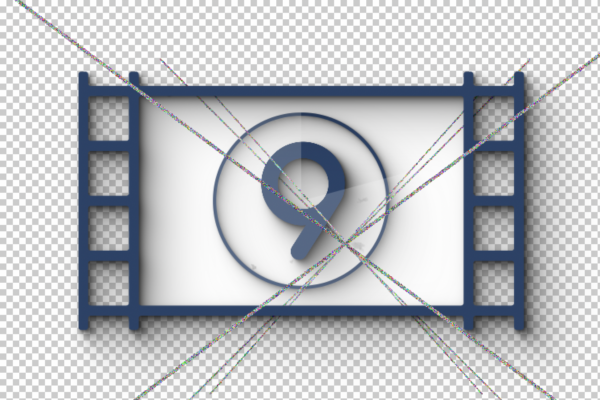
    I recently updated the the latest version of Ae and brought over all my current projects, but I’m finding a lot of comps (but not all) now feature what’s best described as an X of noise over them, as in the attached screen grab. Any idea what this is and how to get rid?

    Doesn’t appear to have anything to do with FX or plugins as many instances are on plain old shape layers…

    Appreciation in advance!

    Michael Szalapski replied 5 years, 8 months ago 3 Members · 3 Replies
  • 3 Replies
  • Unai Guerra

    November 28, 2020 at 9:12 pm

    Seems that some plug ins lost their activation when updating After Effects. Try typing again their serial number.

  • Unai Guerra

    November 28, 2020 at 10:08 pm

    If it is not a plug-in issue, try deactivating View Options.

  • Michael Szalapski

    December 5, 2020 at 4:53 pm

    Have you solved this yet?

    You’re saying these are still visible when you solo a shape layer that has no effects?

    In a project where this is happening, does it happen in a new comp with no layers? If not, what happens when you add a shape layer?

    What are your computer’s specs (OS, hardware, etc.)

We use anonymous cookies to give you the best experience we can.
Our Privacy policy | GDPR Policy