Creative Communities of the World Forums

The peer to peer support community for media production professionals.

Activity Forums Adobe After Effects Masking with opacity

  • Masking with opacity

    Posted by Dennis Evans on February 14, 2023 at 12:30 am

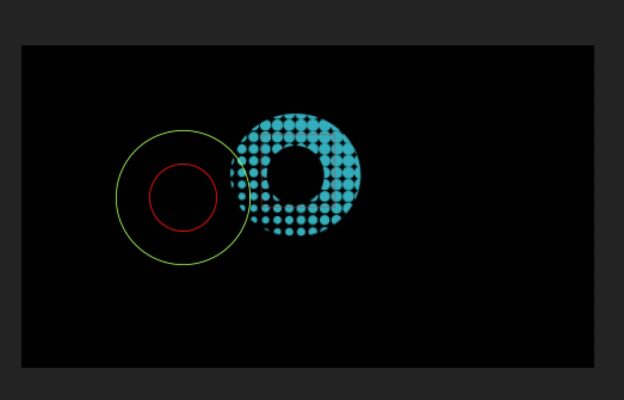
    I’ve created this half tone dot pattern that flies in, and would eventually fill the letter O with a mask, I was thinking I could just use the shape layer of the letter O as a track matte and adjust the opacity as the dots fly in to reveal the O but the track matte doesn’t seem to care what the opacity values are.

    Is there another way of going about this?

    Thanks!

    Dennis Evans replied 3 years, 6 months ago 2 Members · 2 Replies
  • 2 Replies
  • Walter Soyka

    February 14, 2023 at 5:45 pm

    Sorry to be dense, but I don’t understand exactly what you’re going for. What do you have, how’s it built, and what are you trying to achieve?

  • Dennis Evans

    February 14, 2023 at 6:23 pm

    I wondered if I explained myself there 😅

    I’ve got a shape that is the letter O, and would like to use it as a mask and transition the opacity of the mask until it fills this half tone pattern. As seen in the screenshot here.

We use anonymous cookies to give you the best experience we can.
Our Privacy policy | GDPR Policy