

Activity › Forums › Maxon Cinema 4D › Make Points Visible
-
Make Points Visible
Posted by Rodrigo Avendaño on November 2, 2023 at 9:36 pmHello,
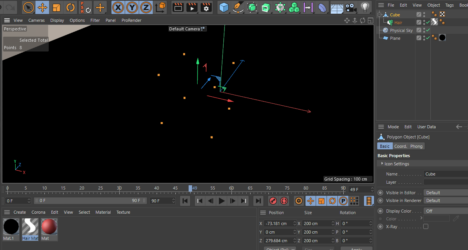
I have a model made with Agisoft Metashape, exported as Points in .obj. When imported to Cinema 4D I can only see it in Point Mode and when I render the model it shows only a black screen.
Is there a way to give this points some volume so they are visible and able to be rendered?
Thankful for any help.
Kouraib Abdmalek replied 2 years, 9 months ago 3 Members · 3 Replies -
3 Replies
-

Kouraib Abdmalek
November 3, 2023 at 8:12 amHi Rodrigo,
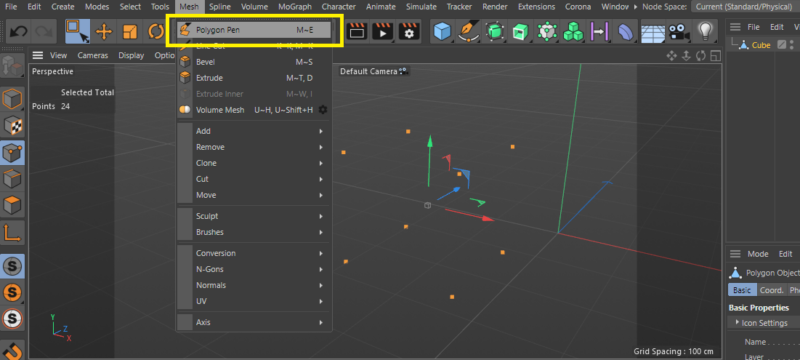
If you do not have a way to export the file as polygon or solid form, you must connect the points in cinema 4d using the “polygon pen” tool, as in the screenshots below.
I hope this helps you
Thanks

-

Andy Kiernan
November 4, 2023 at 11:25 amBut, if you just want the points rendered, you could use a cloner and clone geo onto each point. Or in octane use scatter, Redshift has a similar tool i think.
-
Kouraib Abdmalek
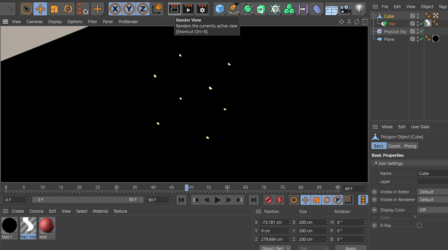
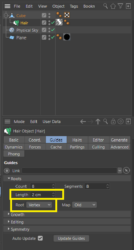
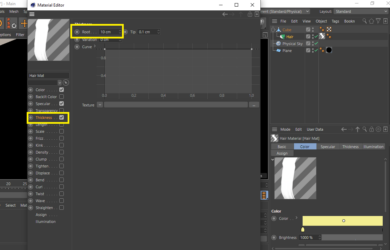
December 17, 2023 at 12:05 pmI think I have found a good way to make the points visible in rendering using hair. Just make sure in the hair properties that you set the Root to Vertex and use an appropriate material in terms of color and brightness to make the points more visible. You can also control the size of the points through the thickness channel in the material editor, as in the file and screenshots attached.
I hope this is useful to you.

Reply to this Discussion! Login or Sign Up